How to consult and download tax certificates for third parties via public authorities
To collect the certificate, you will need to provide proof of identity using the valid electronic certificate for a legal person or the digital certificate for a public sector employee that was used for the application.
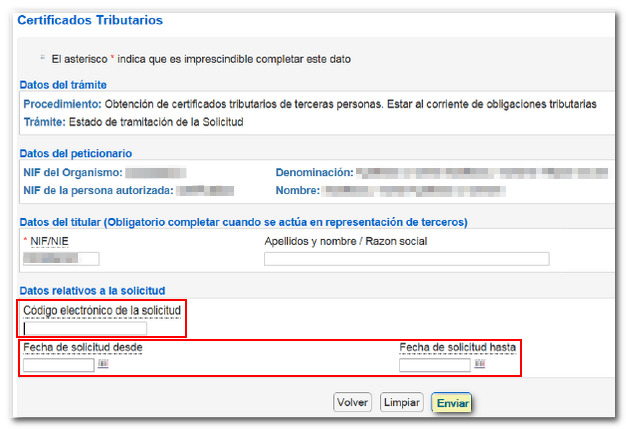
In the next window, please fill in the requested details. These include the tax identificationnumber/NIE, the holder’s surname and first name or company name, and the application’s electronic code. If the electronic application code is not entered, you must specify the dates between which the certificate was requested. The date range must not exceed 7 days.
Once you have filled in the required details, click on "Submit".
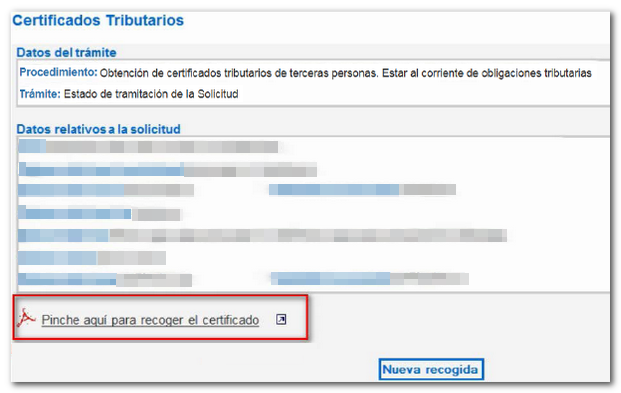
If the details entered are correct, a window will appear showing the details of the application and a link saying ‘Click here to collect the certificate’, allowing you to download the certificate in PDF format.