How to delete temporary files on Android
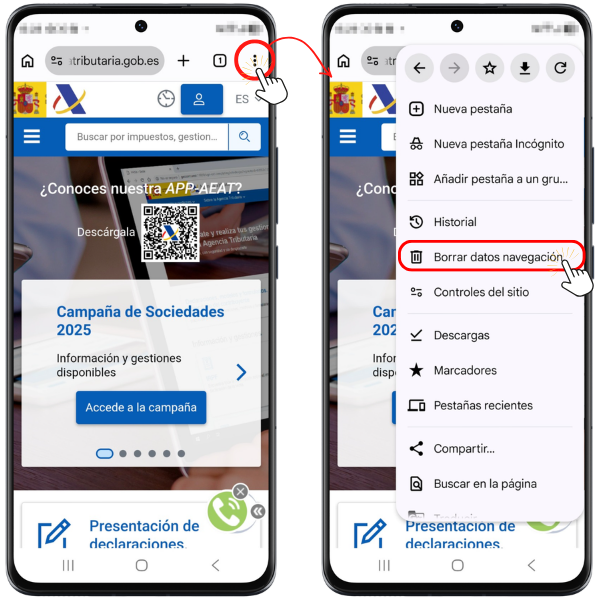
To delete cookies and temporary cached files on an Android mobile device using the Google Chrome browser, tap the three vertical dots menu at the top and go to "Clear browsing data"
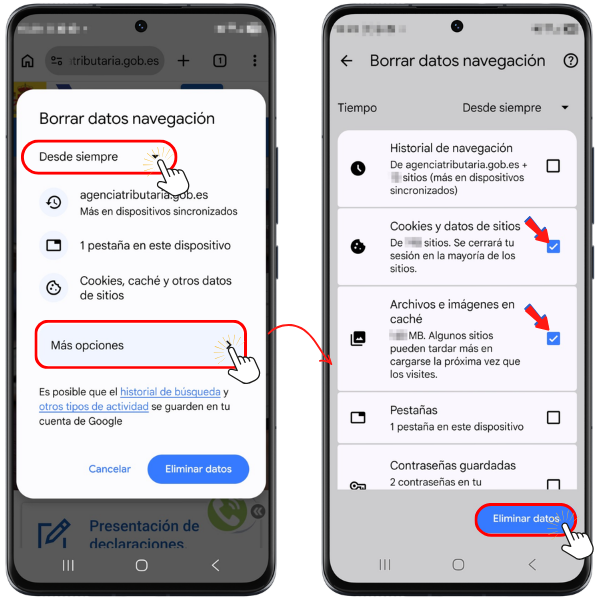
On the next screen, select "Always" and click on "More options", leaves the options selected"Cookies and website data" and "Cached files and images" Then press "Delete data"