How to delete temporary files on iOS
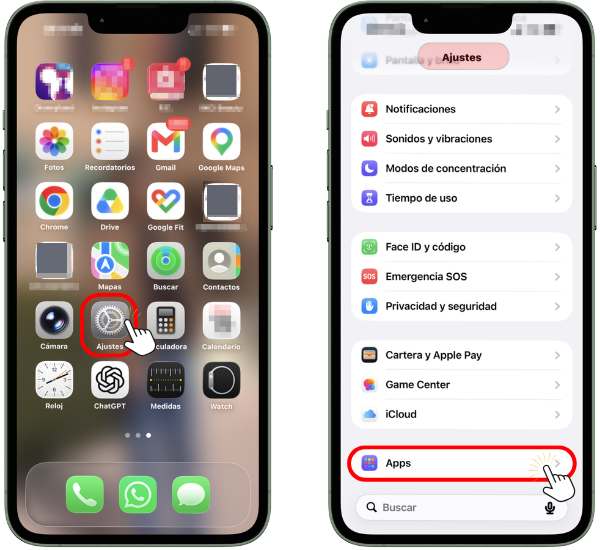
To delete cookies and temporary cached files on a mobile device with iOS and the Safari browser, tap on "Settings" on the main screen. Then access "Apps"(Applications).
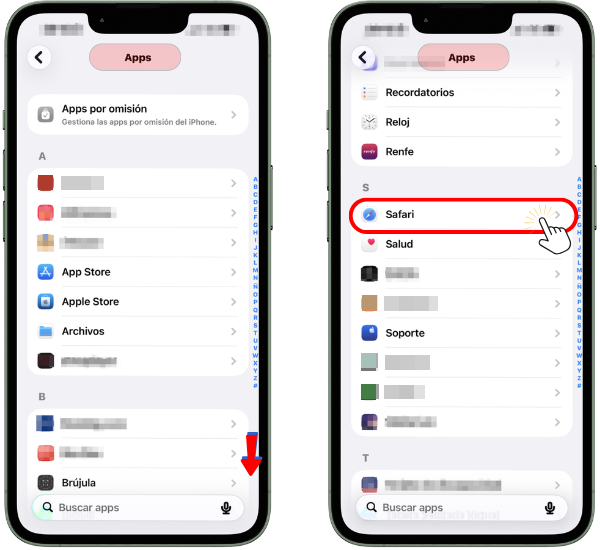
In "Apps" scroll until you find "Safari" Press to enter.
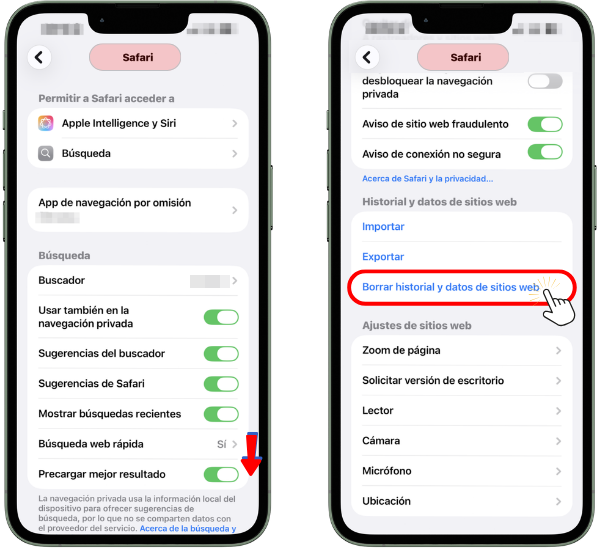
Within the Safari application, scroll down until you find "Clear browsing history and website data" Click to access.
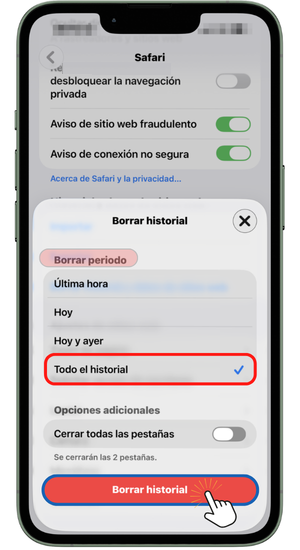
On the next screen titled "Clear history", select "The entire history" from the "Delete period" section and click on "Clear history"