Notifications via mobile phone or email
You can subscribe to or update your newsletter subscription details for the AEAT (State Tax Administration Agency) information notices via the ‘Subscribe to/Update information notices’ service available on the AEAT website.
You can log in using an electronic certificate, Cl@ve, the income tax reference number provided by the Tax Agency, or eIDAS identification for EU citizens.
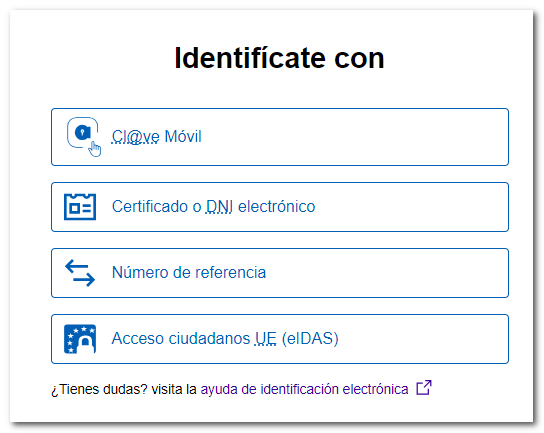
Please remember that if you log in using a reference, you can request one up to 10 times a day, and the valid reference will always be the most recent one requested. The reference retrieval service is available on the income tax portal or via the Tax Agency app. Whenever you select identification by reference, you can obtain a new one by clicking the ‘I don’t have a reference’ option.
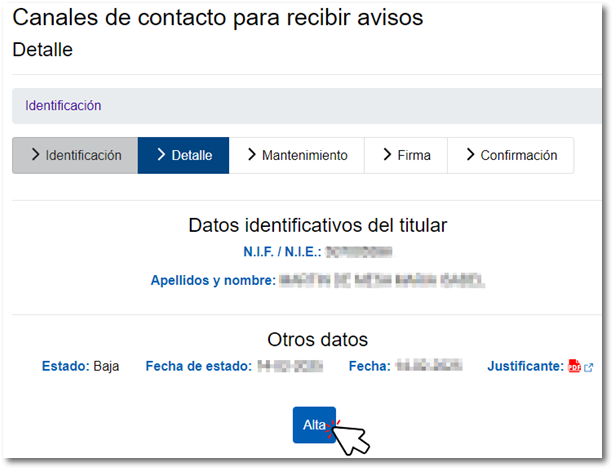
Once you have logged in to the service, your details will be displayed; if you have already completed registration, you can consult this information under ‘Other details’. Otherwise, click the 'Registration' button and enter your subscription details.
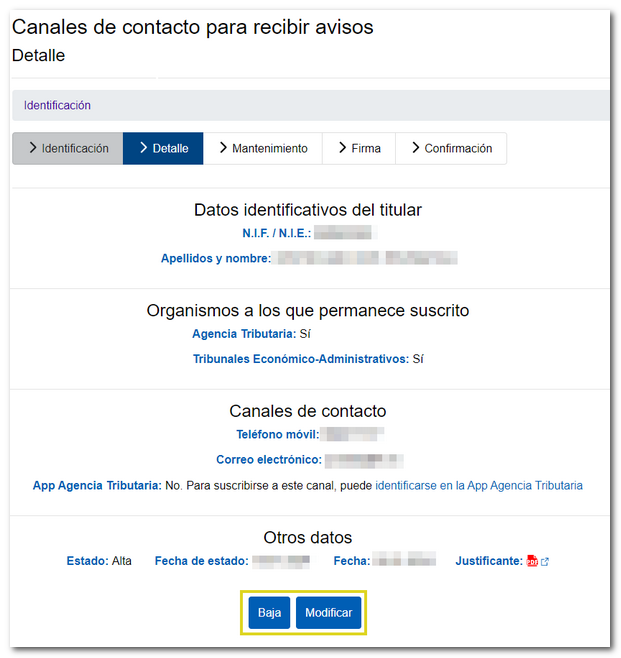
If you have already completed registration for the service but wish to update your telephone number and/or email address, you can do so by clicking ‘Edit’.
You can then fill in the fields and provide your telephone number – which may be a Spanish or international number – and your email address. Once you have finished, click "Confirm". You can also enable notifications in the AEAT app.

A confirmation message regarding the registration will be displayed, along with the details of the information. You can download the PDF containing proof of registration for the service.


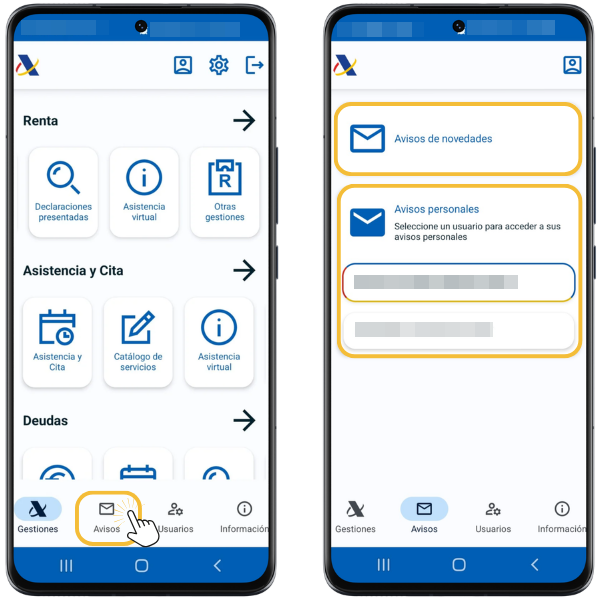
In addition to receiving notifications via text message and email, notifications can also be received via theAEAT app. The mobile app allows you to obtain your income tax reference number, consult your tax data and download copies of income tax returns you have submitted, as well as manage other general services offered by the Tax Office.
To view notifications of updates from the AEAT (State Tax Administration Agency) or personal notifications sent to users with registration in theAEAT app, click on ‘Notifications’ at the bottom of the window.