Label printing settings
To ensure your labels print correctly, you must first and foremost check your printer settings.
The label printing service automatically generates the labels as a PDF file, so you will need to have a PDF viewer installed, such as Adobe Reader.
Make sure you have selected sensible margins for the PDF generation and click "Send".
Once the PDF has been generated, open it, go to the ‘File’ menu, select ‘Print’, click the ‘Advanced printing options’ button and tick the ‘Print as image’ box.
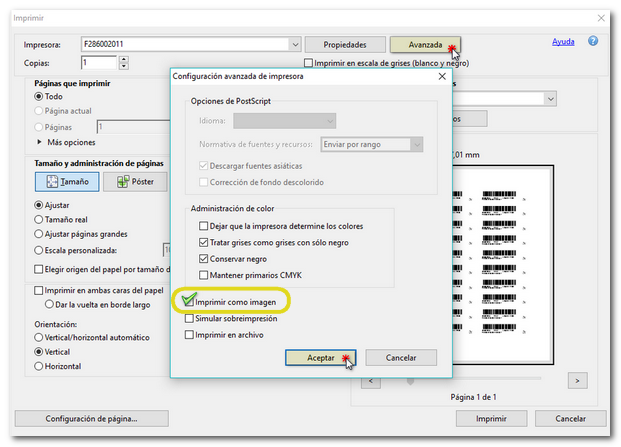
This should ensure that the labels are printed correctly.
For other document viewers, consult the supplier.