Second step: modify the declaration already submitted
In "Return Sections" select "Modify 2023 Income Tax Return already filed."

When you select this option, Renta Web will display the following window:
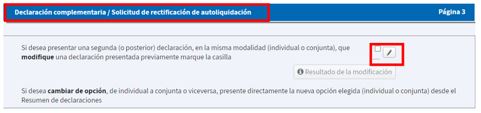
Clicking on the indicated box will open:
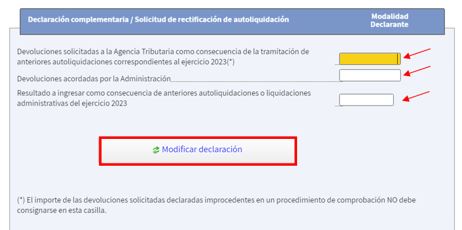
As a general rule, the refund amount or, where applicable, the amount to be paid will appear pre-filled.
By clicking on "Modify return," Renta WEB will show you only the window corresponding to the type of return (supplementary or corrective) resulting from the previously entered modifications.
-
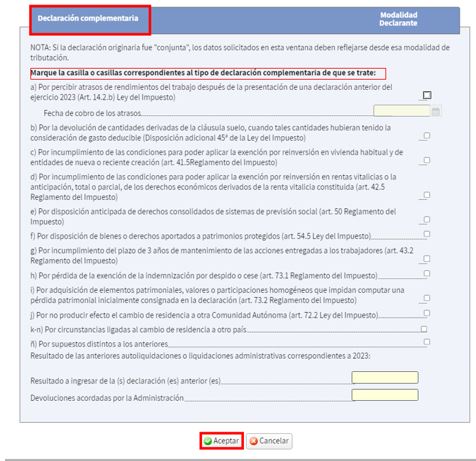
If the result is a supplementary return, due to a higher amount to be paid or a lower refund, a drop-down menu will open in which you will need to indicate the reason for filing the return.
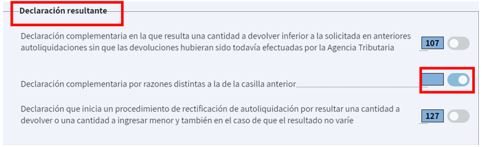
Once the requested data has been entered, click "Accept" and the resulting declaration type will be displayed.
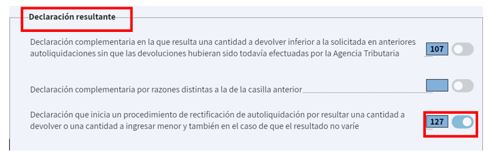
Generally, refunds for the 2023 financial year will have been paid, so the box that will appear checked will be the one indicated.
-
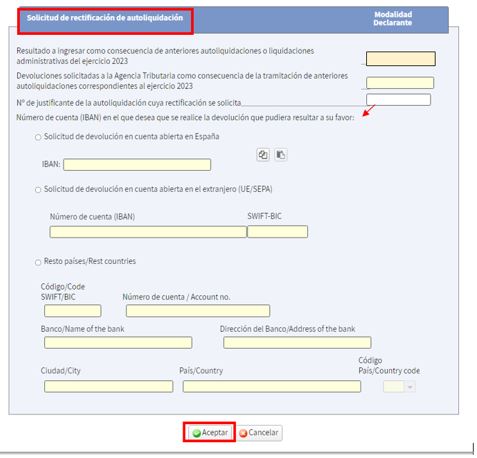
In corrective declarations, those in which the result is a lower income or a higher refund, the account number will be entered.
Once the requested data has been entered, click "Accept" and the resulting declaration type will be displayed.