Second step: modify the declaration already submitted
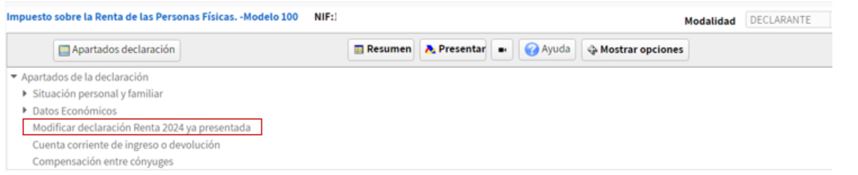
In "Declaration sections" the option "Modify 2024 Income Tax Return already submitted" will be selected:
And in the window box 103 will be checked:
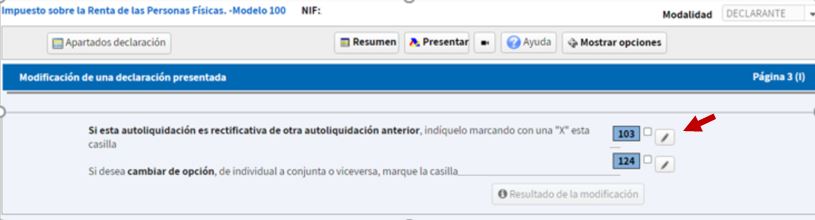
Renta Web advises against updating amounts, as there's generally no need to manually enter any information. It automatically retrieves receipt numbers, previous income to be computed in each case, and previously agreed refunds.
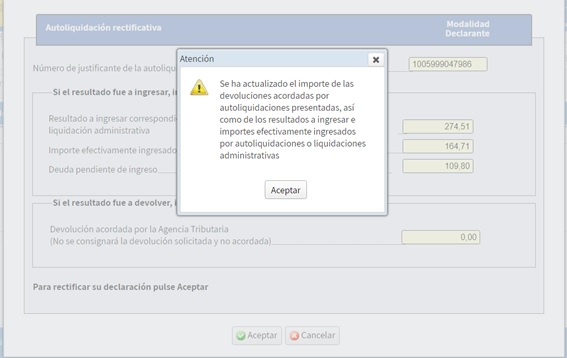
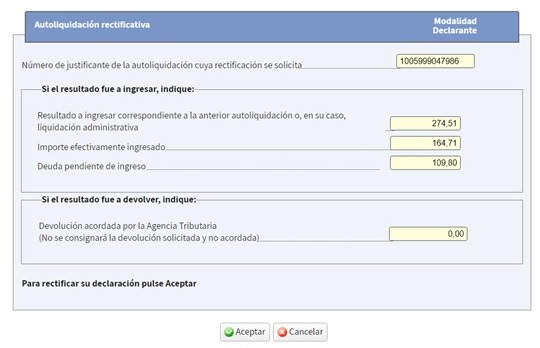
You can see that the result of the first declaration appears (€274.51), the amount actually already paid corresponding to the first installment and which has been paid by Bizum (€164.71) and the outstanding debt (€109.80) corresponding to the second installment which has been direct debited:
When the result of the corrective self-assessment is an amount to be paid that is higher or a refund that is lower than the initial self-assessment, the specific reason for the correction must be indicated, indicating the corresponding one from among the following assumptions:

Once the reason has been selected, click "Accept" and the result of the modification will be displayed in the declaration summary:
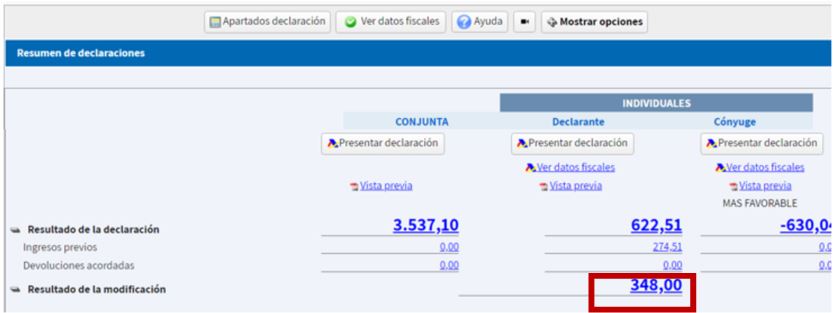
Since the new declaration represents an additional amount to be paid, both the income already received and the direct debit pending payment are taken into account; That is, the total result to be entered from the previous self-assessment will be computed whether or not it has been entered.
In this case, the result of the corrective self-assessment will generate an additional income of €348.00, which must be paid.