Example of a corrective self-assessment with a lower amount to be paid
If the new declaration results in a lower total income, the same steps outlined in the previous section will be followed.
In the following example, an initial declaration has been filed with a result of €834.27 to be paid, with the payment divided into two parts (first installment of 60% of €500.56 paid in, and second installment of 40% to be paid by direct debit).

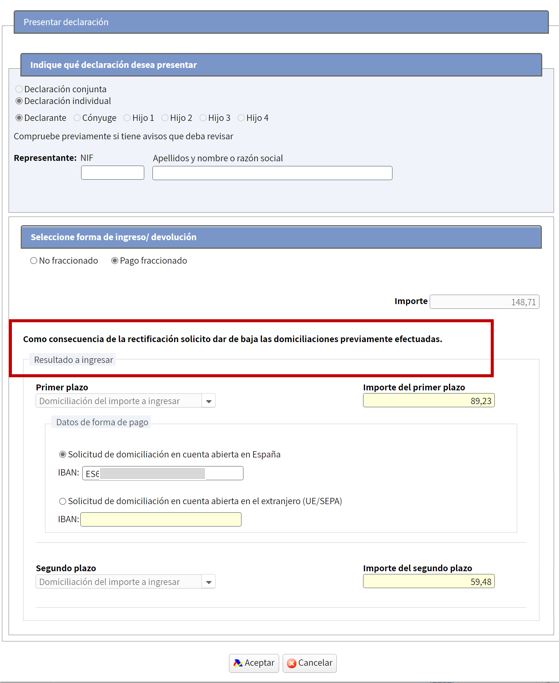
After making the changes to the declaration, the result is €649.27, which is lower than the amount from the previous declaration (€834.27).
In relation to previous income, only those actually received will be counted. This way, if the new declaration represents a lower total income, the outstanding amount is recalculated, meaning only this amount will have to be paid, not the amount initially planned.

When filing the declaration, it will be indicated that the pending payments are cancelled and the new amount to be paid will be:
If the final result after modifying the tax return is lower than the actual income already paid by the taxpayer, Renta Web will calculate the excess amount paid to process the refund.
Thus, if in the previous example, in which the result of the initial declaration was €834.27 to be paid and the payment had been split into two parts (first installment of 60% for €500.56 paid and second installment of 40% direct debited), when making the correction, the amount to be paid is €464.27:

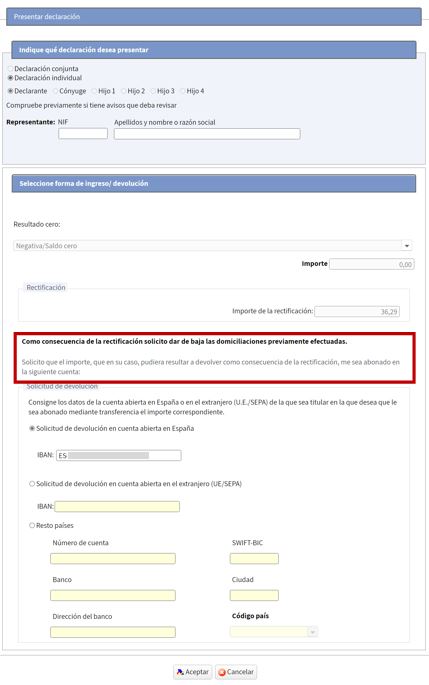
Since the new result is €464.27 and a higher amount has already been paid (€500.56), any amounts pending payment will be cancelled, and the excess payment will be calculated to process the refund of €36.29. This circumstance will be indicated when filing the return: