Result of the corrective self-assessment to be returned
If the new declaration involves a refund, the steps outlined below will be followed.
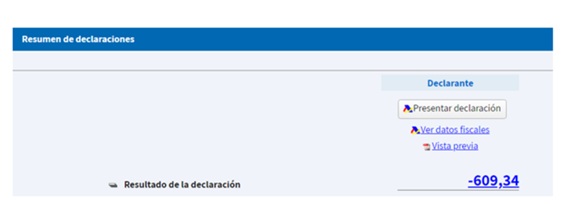
In the following example, a return has been filed with a result of €609.34 to be refunded:
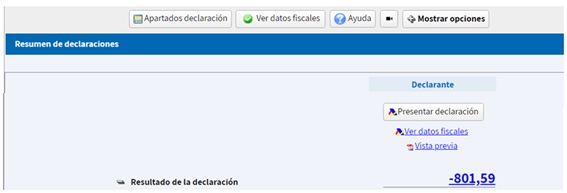
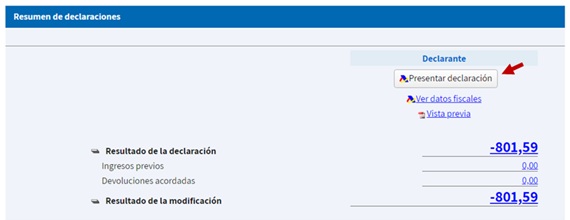
Step 1: The necessary changes will be made to the submitted declaration, resulting in a new refund of €801.59, an amount shown in the declaration summary:
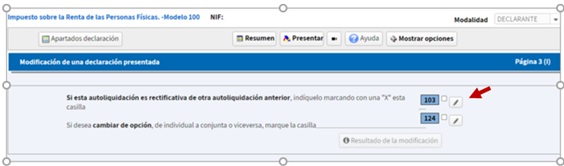
Step 2: In "Declaration sections" select the option "Modify Income Tax Return 2025 already submitted":

And in the window box 103 will be checked:
Generally, you don't have to enter any amounts manually, as the receipt numbers and refund amounts already agreed upon by the Administration are automatically generated. Therefore, those requested by the taxpayer that have not been approved by the AEAT are not counted.
Continuing with the example, since the refund has not yet been agreed upon, the amount “0.00” appears as the agreed refund:
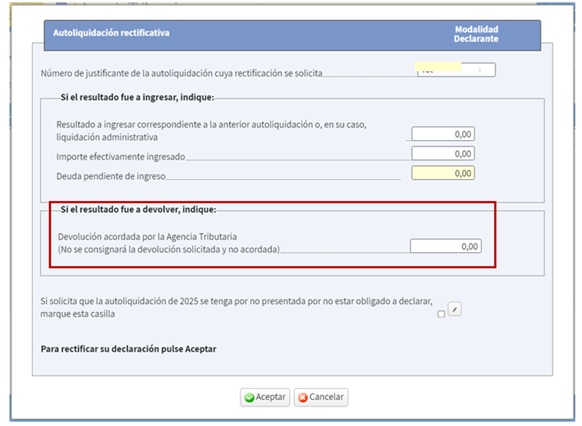
Thus, in the declaration summary, since no refund had been previously agreed upon, the new amount of €801.59 appears as a result of the modification, replacing the amount from the previous declaration. If any previous refund had been made, only the difference would be requested now.
Step 3 : The new declaration will be submitted from the original one that you want to modify by clicking on “Submit declaration” on the previous screen.