Consulting and amending informative declarations. Businesses and professionals. Financial years prior to 2019
Skip the table of contentsEdit summary sheet
It allows you to amend data on the summary sheet, but only for non-income tax information returns, as, under the new system for the filing of returns and deregistration, it is not necessary to reconcile the totals between the Type 1 record and the detailed records.

Where this information is available, you will be able to access the details on the summary sheet and amend any details as you see fit. If there are any errors in your data, the fields will be highlighted in yellow; in the right-hand margin, you will find help links with information on the calculations in your tax return and any errors on the summary sheet. Once corrected, the amended fields will be highlighted in orange.


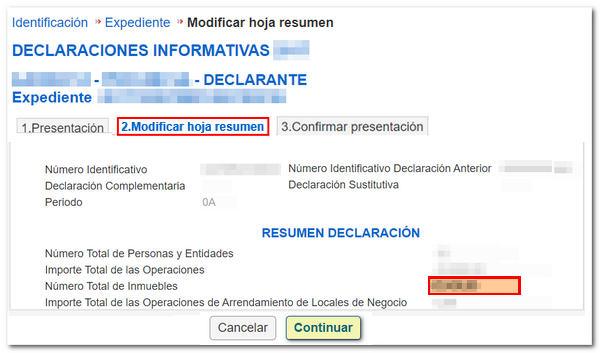
Check the amended details before confirming submission and click "Continue".
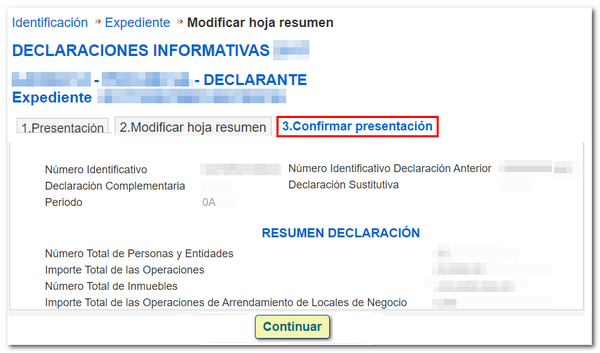
Continue with the submission of the amendment until the registration number associated with it appears.
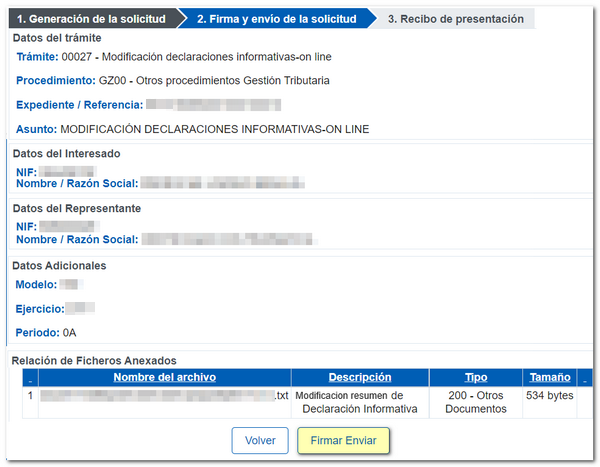
You can print the resulting sheet as proof of the correction via the ‘View in printable format’ link.