Fee consultation
To pay a fee, you must access the "List of fees that can be paid through the AEAT Payment Gateway (Fees included within the scope of the OM Hac/729/2003 of March 28). Each fee includes a link to the website where payment must be made.
The Tax Agency's website is merely a payment gateway, so in case of an incident, you should contact the website through which you access the corresponding fee payment. If any problems arise, it is recommended that you also contact your bank.
Taxpayers who wish to recover the amount associated with the payment of a fee have two options:
- Request the cancellation of that NRC to your EEFF . In many cases the entity will not be able to proceed with this release, but when it is possible it is the quickest alternative.
- Request a refund from the agency in charge of that fee. The agency in question must have the means to facilitate the return of an undue charge. From the AEAT no refund corresponding to the payment of fees from organizations other than the Tax Agency can be processed.
To make the query, it is necessary that the holder of the fee payment identifies himself with eIDAS, Key , electronic certificate or DNI electronic.
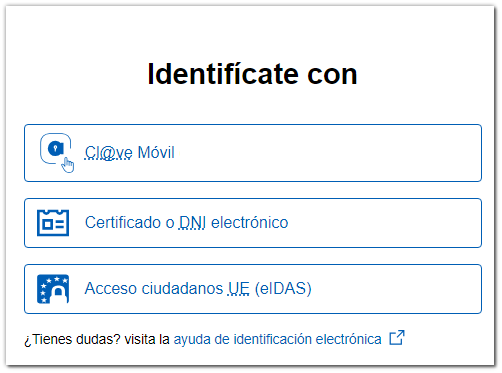
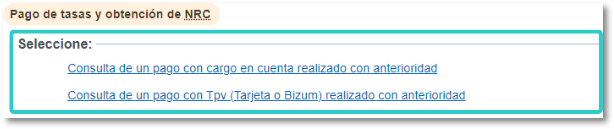
Once identified, you must select the payment method used: direct charge to account or with POS (Card or Bizum)
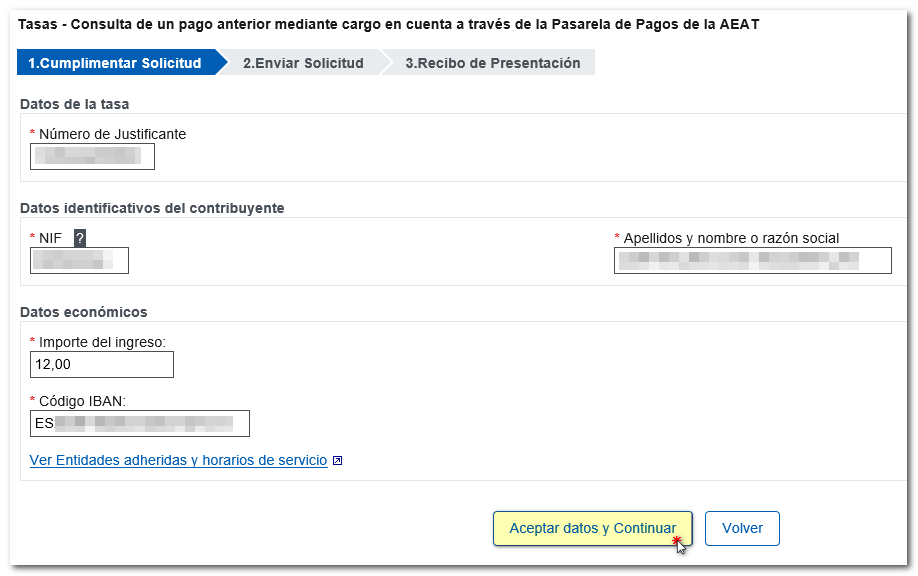
The receipt number corresponding to the fee paid, the taxpayer's identification details, and the associated financial details must then be indicated. If everything is correct, you should press "Accept data and continue"
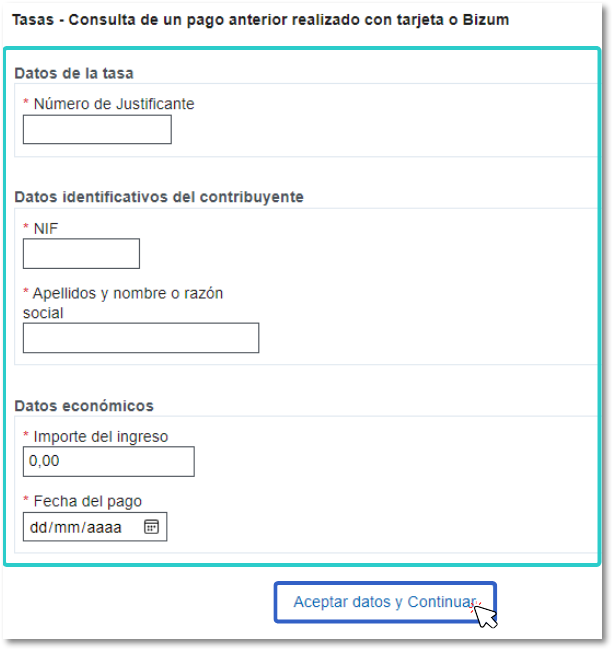
When paying fees by POS (either by card using secure e-commerce or Bizum), this payment is made through third-party agencies that connect to the AEAT Gateway. You must enter the requested data and press "Accept data and continue"
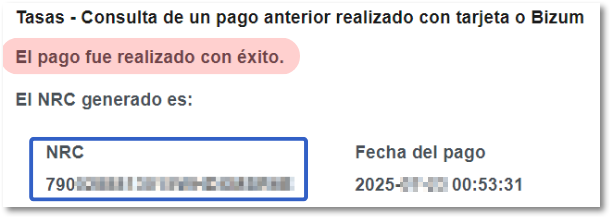
If the payment exists, the receipt will be generated on screen with the NRC associated with the payment made.
Please note that payments made with a POS terminal are non-cancellable. If a refund of undue payments is requested, it must be submitted to the tax management body.