Appointment for preparing the 2025 Income Tax Return
Skip information indexAppointment for telephone preparation of the 2025 Income Tax return: "We Call You Plan"
Appointments for preparing tax returns using the "WE CALL YOU PLAN" can be requested from the April 29 until June 29, 2026 to be served by telephone from May 6, 2026.
To manage your appointment to prepare the declaration by phone, you can use the following methods:
-
Internet with NIF / NIE or electronic DNI , electronic certificate, Cl@ve , reference or data of the DNI / NIE .
-
APP "Tax Agency".
-
Telephone 91 535 73 26 or 901 12 12 24 –Automatic-. You can also automatically cancel any type of appointment you have made for the Income campaign.
-
Appointment telephone number – personal attention – 91 553 00 71 or 901 22 33 44 (Monday to Friday from 9 a.m. to 7 p.m.).
From the 2025 Income Tax Campaign portal, access the "Income Tax Appointment" link located in "Featured Procedures" and click on "Appointment for 2025 Income Tax Campaign". Also from the "Assistance and Appointment" block by clicking on "Assistance and Appointment for the 2025 Income Tax Campaign".
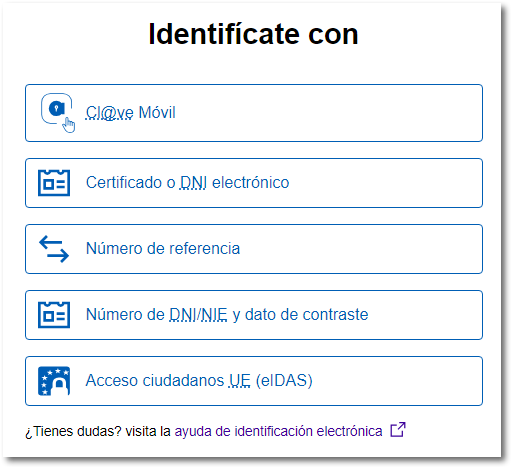
To make an appointment online you can identify yourself:
-
With Cl@ve Mobile Cl@ve
-
With Certificate or DNI electronic
-
With Reference number
-
With DNI / NIE and contrast information of your document.
- With Access to citizens EU (eIDAS)
In the first tab " Appointment Features ", check the notices; Next, you will be informed if you already have appointments requested, if you requested an appointment last year and did not attend, if you meet the requirements to access the service, etc.

First, you will have to answer the proposed questions regarding your situation in 2025.
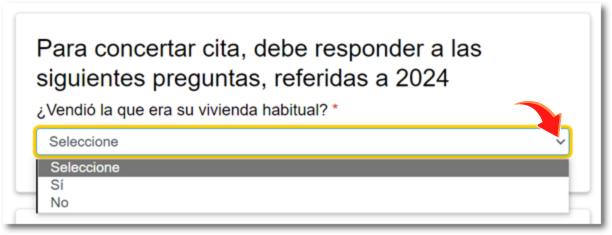
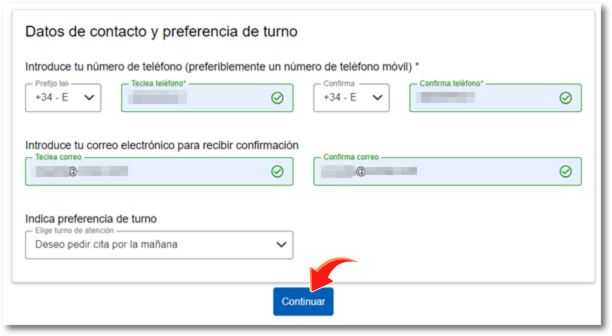
The first information you must provide is a contact telephone number. You can select the Spanish or foreign phone number from the drop-down list. Once you have selected and typed in the phone number, confirm it again. 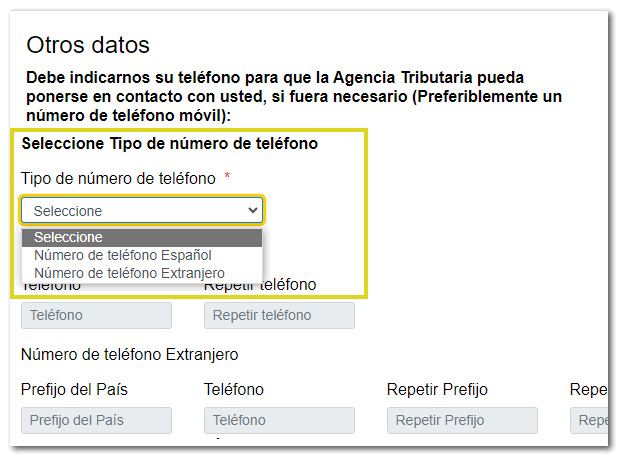
Next, provide an email address to receive your appointment confirmation. Enter your email address and confirm it in the box below.

You also have the option to select the morning or afternoon shift, if you want a specific one.
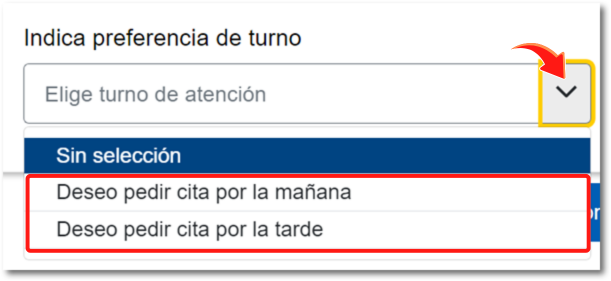
Then press "Continue".
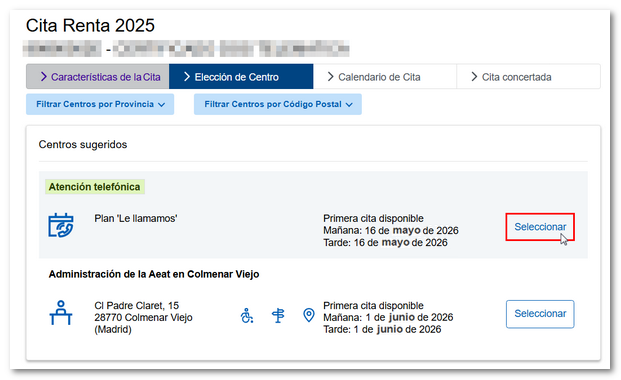
Below are several options under "Center Choice":
-
Telephone support through the "We'll call you" plan
-
Video assistance in municipalities (only for municipalities with an agreement for the provision of the Income Service by video assistance and associated localities)
-
In-person care. If you requested an appointment last year, that same center will be shown for the in-person appointment, or the center that serves the postal code of the taxpayer's tax address; however, you can select a different center by clicking on "Filter Centers by Province" or "Filter Centers by Postal Code". (as of May 29, 2026)
In this case, select "Select" under "Telephone Support" in the "We'll Call You Plan".
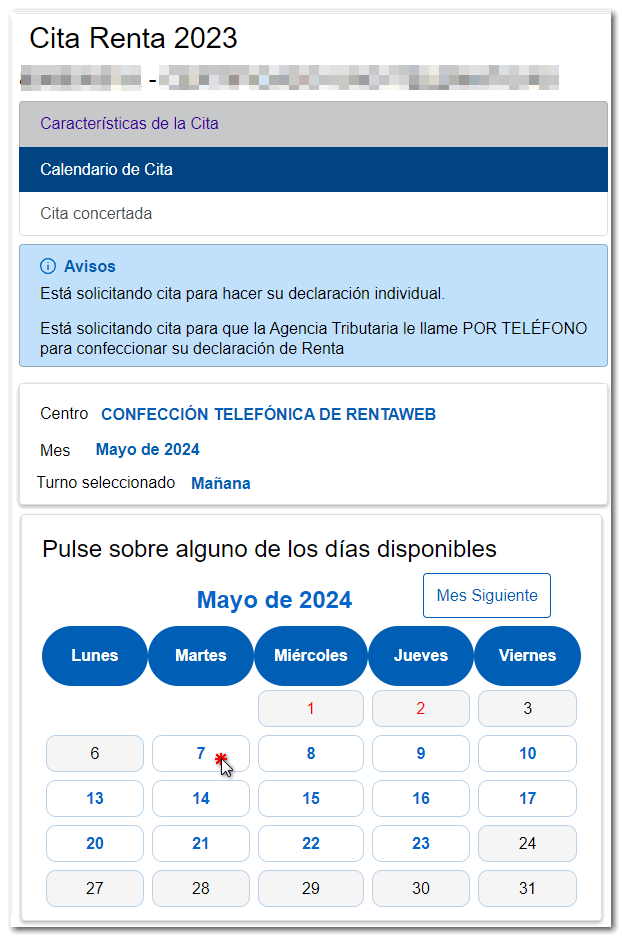
Next, in the "Appointment Calendar" tab, choose the appointment day from those currently available (days in blue).
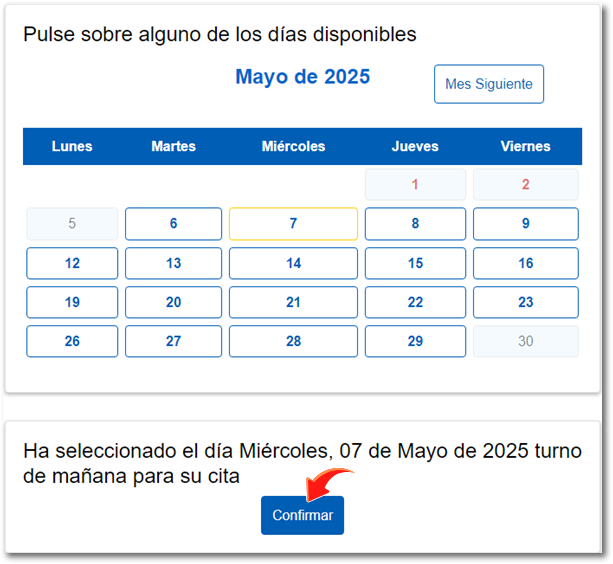
When you select the day, the "Confirm" button will be activated at the bottom; click to continue.
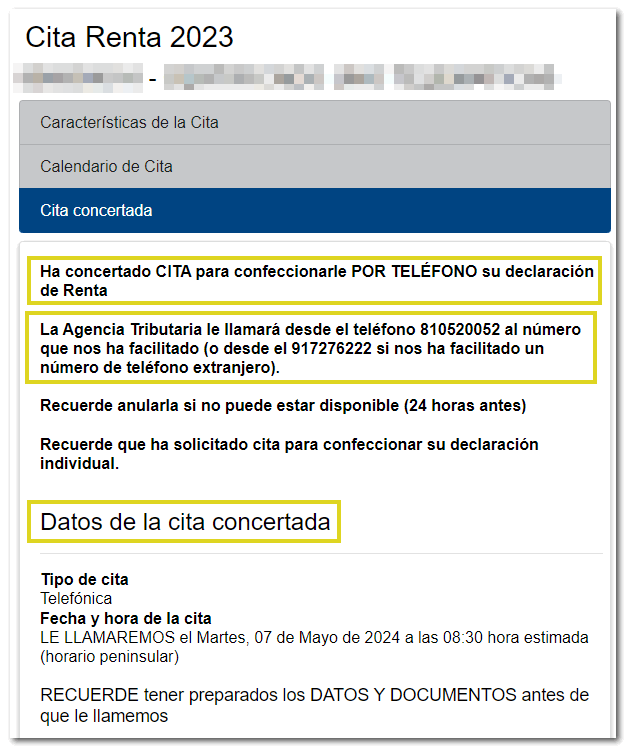
After following all the steps, in the "Appointment Scheduled" tab, a receipt will be displayed with the appointment details and the data or documents you must have available when they call you. Check the phone number from which you will receive the call, 91 333 5 333, to avoid possible fraud.
If you are registered in Cl@ve You will need to have the mobile phone you used to register in the system on hand; otherwise, you will need to obtain the reference number for the 2025 Income Tax campaign beforehand. In this same window you have a link to obtain the reference number.
Cancel date
If you wish to cancel the appointment you can do so through any of the channels mentioned above, online or by calling 91 553 00 71 or 901 22 33 44 –personal attention- (from 9 a.m. to 7 p.m., Monday to Friday) and 91 535 73 26 or 901 12 12 24 –Automatic-, up to 24 hours before the appointment.
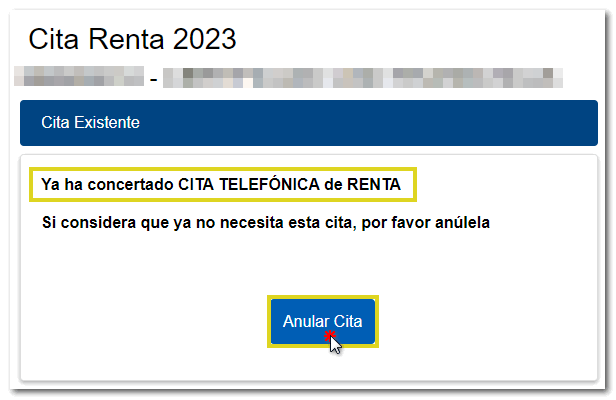
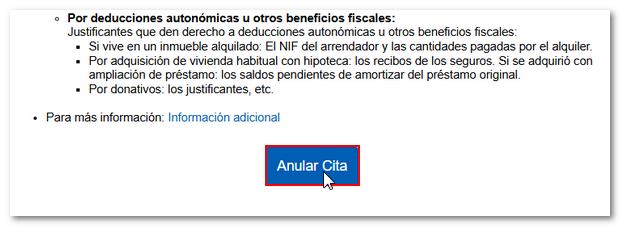
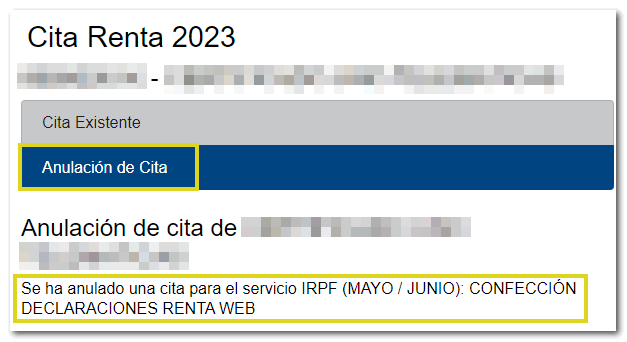
From the internet, you can do so by accessing the link available for appointment again. When you identify yourself with the same data, the existing appointment is returned with the cancellation option.