Appointment for preparing the 2025 Income Tax Return
Skip information indexAppointment for preparing the declaration by video assistance in small municipalities with an agreement and associated localities
Appointments for preparing tax returns via video assistance in small municipalities and associated towns can be requested from the April 29 to June 29, 2026 to be served from May 6, 2026 through the following means:
- Internet with DNI electronic, electronic certificate, Key, reference, data of your DNI/NIE either eIDAS.
- APP AEAT
- Appointment phone number (personal attention): 91 553 00 71 or 901 22 33 44 (Monday to Friday from 9 a.m. to 7 p.m.).
You can request an appointment to be assisted by video assistance in the municipalities on the "List of municipalities video assistance Income 2025".
From the 2025 Income Tax Campaign portal, access the "Income Tax Appointment" link located in "Featured Procedures" and click on "Appointment for 2025 Income Tax Campaign". It is also accessible from the "Assistance and Appointment" block by clicking on "Assistance and Appointment for the 2025 Income Tax Campaign".
To make an appointment online you can identify yourself:
-
With Cl@ve Mobile Cl@ve
-
With Certificate or DNI electronic
-
With Reference number from the 2025 Income Tax file
-
With Number of DNI/NIE and contrast data of your document
- With Citizen access EU (eIDAS)
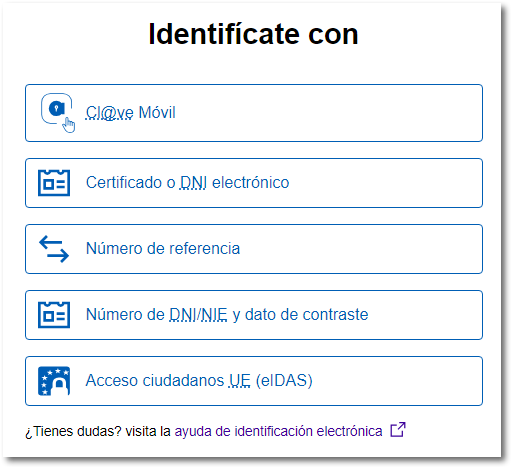
If you select "With number of DNI/NIE and contrast data" enter your DNI and the validity date of the document; if it is a DNI permanent (01/01/9999) you must indicate the date of issue, or enter your NIE and the support number; if the NIF starts with M, L, or K the data will be the date of birth.
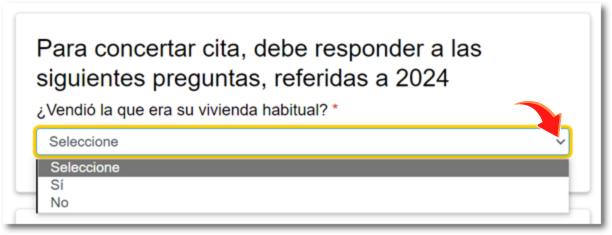
On the first appointment request screen, you are informed if there are any appointments requested, if an appointment was requested last year and was not attended, if you meet the requirements to access the service, etc.
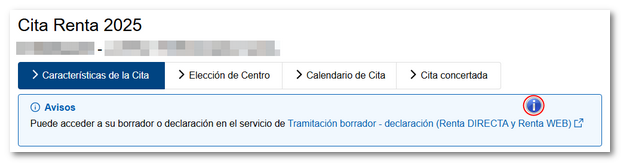
For this reason, in some cases, you will have to answer the proposed questions regarding your situation in 2025.
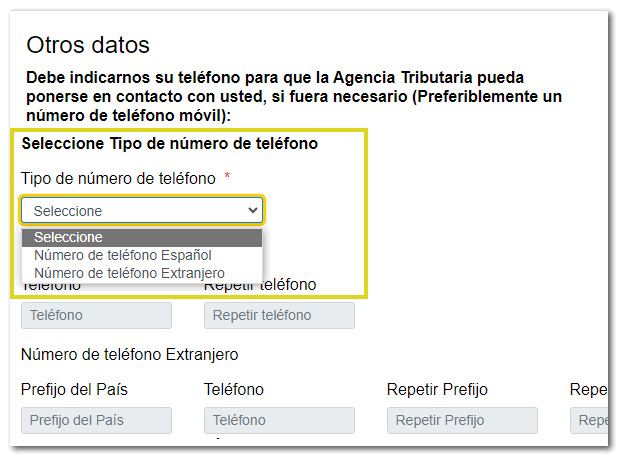
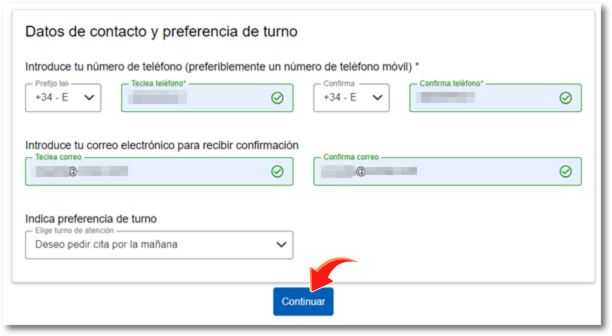
The first information you must provide is a contact telephone number. You can select the Spanish or foreign phone number from the drop-down list. Once you have selected and typed in the phone number, confirm it again.
Next, provide an email address to receive your appointment confirmation. Enter your email address and confirm it in the box below.

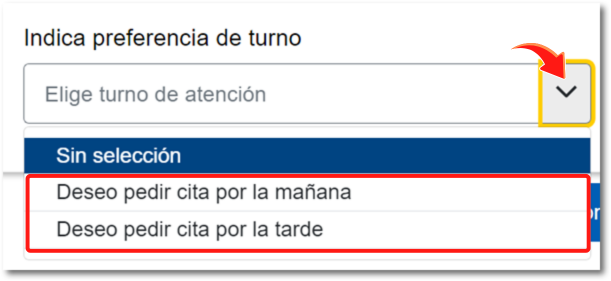
Select whether you prefer morning or afternoon shifts.
Then click "Continue".
Below are several options under "Center Choice":
-
Video assistance in small municipalities (only for municipalities with an agreement for the provision of the Video Assistance Income service and associated localities)
-
Telephone support through the "We'll call you" plan
-
In-person care. If an appointment was requested last year, that same center will be shown for the in-person appointment, or the center that serves the postal code of the taxpayer's tax address.
This time, click "Select" for your video support center. Next to the address of the center, you can see the map with the location of the service center by clicking on the corresponding icon.
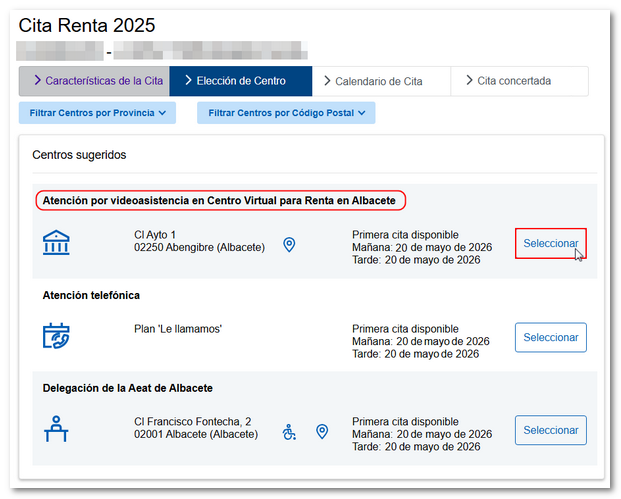
This type of center will only be shown for in-person assistance at town halls to taxpayers who meet the profile for requesting an appointment for 2025 Income Tax return and whose tax domicile is located in one of the town halls adhering to the Protocol.
The center will be displayed, but will not offer appointments for holidays in the municipality to which the taxpayer belongs or in the municipality from which the service is provided.
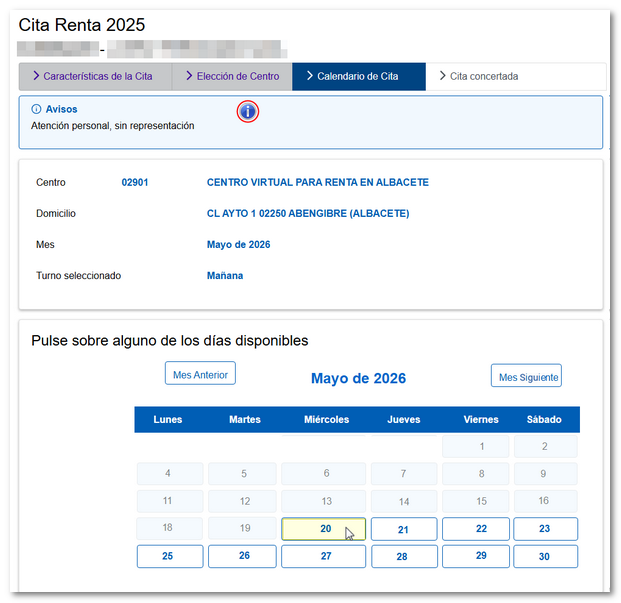
Then choose the day of the appointment from those that are available at that moment (days in blue).
Then, select the time slot you want for your appointment from those available.
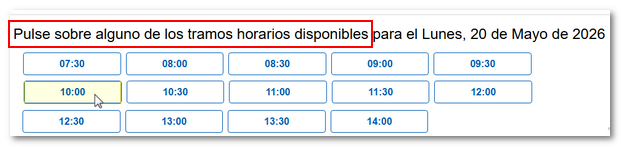
Once you have selected the day and time, the "Confirm" button will be enabled; click to continue.

After following all the steps, a receipt will be shown with the appointment details and the data or documents that you must bring on the day of the appointment.
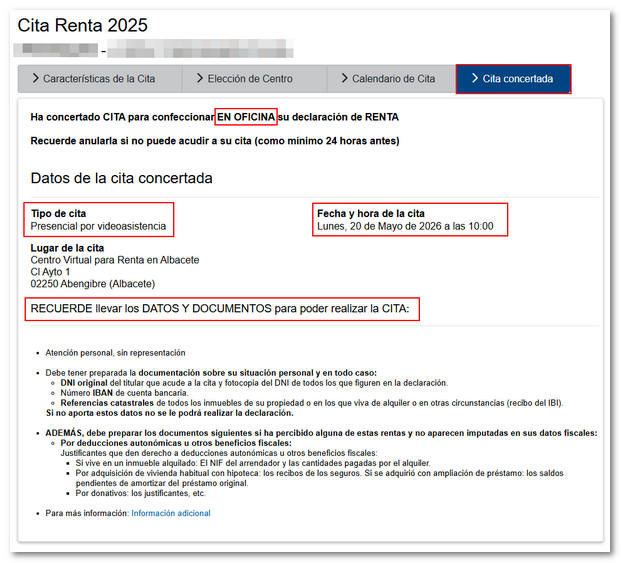
Do not forget to bring the tax data, if you have them, and the necessary documentation to carry out the calculations, as well as the original of the DNI / NIE of the owner who attends the appointment, photocopy of the owners that appear in the declaration, the cadastral references and the IBAN of the bank account. Also, any supporting documentation that could entitle you to regional tax deductions or other tax benefits.
In the appointment confirmation you have a link to the document PDF "Signed Authorization" with the authorization form that must be signed by the other declarants who appear on the declaration and do not attend the appointment.
On the day of your appointment at City Hall, a public official will assist you in a room where your privacy is guaranteed and will assist you via video call to submit your declaration.
Cancel date
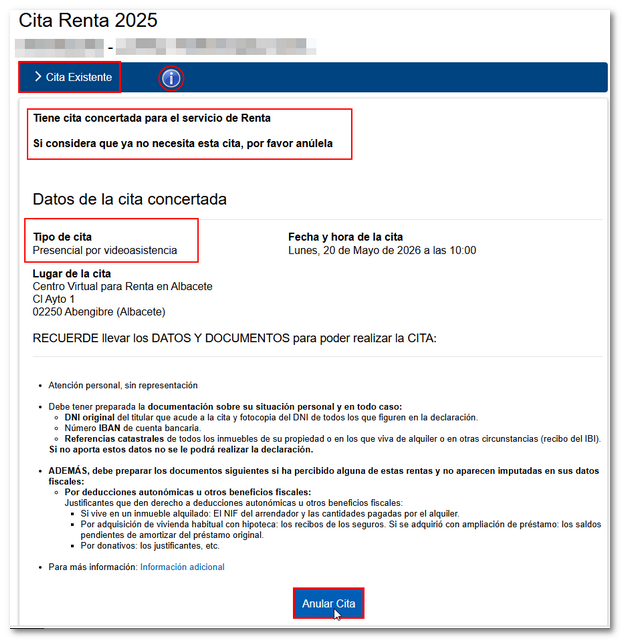
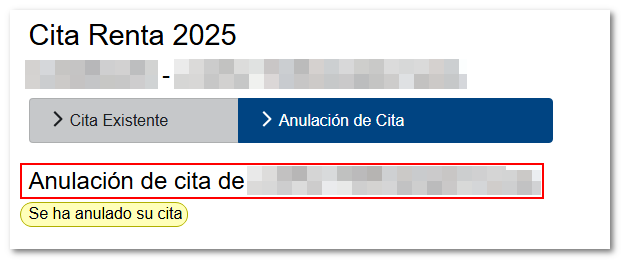
If you cannot attend or wish to cancel your appointment, you can do so through any of the channels mentioned above, online or by calling 91 553 00 71 or 901 22 33 44 –personal attention- (from 9 a.m. to 7 p.m., Monday to Friday) and 91 535 73 26 or 901 12 12 24 –Automatic-, up to 24 hours before the appointment.
From the internet, you can do so by accessing the link available for appointment again. When you log in with the same information, the existing appointment is returned with the cancellation option at the bottom.