Request courtesy days for sending electronic notifications
Skip information indexHow to retrieve the receipt for the courtesy days. Representatives
The possibility of recovering, or not, the receipt or proof of the modifications that have been made to the request for courtesy days, depends on the action taken.
If the changes to the courtesy days are your own
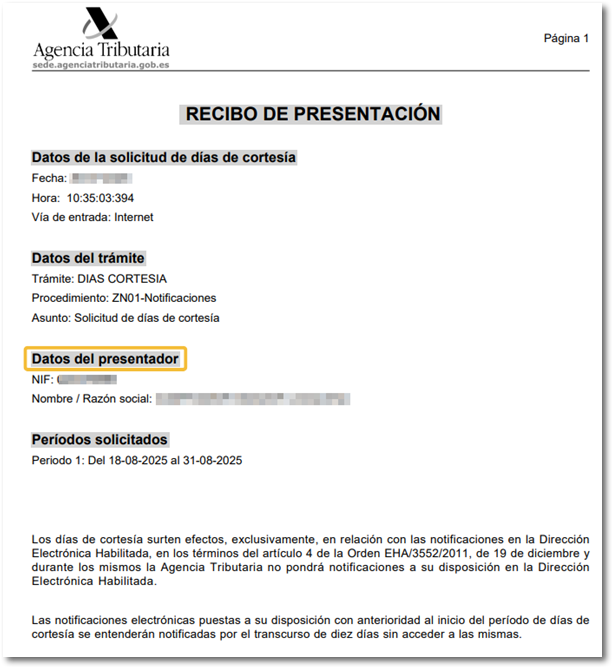
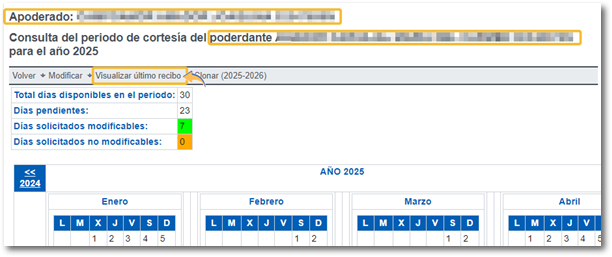
Upon logging in, the home window displays the data of the proxy, that is, the data of the certificate holder. In this case, the presentation receipt can be viewed from "View last receipt"and shows the latest receipt for the modification made in his own name."
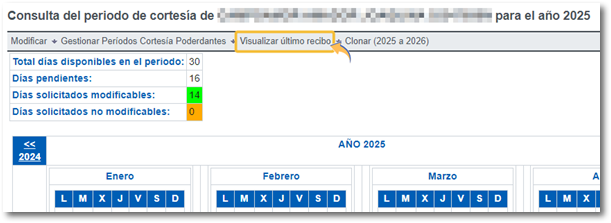
If the data of a grantor has been modified
To retrieve your receipt, you must access the grantor's calendar from "Manage Courtesy Periods for Grantors", "View / Modify Grantors"
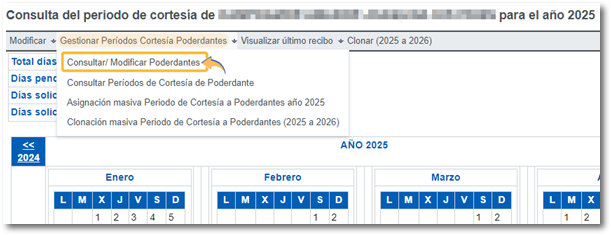
In the list of your principals, select one from the list and click on the NIF.
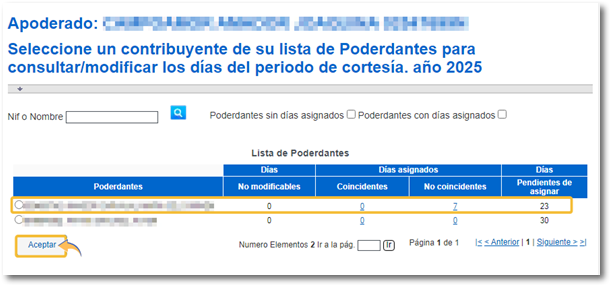
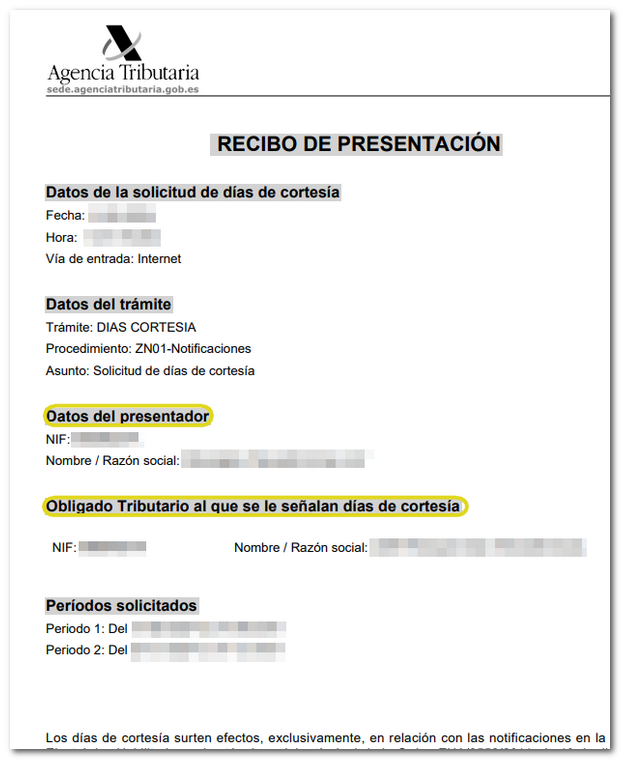
Once inside the grantor's calendar, click on "View last receipt" to obtain the receipt for the last modification you made to their courtesy days.
If there has been a mass request for the allocation of courtesy days
In this case, different safeguards are generated at the end of the process:
-
One for each principal. Each of them has their own CSV You can verify these documents using the "Document Verification via Secure Verification Code" link. Additionally, you can view and save the submission receipt for each document using the "View Receipt" link. Furthermore, by accessing each grantor's information via the "View/Modify Grantees" link, you can download their receipt using the "View Latest Receipt" button, as explained in the previous section.
-
A general one that includes the entire list of grantors and also has its CSV. It is the only document in format PDF which is found below the notices, in which all taxpayers are listed on the same receipt as a summary.
To retrieve the second receipt with the complete list of grantors, it is necessary to know the CSV which was obtained upon completion of the application process. Through this CSV You can obtain a copy from the "Document Verification" section of the electronic headquarters. If you didn't write down the CSV that appears in the PDF at the time of the presentation (or you didn't save the PDF (which includes the summary of everyone), this document It is not recoverable subsequently.