Summary of unread notifications and communications (Appearance at Headquarters)
This feature provides prominent access to those notifications and communications which, according to information from the AEAT(State Tax Administration Agency), have not yet been accessed or read by the taxpayer. Access requires identification via Cl@ve Móvil, an electronic certificate, a digital national identity card ( DNIe ) or eIDAS if you are a citizen of the European Union using identification from another country.
This summary view displays pending notifications for which you are either the holder, the recipient or an authorised party, as well as two further sections: ‘Notifications delivered but unread’, which includes notifications published on the Single Edict Board and electronic notifications that have expired ten days after being made available but have not been accessed via the Electronic Portal, and “Unread communications”, which includes electronic communications that have not been accessed and communications sent by post in the last three weeks.
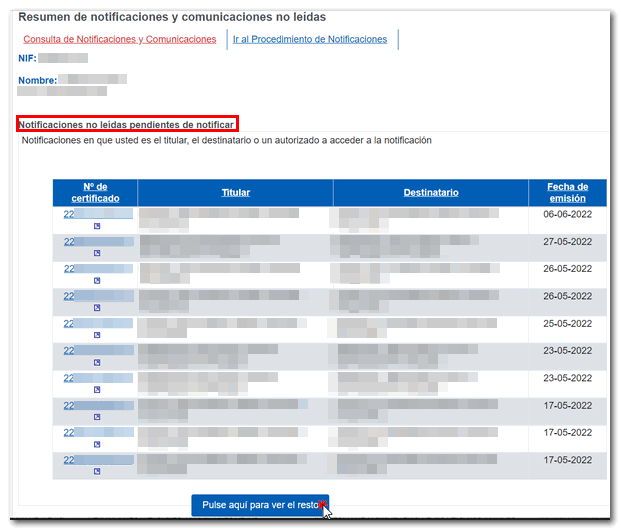
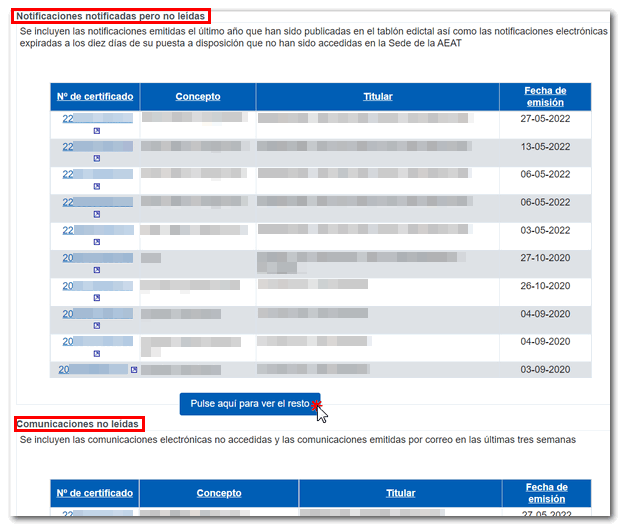
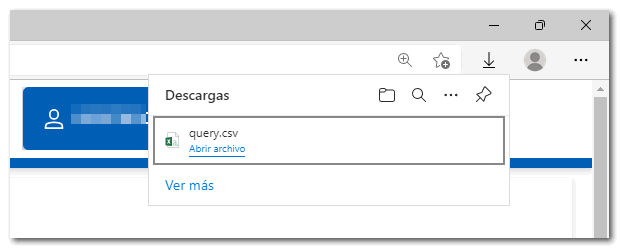
The ‘Click here to see more’ button will be displayed if there are more results for this category than those shown on the first page. This takes you to the overview of the notifications and communications search tool, which displays the full list of such notifications, already filtered. You can navigate between the different pages and even export the results to a CVC file.
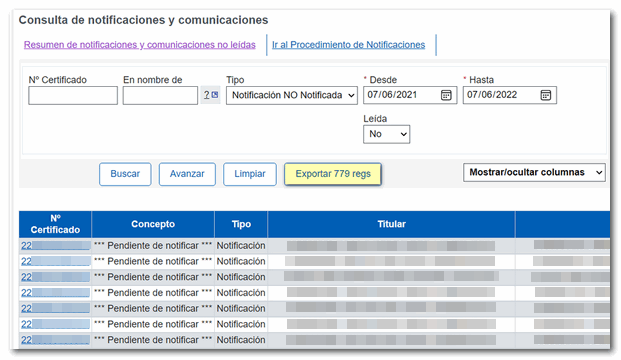
To view the notification or message, click on the certificate number.
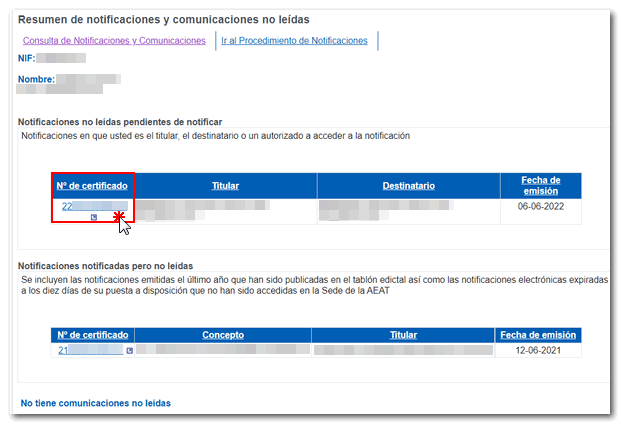
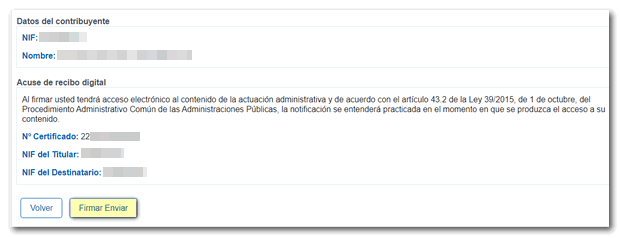
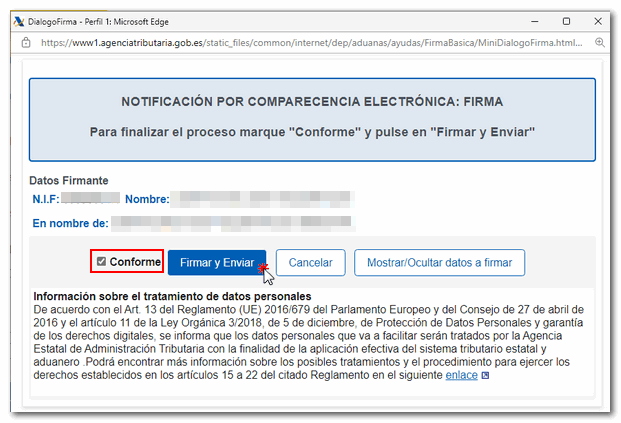
If it is marked as ‘pending’, you will need to click the ‘Sign and Send’ button to access its contents. Tick the ‘I agree’ box and click ‘Sign and Send’ again. Please note that you must have a PDF viewer installed and allow files to be downloaded.
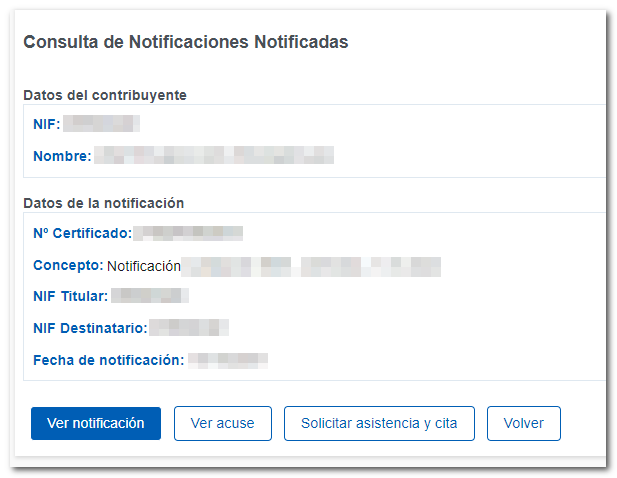
Once you have signed to confirm receipt of the notification, the ‘View notification’ button becomes active, allowing you to view the document in PDF format.
On some occasions, you may see a link to request assistance and book an appointment; this will only appear for procedures that have been set up in the attendance and appointment booking application, using CVC-based booking.
If you need to carry out further searches, you can filter by the available criteria: ‘In the name of’, ‘Type’, date range and ‘Read’. Please note that in order to access third-party notifications, you must filter the results for the selected person or organisation, which may be the taxpayer themselves, an organisation you are succeeding, or a person or organisation empowered by the taxpayer to access their notifications and communications using the ‘On behalf of’ field.