Newsletter subscription
Skip the table of contentsNewsletter subscription
If you wish to receive information notices from the Tax Agency, the Economic-Administrative Courts and the Directorate-General for Taxation via text message or email, you can provide a mobile phone number and an email address via the electronic headquarters.
To subscribe to these notifications, there are several ways to do so if you are an individual:
- With Cl@ve
- With a certificate or electronic DNI
- Using the income tax reference number you obtained on the website or via the app
- With eIDAS ( EU citizens)

In the case of a legal person or an entity without legal personality, a certificate of representation is required as a requirement to access the notice submission process.
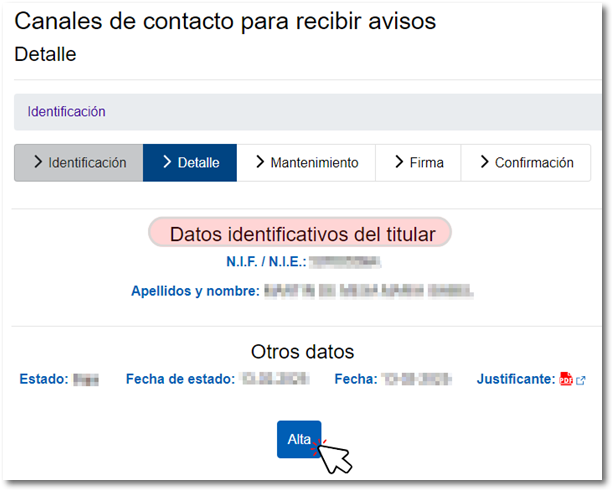
Once you have logged in to the service, the existing account holder’s details are displayed. Next, click the "Registration" button.
Select the bodies you wish to remain subscribed to – ‘Tax Agency’, ‘Economic-Administrative Courts’ and ‘Directorate-General for Taxation’ – by ticking one, two or all three. For the registration, provide your telephone number and/or email address, depending on how you wish to receive these notifications.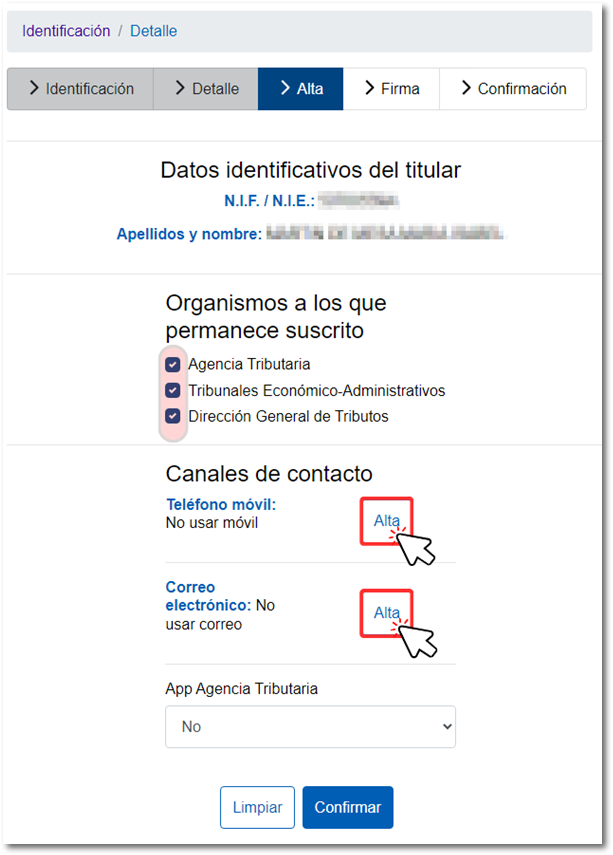
You have the option to choose a Spanish or international mobile number. Click "Confirm".
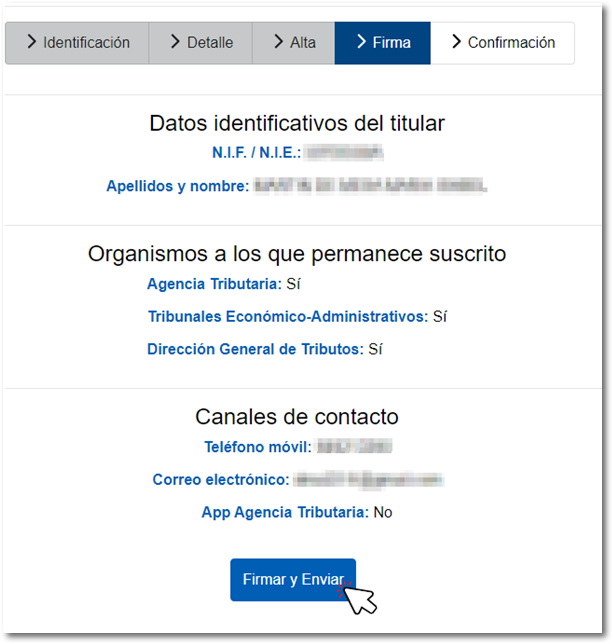
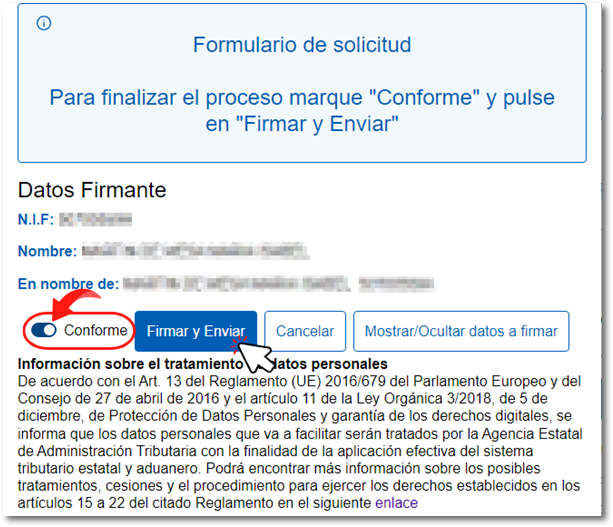
In the new window, check the details you have entered and click ‘Sign and Send’; then tick the ‘I agree’ box and click ‘Sign and Send’.
If the procedure has been carried out correctly, a message will appear confirming this, showing the organisations to which you remain subscribed, as well as the contact details provided and a link to the ‘Receipt’ in PDF format.
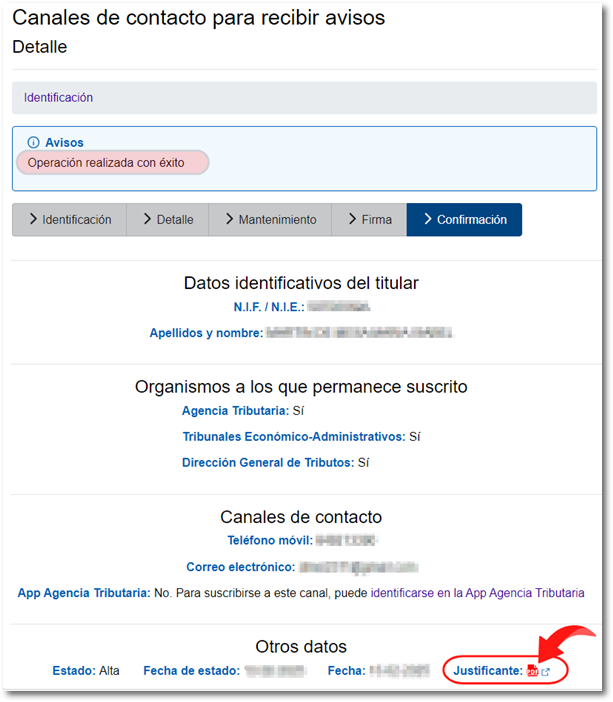
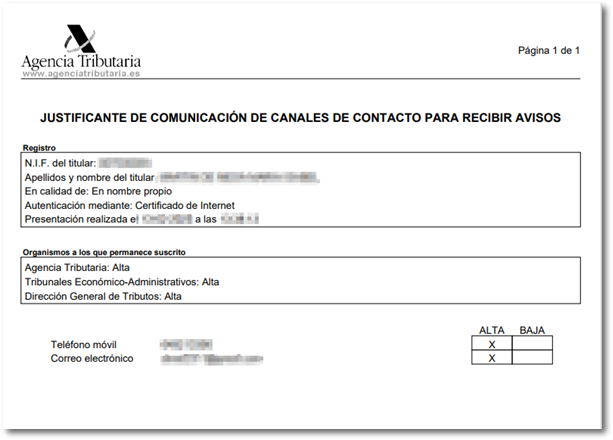
Should a notification be sent regarding the existence of a notification, the text of the notification received will be as follows: “The Tax Agency has issued a notification addressed to tax identification number XXX”. For security reasons, only some of the digits of the tax identification number will be displayed.
If the notification is sent by email, the sender’s address will be AgenciaTributaria@correo.aeat.es.
You can use this service to update your contact details whenever necessary, or to unsubscribe from the newsletter subscription. In this case, once you have logged in, the account holder’s identification and contact details will be displayed, along with the ‘Unsubscribe’ and ‘Edit’ buttons.
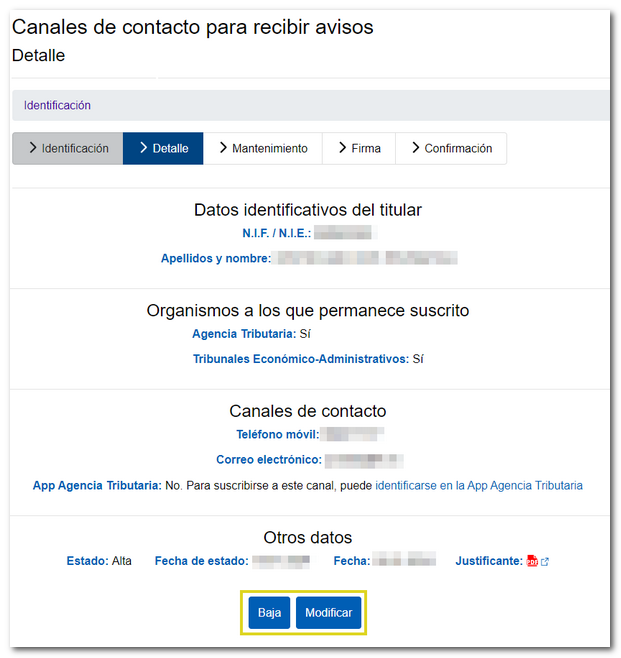
Once you have amended the details or cancelled the service, you will be redirected to the page confirming that the procedure has been completed successfully, along with a link to the PDF receipt showing the amended details and the action taken. If you were already subscribed to notifications from the Tax Agency, you can also use the ‘Modify’ button to subscribe to notifications from the ‘Economic-Administrative Courts’ and the ‘Directorate-General for Taxation’.
You can also subscribe to information notices using the AEAT app, which is available free of charge from the official download platforms for iOS and Android on the official Google, Apple and Huawei app stores.
Once you have installed the AEAT app and identified the account holder and any other users, go to the ‘Notifications’ section and tap on ‘Subscribe to personal notifications’, where you will find two options: ‘Consult’ or ‘Check your newsletter subscription’ and ‘Subscribe’ or ‘Subscribe to or change your personal newsletter subscription’, as well as access to the ‘Frequently Asked Questions’ about the subscription. In addition, you will also find a link to subscribe to notifications in the ‘Notifications’ section at the bottom of the window.