Income Tax 2024
Skip information indexAmendment to a submitted 2024 Income Tax return
From Renta WEB, you can modify or complete a previously filed 2024 Income Tax return, regardless of the outcome. Additionally, you can change the taxation option from individual to joint and vice versa. The correction system will be carried out by submitting a self-assessment RECTIFICATIVE .
Access any of the following services available in the 2024 Income Tax procedures "Draft/declaration processing service (Direct Income Tax and Web Income Tax)" or "Modification of a declaration already submitted" .
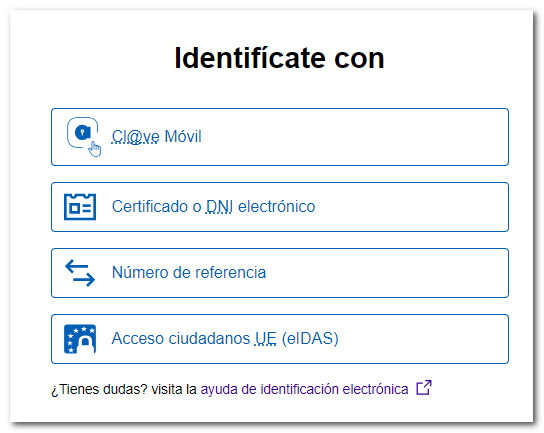
After identifying yourself with an electronic certificate, DNIe , Cl@ve , reference number or eIDAS , you will access the services of Renta 2024 .
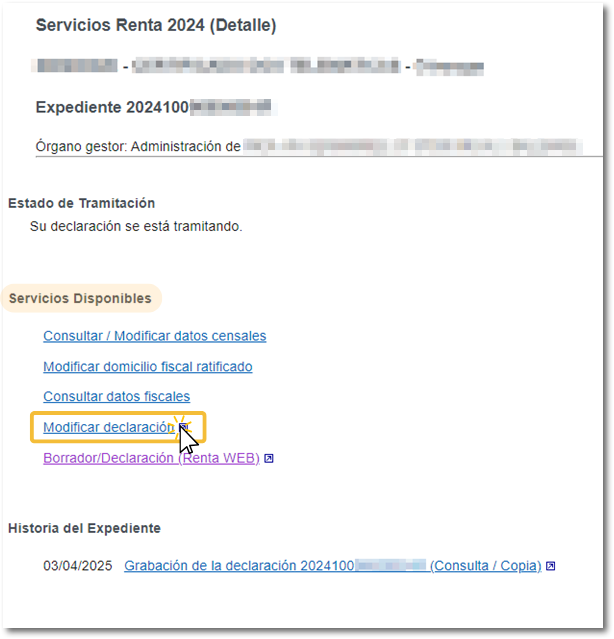
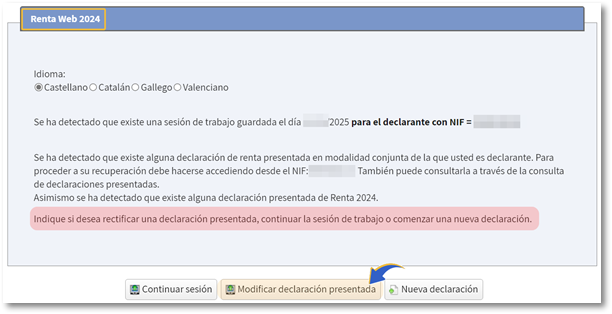
In the "Available Services" section, click on " Modify declaration ".
In the next window, press the button "Modify submitted return" .
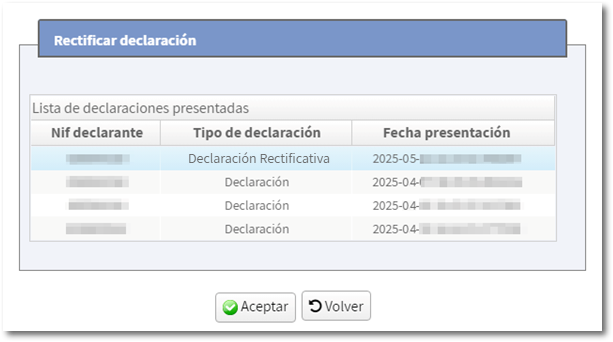
If both spouses' individual tax returns, or any corrective self-assessment returns, have been filed since the session opened, a window will appear with the filed returns so you can select the one you wish to modify. Select it and press "OK".
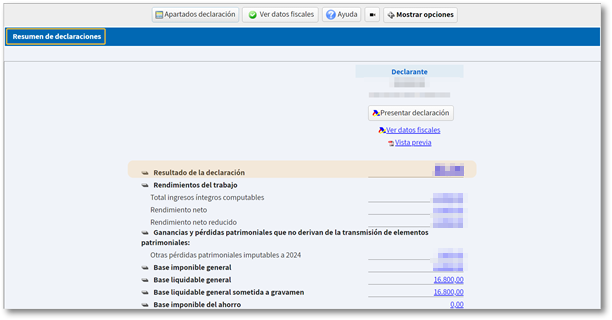
You will be taken directly to " Statement Summary" where you can see the result and data included in the initial statement.
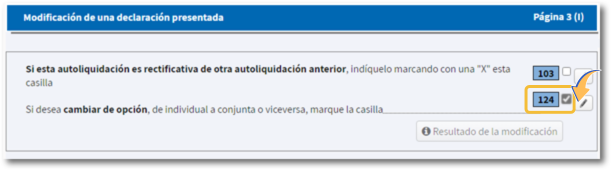
The amendment to a filed return may be motivated by the filing of a corrective self-assessment of a previous self-assessment (box 103) or by changing the taxation option, ## from individual to joint or vice versa (box 124).
Rectifying Self-Assessment
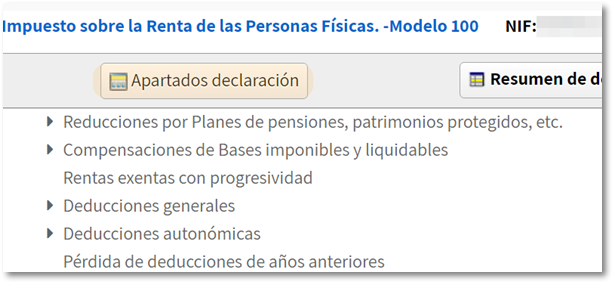
You can make the relevant changes from the summary concepts by clicking on the numeric hyperlink or from "Declaration sections".
Once you've made the necessary changes, go to the last page of the declaration, "Payment or Refund Document," to check the result of the declaration after the changes.
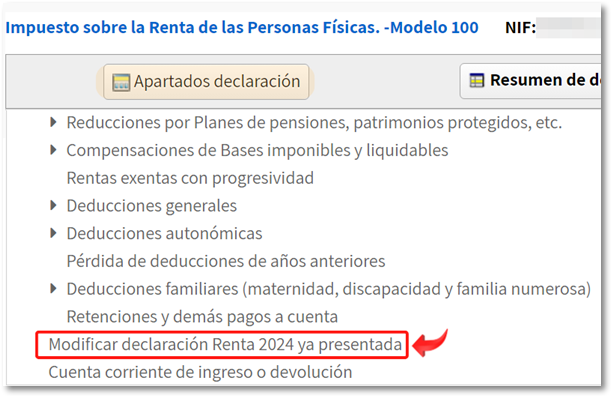
If you don't need to enter any more information, click "Return sections" and find "Modify 2024 Income Tax Return already filed."
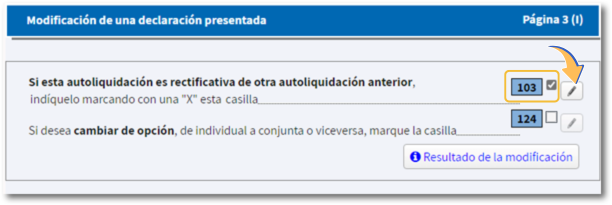
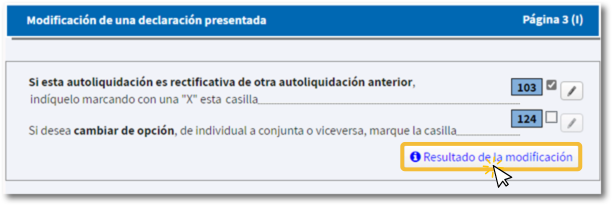
Check box 103 corresponding to the corrective self-assessment and click on the pencil button that appears next to the box.
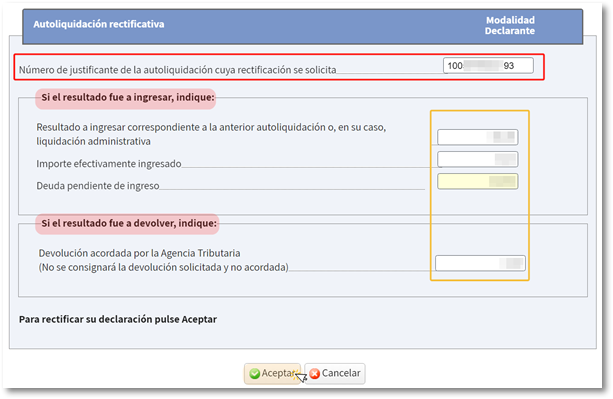
In the "Correcting Self-Assessment" window, the receipt number for the declaration being corrected will automatically appear. The amounts entered and returned are also automatically incorporated (if the amount to be entered is direct debited, it is 0), to avoid possible calculation errors.
Exception : settlement or appeal resolved later. In these cases, it is necessary to enter the amounts manually, displaying a text with an informative notice.
-
If the rectification is submitted because the amount to be refunded is greater, the amount to be paid is less or the rectification does not affect the result, after clicking "Accept", box [103] is checked and you can proceed to submit the declaration.
-
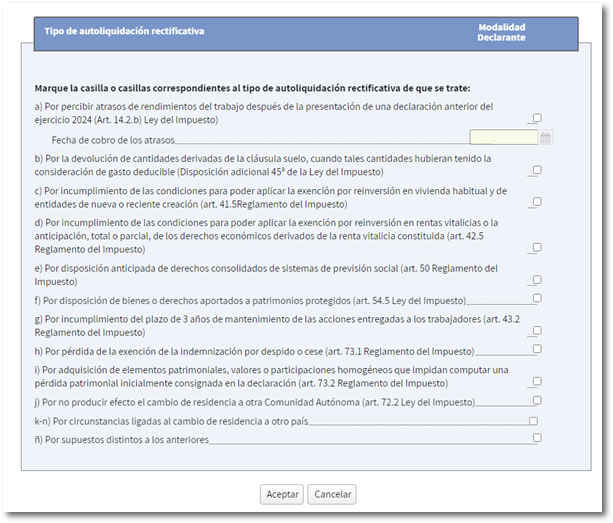
If the changes made are due to a lower refund amount, or a higher deposit amount, after clicking "Accept," the "Type of corrective self-assessment" window appears so you can select the appropriate option.
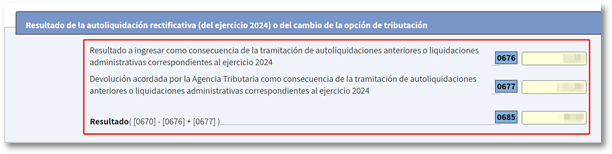
You can view the data reflected in the corrective self-assessment and its result by clicking on "Modification Result."
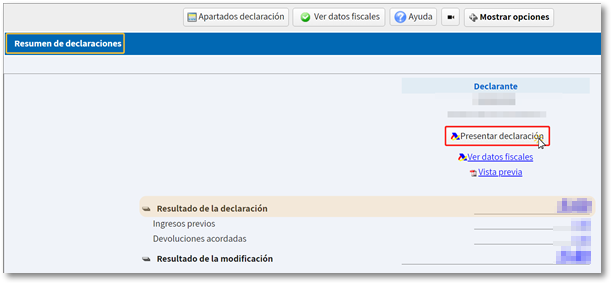
By clicking "Submit Return" from the return sections or from the "Return Summary", select the type of return you want to submit and select the payment/refund method.
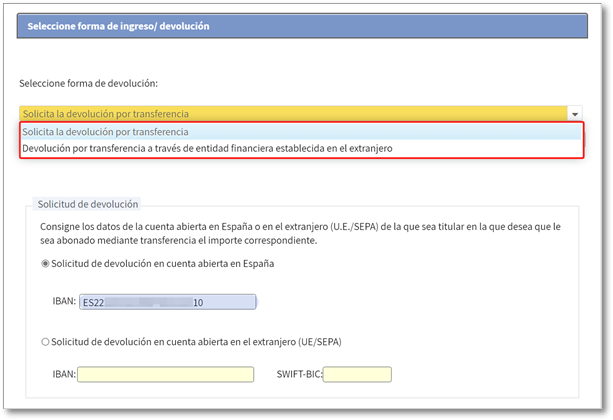
If it is a refund, you can indicate a Spanish or foreign IBAN to receive the refund amount.
If it is a larger income, select the income method "To be entered with Electronic Payment", "To be entered with income document for Bank/Cash" or "Other payment methods".
If the previous declaration was submitted by direct debit (before June 26, 2025), it is cancelled with the amended declaration.
If it's a return, when the proof of submission appears you will be offered the option "Correct account."
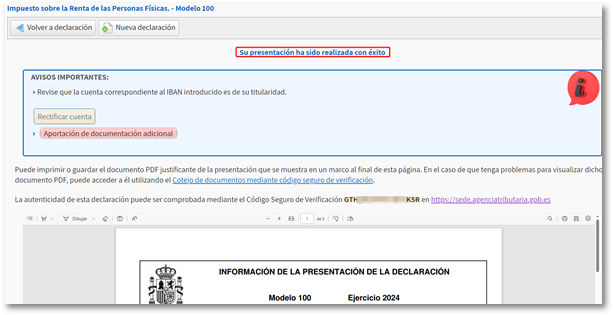
The filing of a corrective self-assessment produces immediate effects, so it becomes the last filing of the model/year/period at the time it is filed; There is also no limit on the number of corrective self-assessments that need to be submitted.
Change of modality
If you wish to change the option, from individual to joint or vice versa, check box 124.
When you request a change of mode, the program will recalculate the items and the final result will be reflected in the statement summary.
If you file a new return using a different format than the one previously filed, and box 124 is not checked, the program will inform you in the "Errors and Warnings" tab. In all cases, check that the data is correct before resubmitting.
-
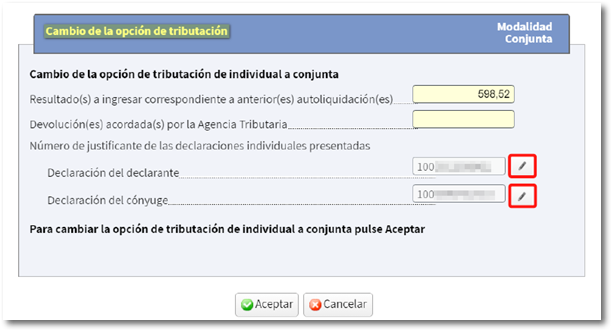
From individual to joint The amounts from the individual declarations are automatically incorporated. By clicking on the pencil icon, you can access the details of each declaration (declarant or spouse). Review both statements to ensure all information is correct.
However, if the session from which you filed your return did not authorize the incorporation of spouse data and therefore a joint return was not calculated, you will have to generate a New return because the "Modify 2024 Income Tax Return already filed" will not allow the change.
-
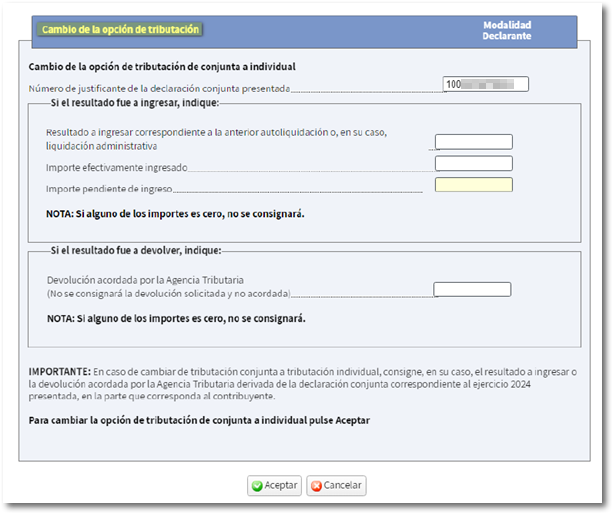
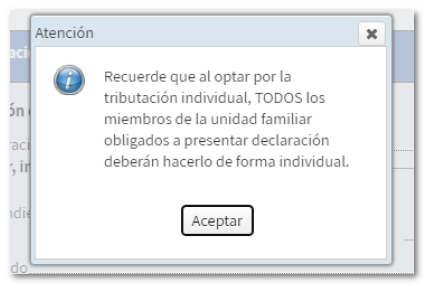
From joint to individual The corresponding amounts from the joint return to each individual return must be entered on the form. The receipt number from the previous declaration is automatically filled in. After accepting this window, a warning appears indicating that, by opting for individual taxation, all other members of the household who are required to file must do the same.