Form 143 form (pre-application)
An application must be submitted for each deduction to which one may be entitled and, in the case of dependent ascendants or descendants, an application for each ascendant or descendant who entitles the person to the deduction.
Before you begin filling out the form, please review the Notices at the top of the form.
Indicate the type of deduction and the method of application. The modality selected at the time of submission may only be modified during the month of January. Please remember that, in group applications for large families, only ascendants must be listed as applicants, except in the case of siblings who have been orphaned by both parents, in which case they will be the applicants. Therefore, children should not be included in applications for advance payment for large families.
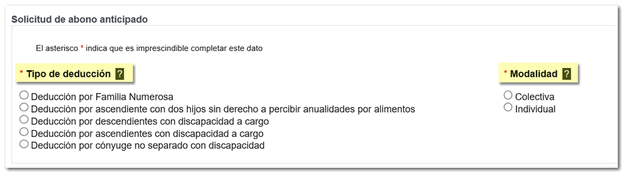
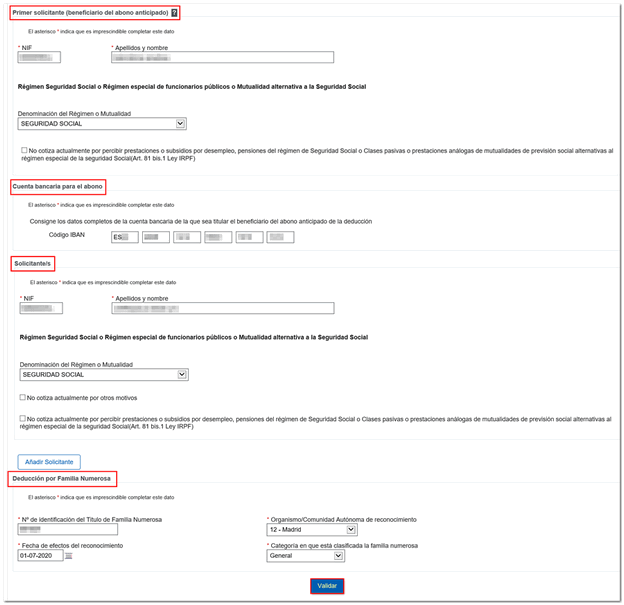
The remaining data that must be included in the advance payment request are the following:
- The details of the applicant, in the case of an individual application, or the person designated as the first applicant, if it is a collective application. In this section, you must indicate the Regime or Mutual Fund, except for taxpayers who receive unemployment benefits or pensions from social security or similar schemes, who must check the corresponding non-contribution box.
- In the case of collective applications, the data of the other applicants who are also entitled to the deduction.
- The IBAN code of the bank account to be paid, of which the beneficiary of the advance payment of the deduction is the holder.
- The information requested about the large family or the disabled ascendant or descendant that generates the right to the deduction.
From the floating icon "ADI"Do you need help?" which appears in the lower right corner, within the form itself, you can contact a specialist agent via chat (subject to opening hours) and request that they call you back by providing a phone number.
Once you have completed the application, click "Validate".
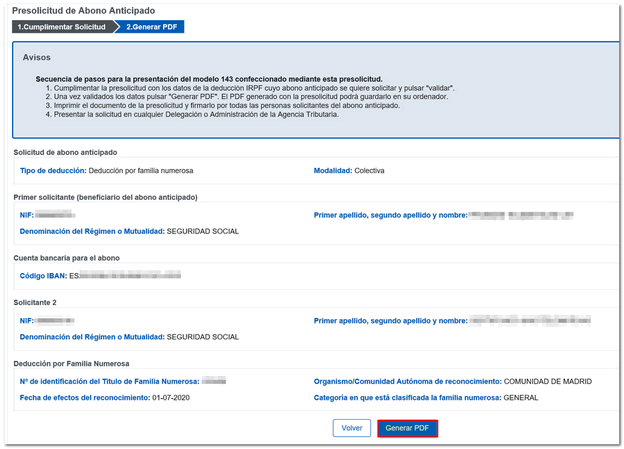
Review the data and click on " Generate PDF ".
The browser's download manager will allow you to open or save the generated PDF file. Open the document, check that the data is correct and print it.
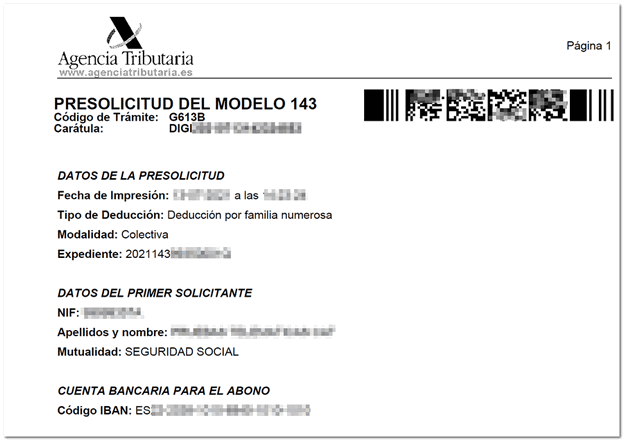
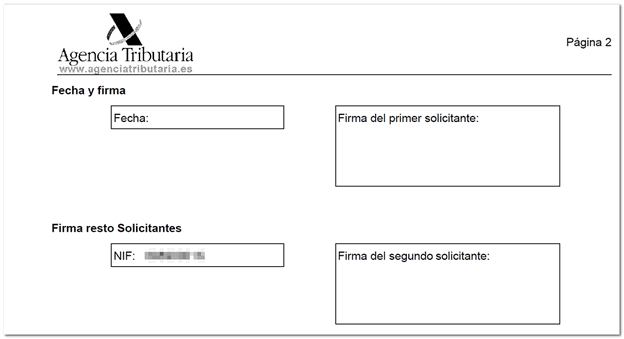
Please note that all applicants listed in a collective application must sign the pre-application document in the corresponding section of the copy for the Administration.
The confirmation of the pre-application can be made at any Administration or Delegation of the Tax Agency, by appointment.
We remind you that from the "Assistance and appointment" section you can request personalized attention for any of the services in the catalog offered by the Tax Agency through these channels: telephone appointment, offices appointment or chat. In addition, both the general information and appointment telephone number, 91 333 5 333, and the Basic Tax Information telephone number, 91 554 87 70, are available.