Payment and foreign trade inquiries Form 031
Skip information indexPayment by bank card/Payment by Bizum
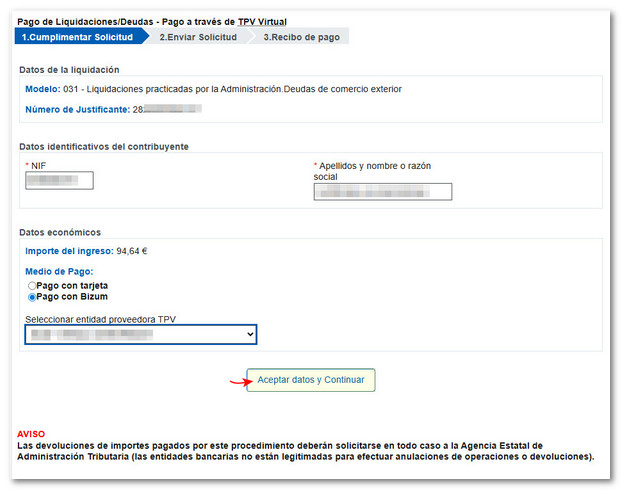
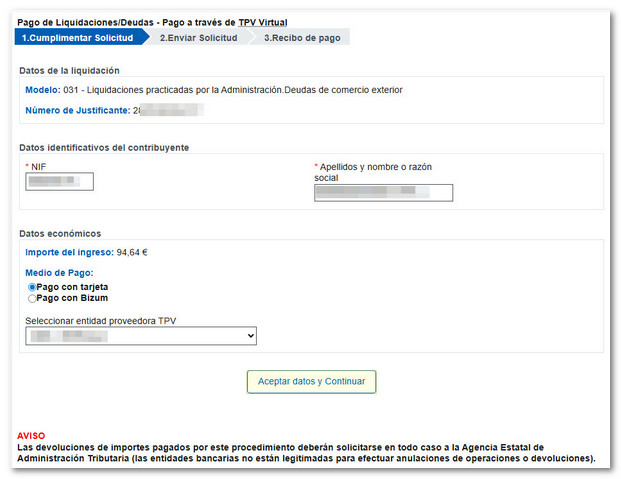
Once you have selected "Card or Bizum" as your payment method in step "1. Complete the application", indicates the settlement model and the receipt number that appear on the payment letter. Complete and review the taxpayer's identification details and the amount (this information is automatically filled in with the debt chosen for payment when accessing the "Pay debts, I am the owner" option).
Next, choose your payment method: "Pay by card" or "Pay by Bizum."
Payment via Bizum
Payment through Bizum can be made by anyone, whether or not they are the main debtor. Once you have filled in the information, click "Accept data and continue".
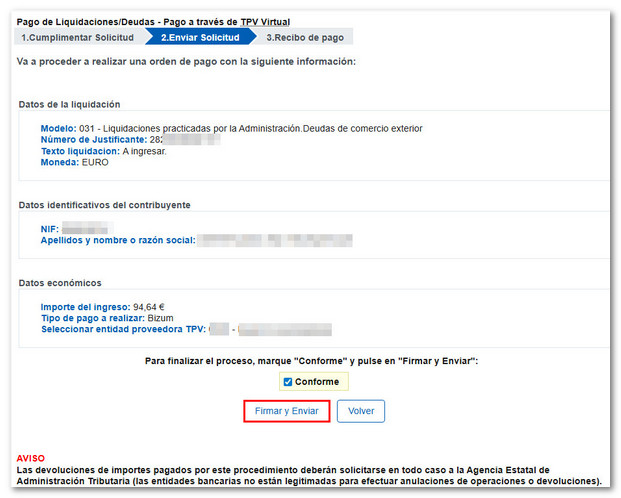
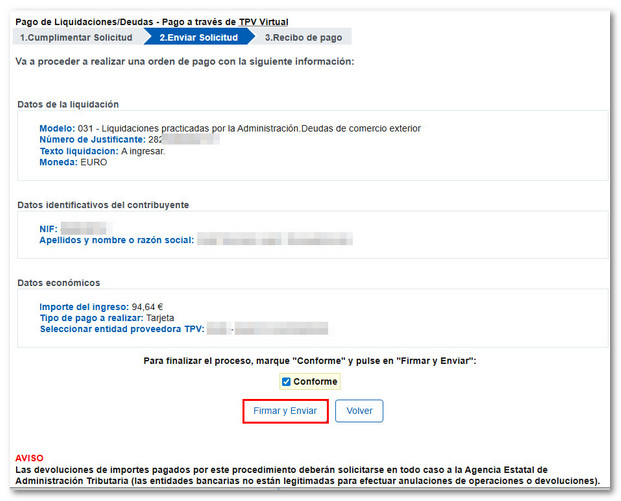
In the next step, "2. Submit ApplicationA summary of the entered data will be displayed; Please check that the information is correct, as once the deposit has been made, you will not be able to cancel it online. If correct, check the "Agree" box and press the "Sign and Send" button:
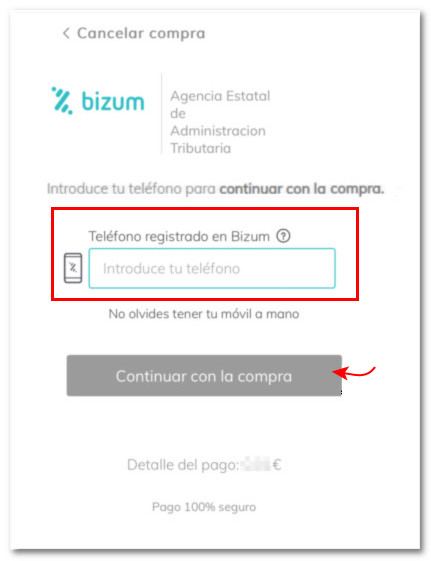
Enter the phone number registered with Bizum and click the "Continue with purchase" button. Please note that you must have your mobile phone nearby to complete the payment, as you have 4 minutes to complete the transaction.
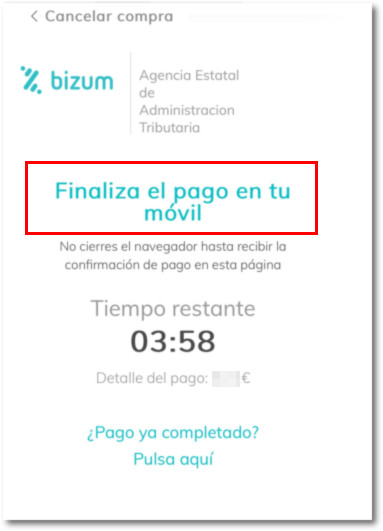
Next, on your phone, the bank where you have Bizum active will send a notification with the details of the pending Bizum that you need to authorize; Follow the instructions in your bank's app. The appearance of these windows may vary depending on the bank with which you have associated the Bizum service.
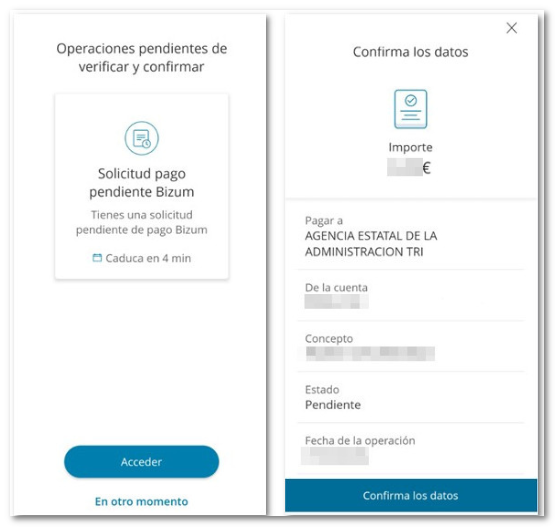
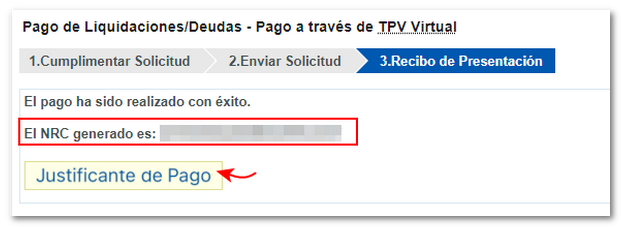
Once confirmed, at step "3. Presentation Receipt" You receive confirmation of the payment made and the following is displayed NRC generated:
Payment by card:
In the first step "1. Complete the application"Fill in the details and select "Card payment". Then press "Accept data and Continue".
In the next step "2. Submit Application", a summary of the entered data will be displayed; Please check that the information is correct, as once the deposit has been made, you will not be able to cancel it online. If correct, check the "Agree" box and press the "Sign and Send" button:
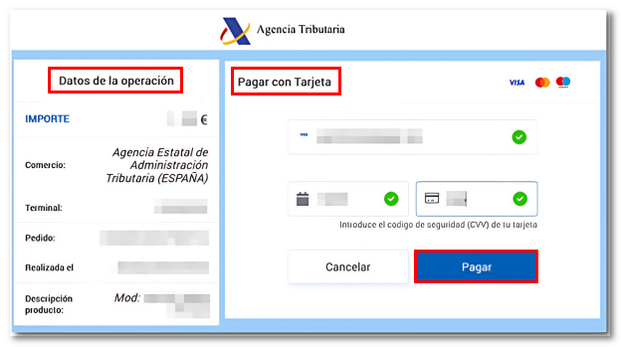
You will receive a summary of the payment details you are going to make to the State Tax Administration Agency (SPAIN), including the amount, date and model, among others. Enter the card number and any other requested information. Press "Pay" and continue with the instructions provided by your financial institution.
In the step "3.Presentation Receipt", you get confirmation of the payment made and the NRC generated.
Once the payment has been made, return to the AEAT page.