How to modify a previously submitted tax return (Corrected self-assessment - Change of option - Cancel return because you are not required to file)
Skip information indexCancel declaration because you are not obligated
From this 2025 tax year onwards, if you have filed your 2025 Income Tax return even though you were not required to do so, you can request that it be considered as not filed.
To do this, you will have to submit a corrective self-assessment. Access any of the following services available in the 2025 Income Tax procedures"Draft/Tax Return Processing Service (DIRECT Income Tax and WEB Income Tax)"either"Modification of a previously submitted declaration".
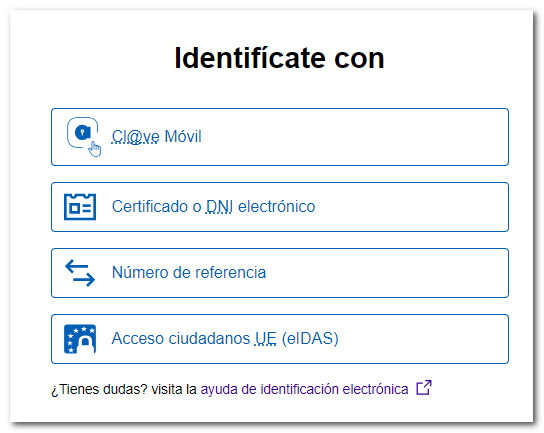
After identifying yourself with an electronic certificate, DNIe, Cl@ve, reference number or eIDAS, you will have access to the services of Income 2025.
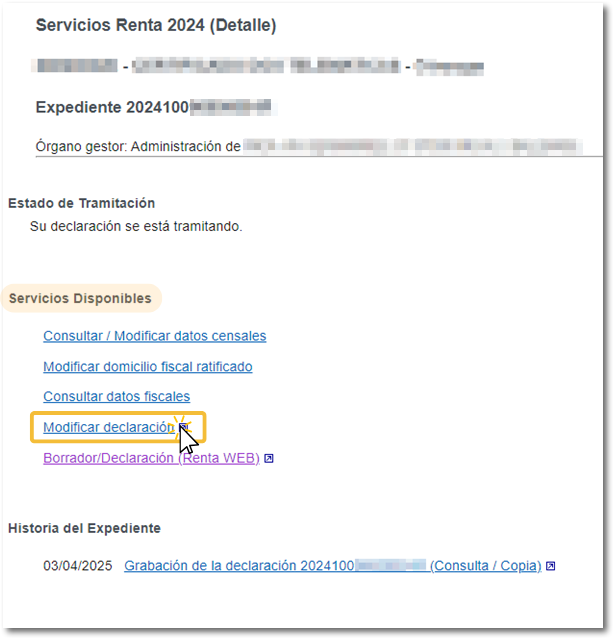
In the "Available Services" section, click on " Modify declaration ".
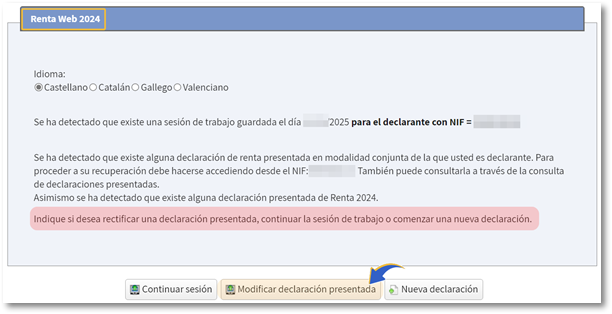
Access then to"Modify submitted declaration".
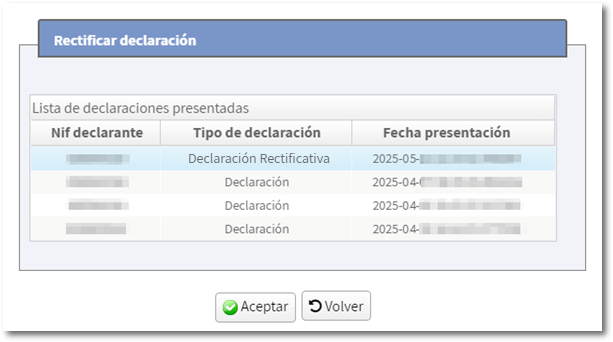
Select the declaration you want to cancel and press "OK".
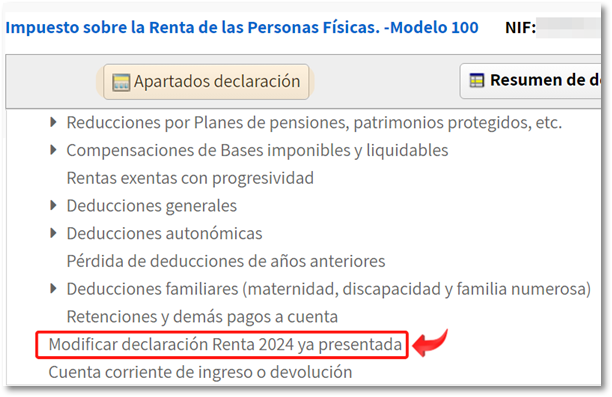
You will access the "Summary of declarations", click "Declaration sections" and in "Modify 2025 Income Tax Return already submitted."
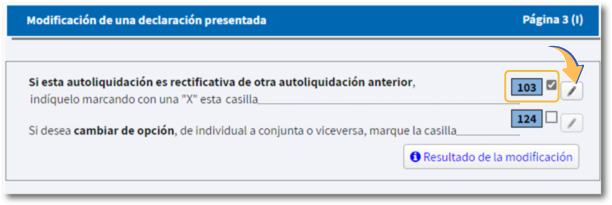
Check box 103 and click on the pencil icon next to it, and a new window will open.
In the "Corrected Self-Assessment" window, a new box will appear that you can check to request that the declaration be considered as not filed.
This option will be allowed for declarations in which there has been no change of modality, having at least one declaration previously submitted and being considered not obliged to declare, in addition to having reliable data when bringing amounts to this window.
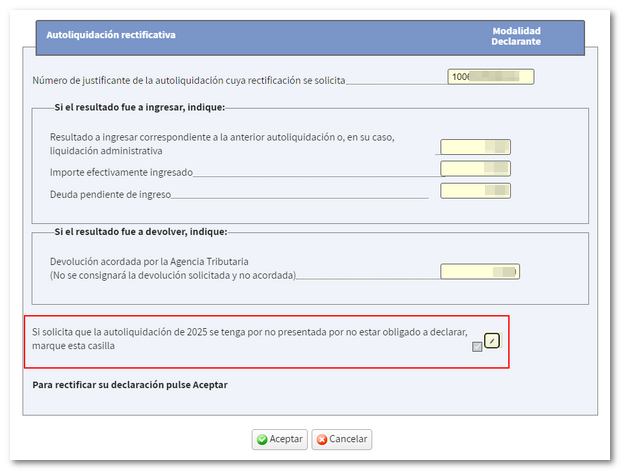
In the next window, check the first box to indicate that you are not required to file and request that the declaration be considered as not filed.
You will only need to tick the second box if you filed the return without being a taxpayer of PIT (taxpayers residing in the Foral territory or non-residents).
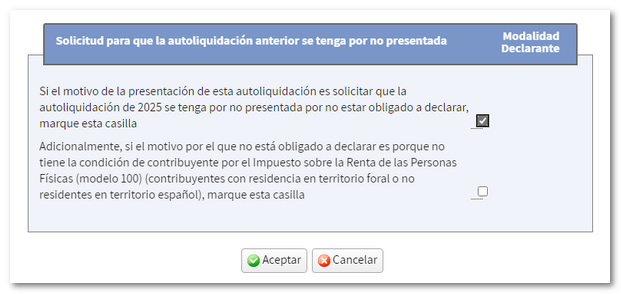
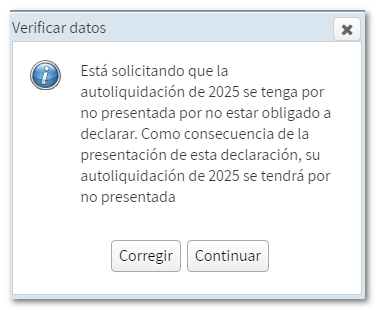
Once you have checked the first box, another window will appear for you to confirm the request that the declaration not be considered submitted. Click "Continue".
Next, submit the corrected self-assessment from "Submit declaration".
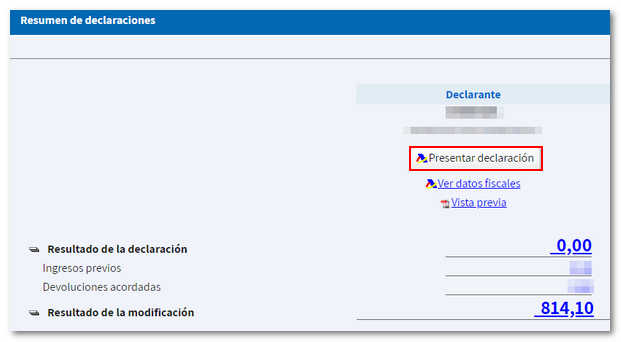
The submission of this corrective self-assessment implies the cancellation of all previous declarations.
If, after submitting this amended cancellation declaration, you submit a new declaration, it will be considered as a first declaration without the possibility of recovering previous declarations and only importing the tax data.