How to modify a previously submitted tax return (Corrected self-assessment - Change of option - Cancel return because you are not required to file)
Skip information indexChange of option
From Renta WEB you can change the method you indicated when filing your 2025 Income Tax return. from individual to joint or vice versa, sent previously.
To do this, you will have to submit a corrective self-assessment. Access any of the following services available in the 2025 Income Tax procedures"Draft/Tax Return Processing Service (DIRECT Income Tax and WEB Income Tax)"either"Modification of a previously submitted declaration".
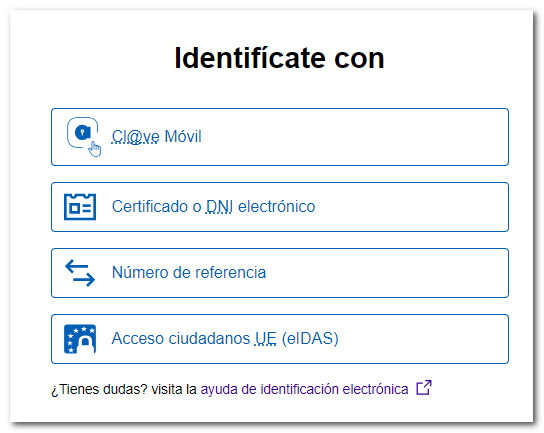
After identifying yourself with an electronic certificate, DNIe, Cl@ve, reference number or eIDAS, you will have access to the services of Income 2025.
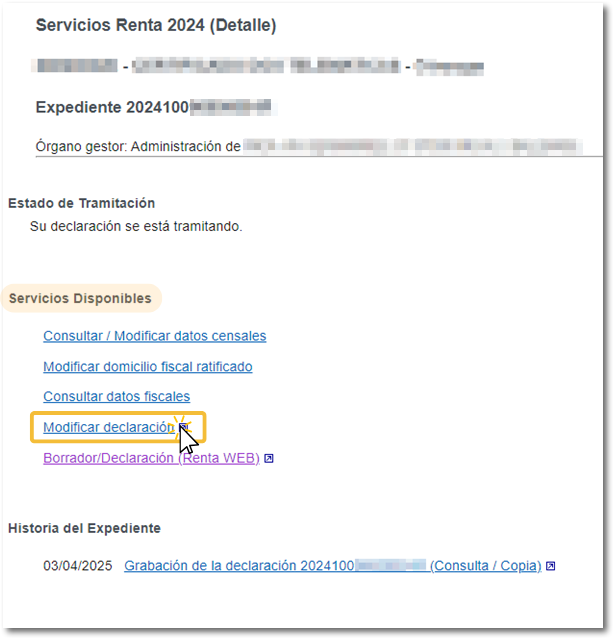
In the "Available Services" section, click on " Modify declaration ".
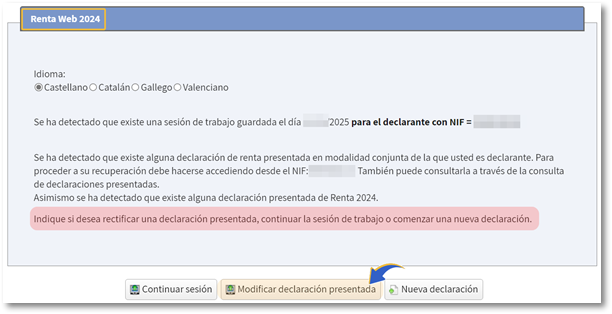
Access then to"Modify submitted declaration".
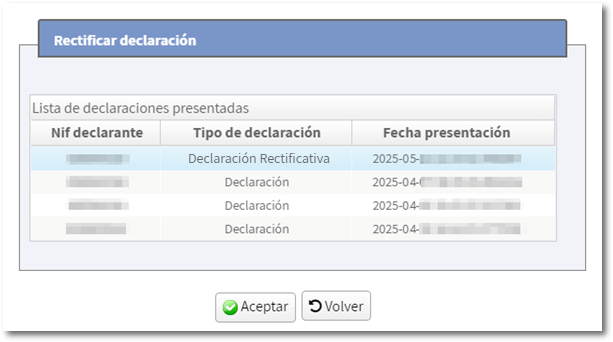
Select the statement you want to modify and press "OK".
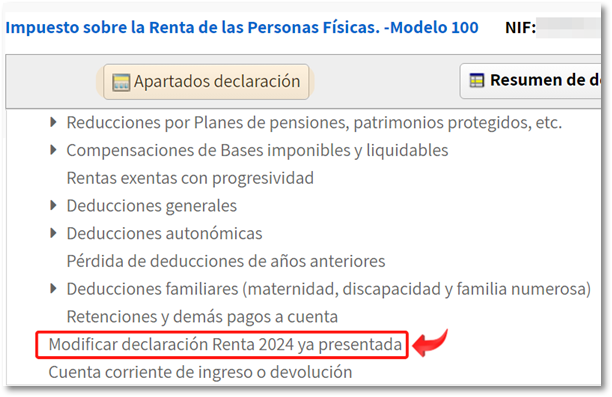
You will access the "Summary of declarations", click on "Declaration sections" and on "Modify 2025 Income Tax Return already submitted."
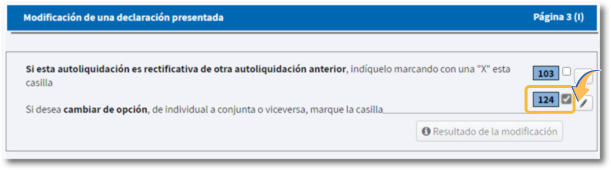
To change the option, from individual to joint or vice versa, tick box 124.
When you request a change of mode, the program will recalculate the items and the final result will be reflected in the statement summary.
If you file a new return using a different format than the one previously filed, and box 124 is not checked, the program will inform you in the "Errors and Warnings" tab. In all cases, check that the data is correct before resubmitting.
-
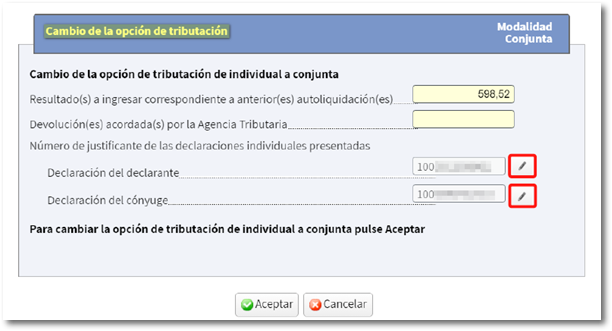
From individual to joint The amounts from the individual declarations are automatically incorporated. By clicking on the pencil icon, you can access the details of each declaration (declarant or spouse). Review both statements to ensure all information is correct.
However, if the session from which you filed your return did not authorize the inclusion of spouse data and therefore a joint return was not calculated, you will have to generate a New statement because the "Modify Income Tax Return 2025 already submitted" option will not allow you to make the change.
-
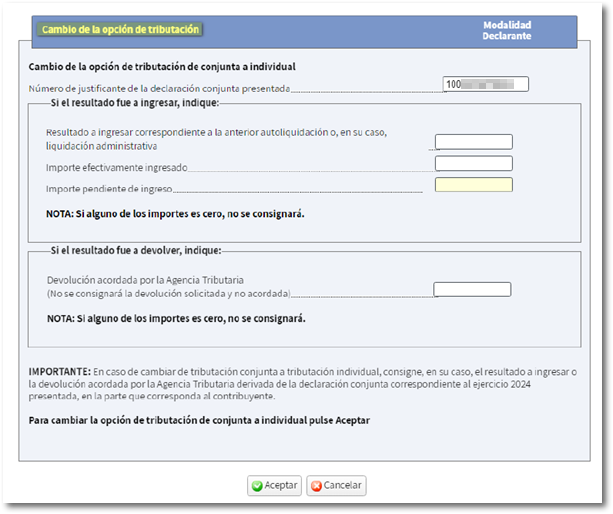
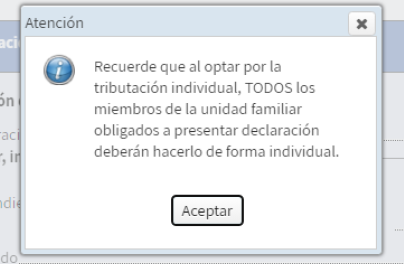
From joint to individual The corresponding amounts from the joint return to each individual return must be entered on the form. The receipt number from the previous declaration is automatically filled in. After accepting this window, a warning appears indicating that, by opting for individual taxation, the other members of the family unit required to file must submit their corresponding individual returns.
Next, submit the corrected self-assessment from "Submit declaration".
If it's a return, you can indicate aIBANSpanish or foreign (EU/SEPA)to receive the amount due.
If it's a larger deposit, select the payment method from "Direct Debit of the amount to be paid" (provided the direct debit payment deadline is June 25th), "Payment by Electronic Payment", "Payment with a bank/cash deposit document", or "Other payment methods".