Income 2016
Skip information indexModification of a return filed 2016
If after submitting the 2016 Income Tax return you consider that the return contains errors or omissions in the declared data (improper declaration of any exempt income, calculation of amounts in excess of the amount due or forgetting any reduction or deduction to which you were entitled) , it is possible to request rectification of your self-assessment by accessing your Income Tax file again and checking box 127 to request rectification.
This request is made to initiate a rectification procedure for a self-assessment from 2016, due to the result of a higher amount to be returned than requested or a lower amount to be deposited. This option will also be used if you need to report information that does not affect the result of the declaration.
On the other hand, if errors or omissions in returns already submitted have led to the realization of an income lower than that which would have legally corresponded or the realization of a return greater than the appropriate one, they must be regularized by submitting a through Income WEB. complementary statement ##1##to the one originally presented.
To modify the declaration, access to Income WEB 2016 is allowed with an electronic certificate, DNIe , Cl@ve or the reference of the current Income Tax file.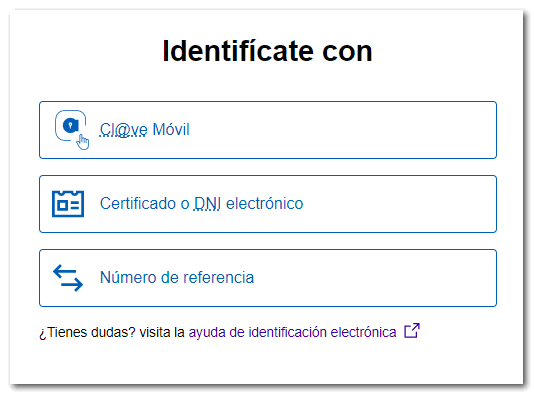
Access file
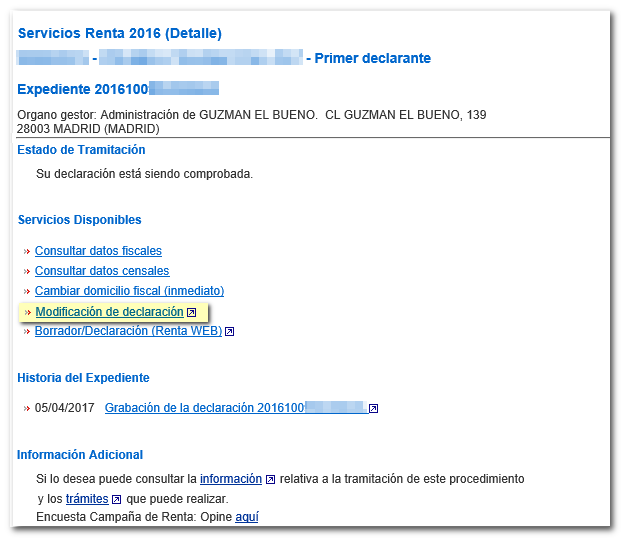
Check that your declaration is filed: In "Processing Status" the message "Your declaration is being processed" appears and in "File History" you have the "Recording of the declaration". To access the rectification, in "Available Services", click on the "Declaration modification" option.
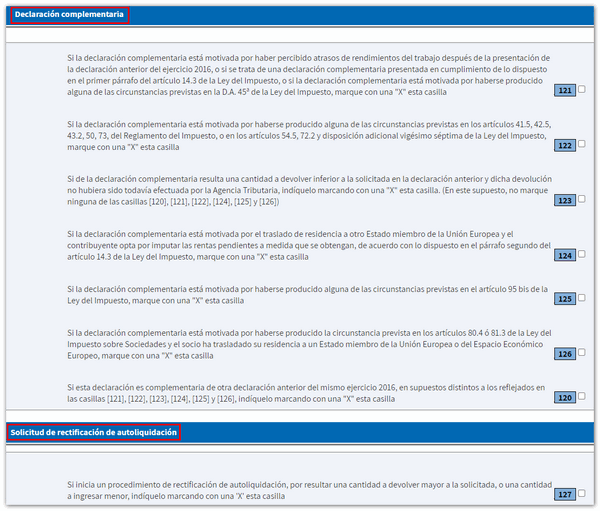
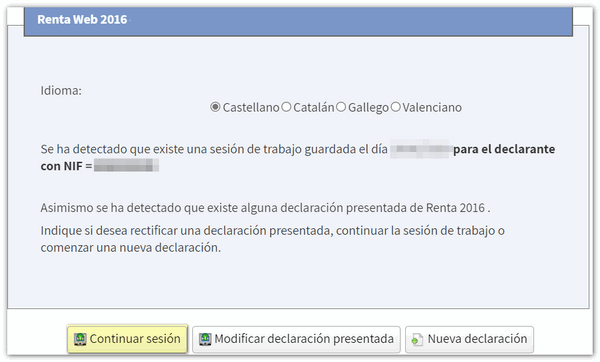
When logging on to Renta WEB, you will be displayed a window giving you the option to continue with the previous saved session, modify the tax return filed or create a new tax return. Next, press "Modify filed return" . In this case you will be directly accessed to the declaration page where you can indicate the type of modification: If it is a supplementary declaration or a correction to the self-assessment, "General information" section.
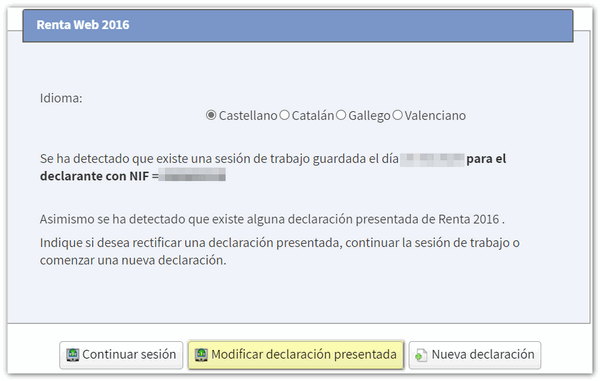
You must bear in mind that the "Modify filed return" button will not appear if you access with a different session than the one used to file the return, for example that of your spouse, or if the return was not submitted through Renta WEB but for example , in batches, by file, on an Income platform, the automatic voice system, etc.
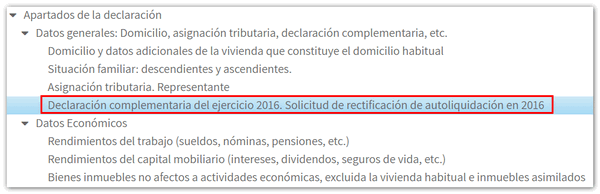
If you choose to "Continue session", or even if you start a new declaration, to access the page for completing the type of complementary declaration or rectification of the declaration, from the "Sections" button, in the "General data" drop-down ", click on "Supplementary declaration for the 2016 financial year. Request for rectification of self-assessment in 2016".
The rectification of the self-assessment may be carried out:
- As long as the Tax Agency has not made the related final or provisional payment.
- It is necessary that the period of four years has not elapsed from the day following the end of the submission period, or from the day following the submission of the declaration if it was submitted outside of said period.
- If the declaration has been previously submitted through the "Renta WEB draft/declaration processing service" (not through a file).

Check box 127 and, in the new window, the option "If you wish to initiate a rectification procedure...". The details of the previous self-assessment will be displayed: the result to be entered from previous self-assessments or administrative settlements corresponding to the 2016 financial year or the result to be returned and the "Self-assessment receipt number" of the self-assessment whose rectification is requested. Additionally, you must indicate the account number ( IBAN ) in which you want the refund to be made.

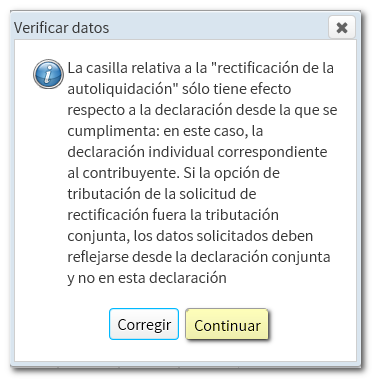
When you include this information, a notice will appear informing you that if the declaration is to be submitted jointly, this information must also be entered into the declaration using this method.
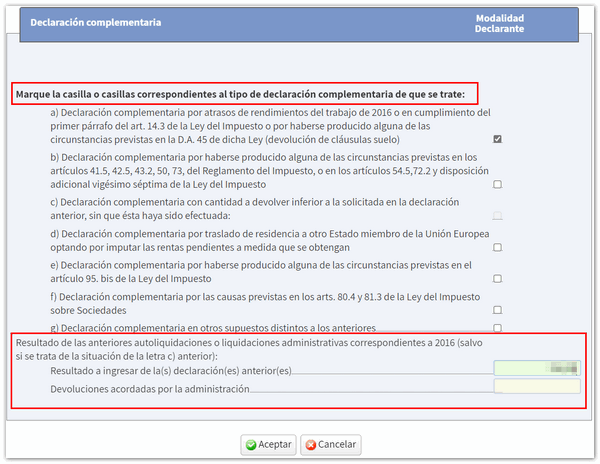
In the case of a complementary declaration , check the corresponding box based on the cause that motivates the presentation of the complementary declaration.
Modification or inclusion of data
After providing this information, it is advisable to use the filed tax return, since the new one will include, as well as the details stated in the original self-assessment, any new inclusions or amendments. To continue completing the declaration, you can navigate through the different sections using the available arrows or by accessing "Sections".

For example, if you have to include arrears in income from work for the 2016 financial year to submit a supplementary declaration, access the corresponding page and in box 001, click on the pencil icon to modify the data.

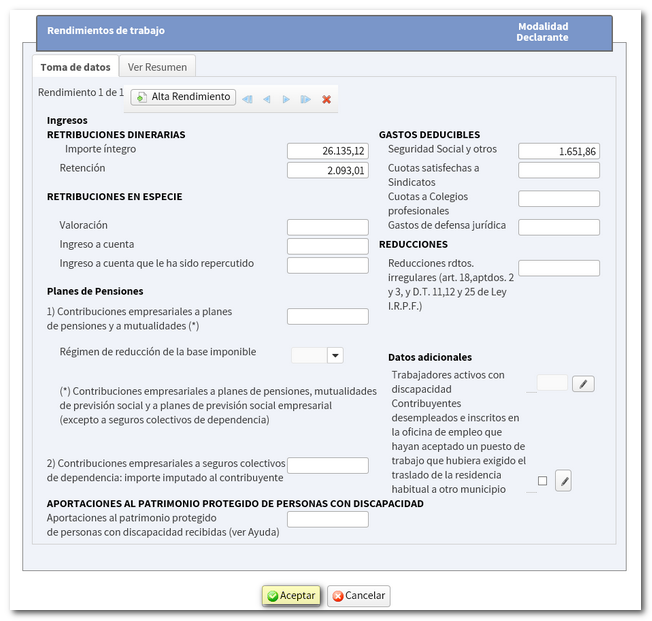
After correcting any errors or omissions in the self-assessment, remember that you can verify the changes from "Return Summary" and also check the result of the modified return.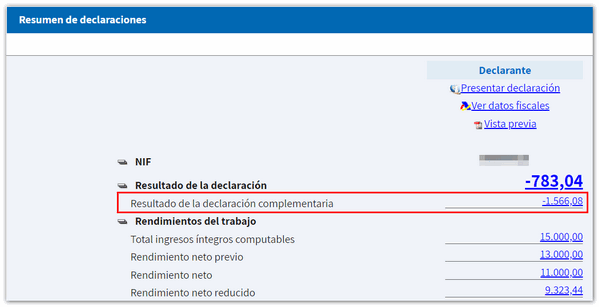
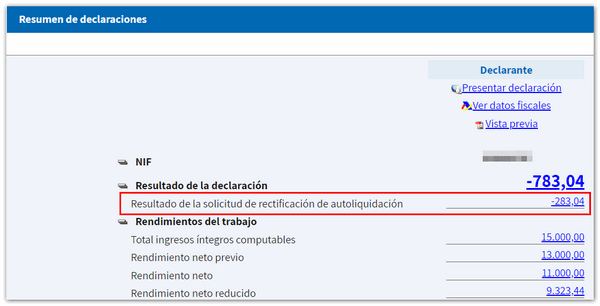
Filing the modified return
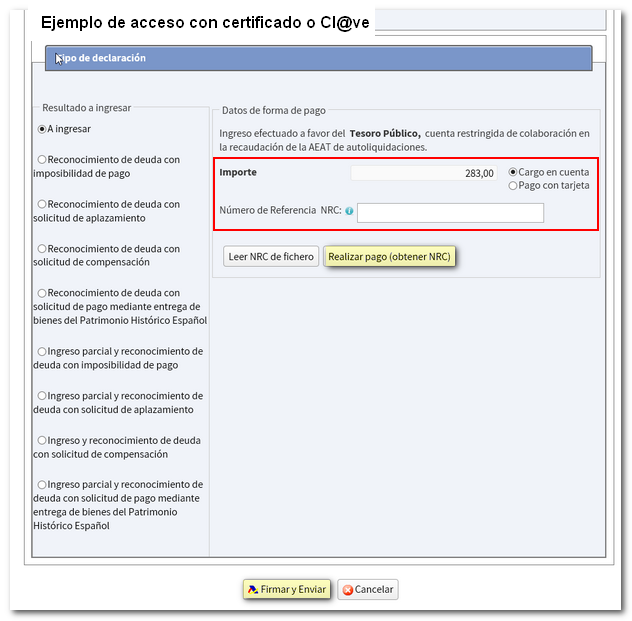
You can then verify the data using the "Validate" button and confirm if the declaration is completed correctly. Finally, press the "Submit declaration" button to complete the procedure. Please note that if you have accessed by reference and the result of the complementary declaration is a deposit, since the direct debit of the payment is no longer an accepted form of deposit once the campaign has ended, you will have to obtain the NRC proof of income by first contacting your Banking Entity, since access to the payment gateway is only available if accessed with an electronic certificate or Cl@ve .
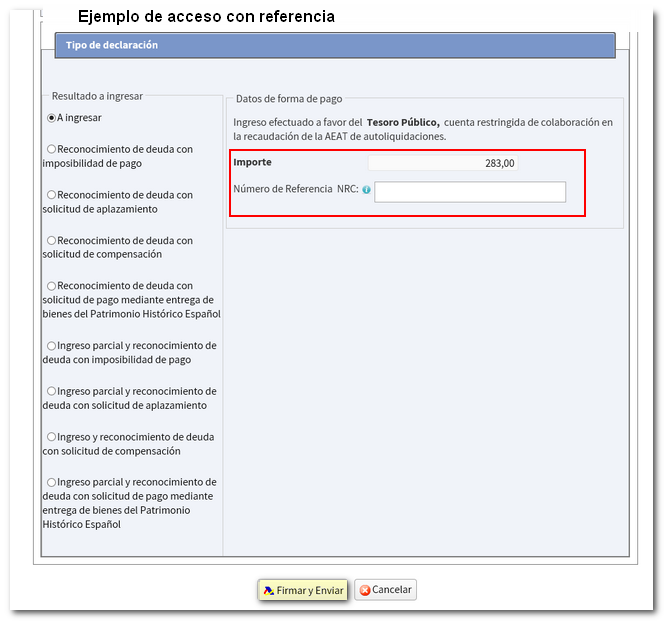
If you access with a certificate, DNIe or Cl@ve , the option will appear to enter the amount through the payment gateway AEAT .
By accessing your file again you will be able to view the original declaration submitted and the subsequent correction.