Income 2016
Skip information indexHow to present a rectification of self-assessment or a complementary 2016 Income tax return if the original was not presented in Renta WEB
When errors or omissions are detected in a declaration already submitted, it will be possible to request rectification of your self-assessment or present a complementary declaration by accessing your Income Tax file again. To modify the declaration, access to Income WEB 2016 is allowed with an electronic certificate, DNIe , Cl@ve or the reference of the current Income Tax file.
Access file
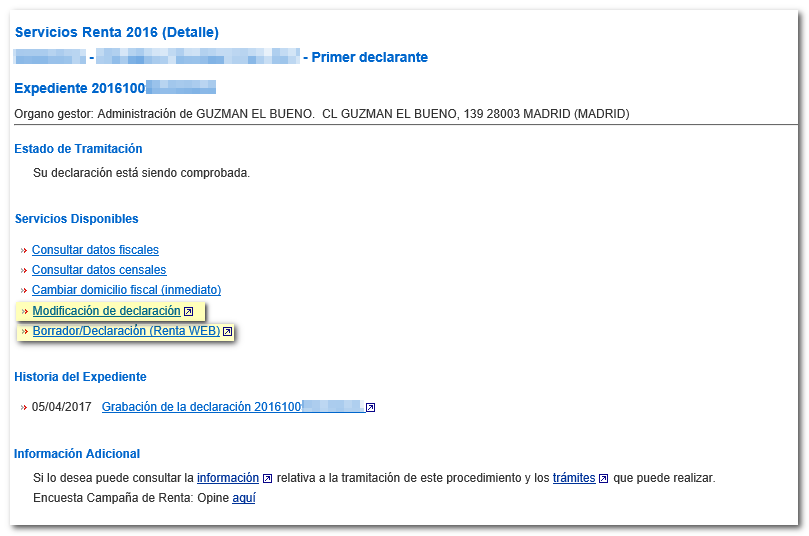
Access the procedures page of form 100 in the Electronic Office to "Modification of a declaration already submitted 2016".
Confirm that your return is filed; In "File History" there is a link "Recording the statement". To access the modification, in "Available Services", you can use both the "Modification of declaration" and "Draft/Declaration (WEB Income)" links.
The general operation of Renta WEB allows you to recover the declaration already submitted in order to, from this declaration, correct or add the necessary information. Upon access, Renta WEB displays a window with the following options:
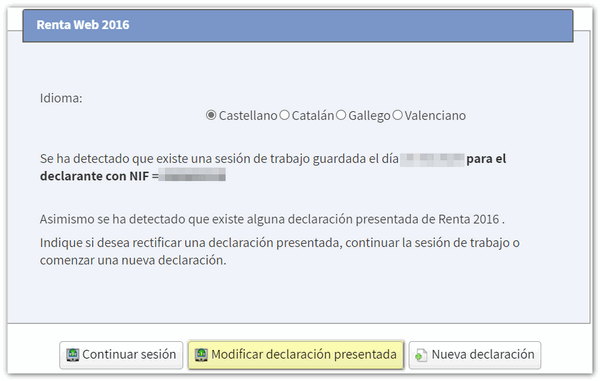
- "Continue session" to continue with the last saved session
- "New declaration" to generate the declaration from scratch
- "Modify Filed Return" to work with the filed return.
However, this option will not appear in the following cases:
- If the original declaration was not submitted through Renta WEB but through a file, in batches, on an Income Tax platform or through the automatic voice system. In this case you will have to use the "Continue session" button or start a new declaration.
- If the return was filed from a session other than the one you are using to access the modification, for example if the spouse's session was used. However, you can work on the submitted return if you access Renta WEB with the data of the taxpayer "owner" of the session from which the return was submitted. In this way, the declaration presented would be recognized and the individual and joint declarations that were prepared in that session would be recovered.
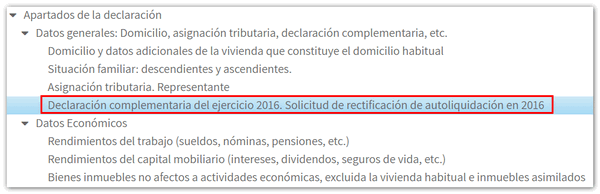
If you do not have this modification option available, from "Continue session", or even if a new declaration is started, to access the page for completing the type of complementary declaration or rectification of the declaration, press the "Sections" button, in the "General data" drop-down menu.

Then, click on "Supplementary declaration for fiscal year 2016. Request for rectification of self-assessment in 2016".
The rectification of the self-assessment may be carried out:
- As long as the Tax Agency has not made the related final or provisional payment.
- It is necessary that the period of four years has not elapsed from the day following the end of the submission period, or from the day following the submission of the declaration if it was submitted outside of said period.
- If the declaration has been previously submitted through the "Renta WEB draft/declaration processing service" (not through a file).


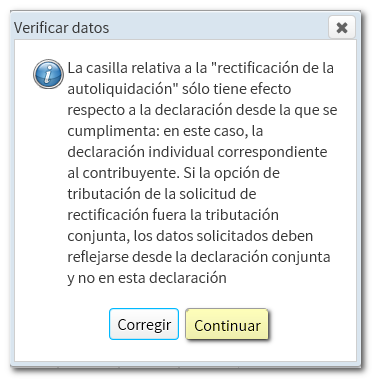
When you include this information, a notice will appear informing you that if the declaration is to be submitted jointly, this information must also be entered into the declaration using this method.
In the case of a complementary declaration , check the corresponding box based on the cause that motivates the presentation of the complementary declaration.
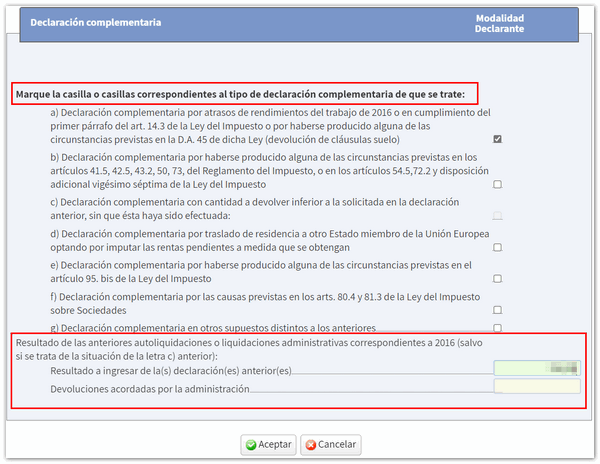
Modification or inclusion of data
To continue completing the declaration, you can navigate through the different sections using the available arrows or by accessing "Sections".

For example, if you have to include arrears in income from work for the 2016 financial year to submit a supplementary declaration, access the corresponding page and in box 001, click on the pencil icon to modify the data.

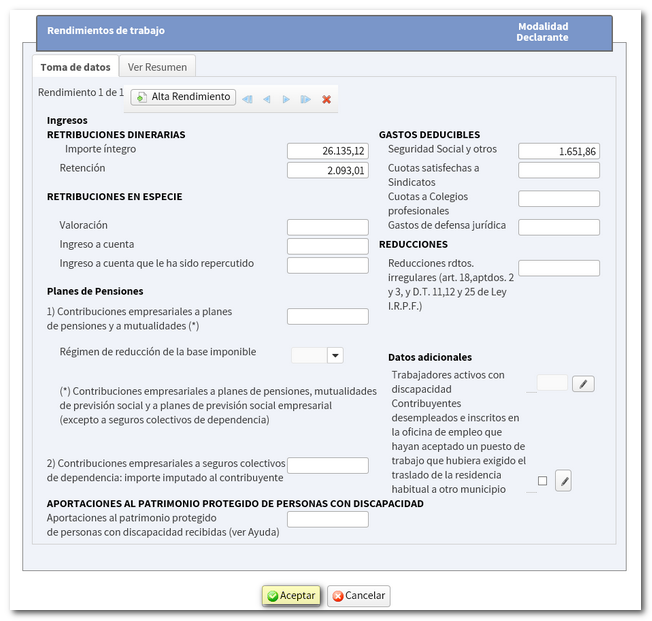
After correcting any errors or omissions in the self-assessment, remember that you can verify the changes from "Return Summary" and also check the result of the modified return.
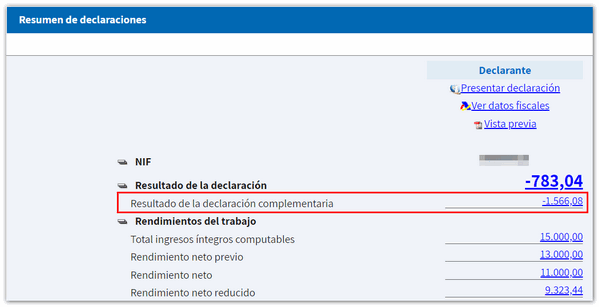
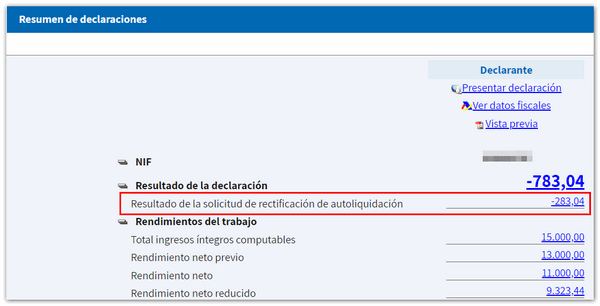
Filing the modified return
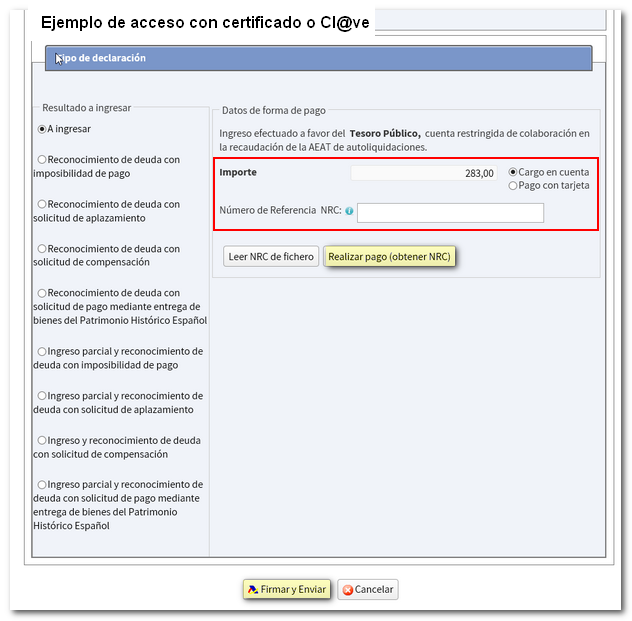
You can then verify the data using the "Validate" button and confirm if the declaration is completed correctly. Finally, press the "Submit declaration" button to complete the procedure. Please note that if you have accessed by reference and the result of the complementary declaration is a deposit, since the direct debit of the payment is no longer an accepted form of deposit once the campaign has ended, you will have to obtain the NRC proof of payment by contacting your Banking Entity beforehand, since access to the payment gateway is only available if you access with an electronic certificate or Cl@ve .
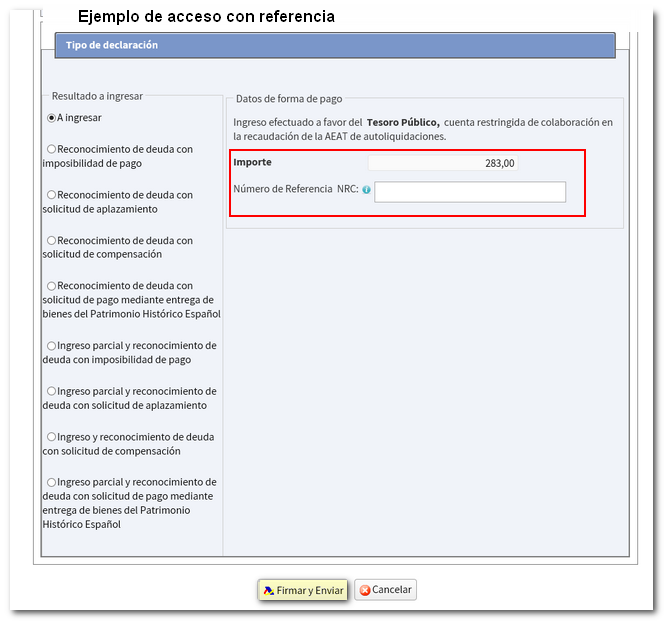
If you access with an electronic certificate, DNIe , Cl@ve , the program provides you with the option of making the entry through the payment gateway of the AEAT .
By accessing your file again you will be able to view the original declaration submitted and the subsequent correction.