Income 2016
Skip information indexPresentation of 2016 Income Tax returns via file
The 2016 Income Tax return can be submitted directly from the Electronic Office, once the file has been generated from the corresponding aid program. To make the electronic presentation, access the link "Income 2016. Presentation of declarations through a file generated with the help program" on the procedures page of form 100 in the Electronic Office.
Access requires identification with an electronic certificate, DNIe or Cl@ve or with the reference obtained for the last Income campaign. Choose how you will identify yourself.
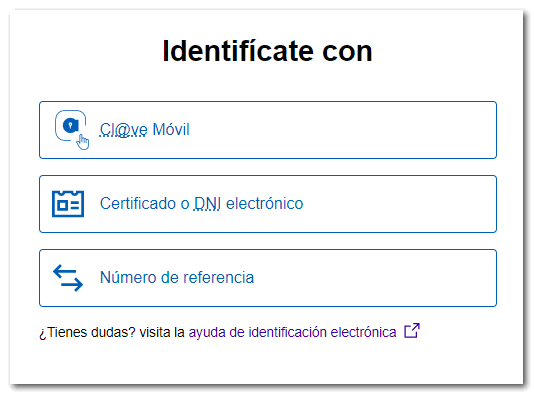
Next, review the filing requirements and click the "Read Declaration" button to select the file generated by the program.
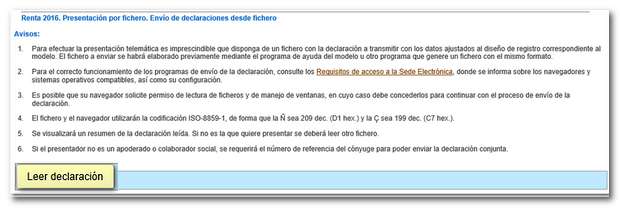
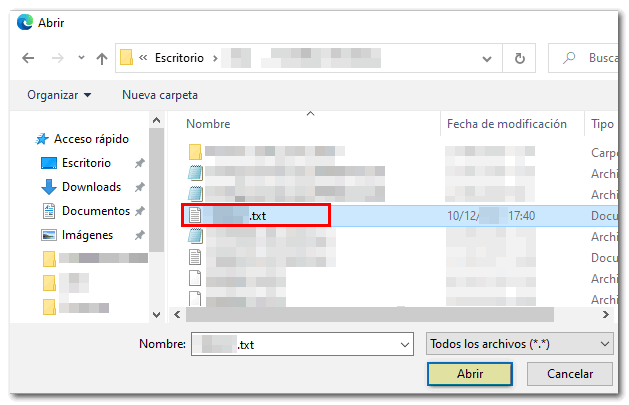
Please note that the external file must conform to the updated 2016 registration design for model 100.
When reading the file, a summary of the declaration will be loaded with the identification data, economic data and the result of the declaration. If the result is an income you must include the NRC (proof of payment), if you do not have NRC you can obtain it at this time by pressing the button " Make payment. Obtain NRC " or select other payment methods such as deferral or recognition of debt. For declarations that involve income, you will not be able to select, in the aid program, the payment to be split into two installments, or direct debit.
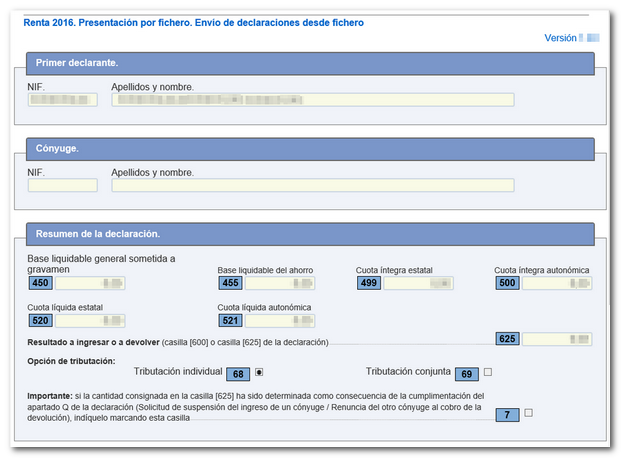
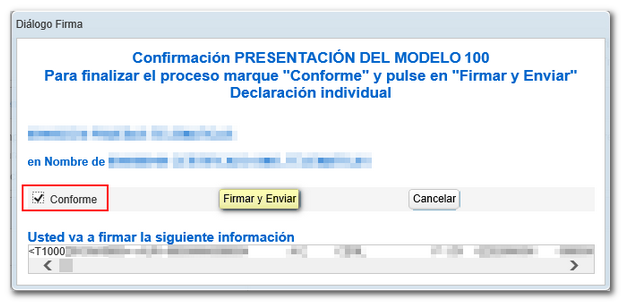
If the information is correct, click "Sign and Send".

Then mark "Agree" and press "Sign and Send" to conclude the presentation.
The result of a successful submission will in any case be the response page showing "Your submission has been successfully completed" with an embedded PDF containing a first page with the submission information (registration entry number, Secure Verification Code, receipt number, day and time of submission and details of the submitter) and, on the subsequent pages, the complete copy of the declaration.
You will be able to recover the copy of the filed declaration if you access the electronic certificate of the declarant or Cl@ve to the "My Files" portal of the Electronic Office and consulting the option "Consult your submitted declarations" . You can also access "Submit and consult declarations" of the Electronic Office, "Form 100", "Consultation of submitted declarations".