Income Management offered by APP-AEAT
Skip information indexRental Appointment
In "Appointment for Rental" the different options for appointment requests will be enabled. From April 29, you can request an appointment for the "We'll Call You" plan and from May 29, for in-person attention in offices.
Once the appointment request period for the Income campaign has ended, this service will not be available.
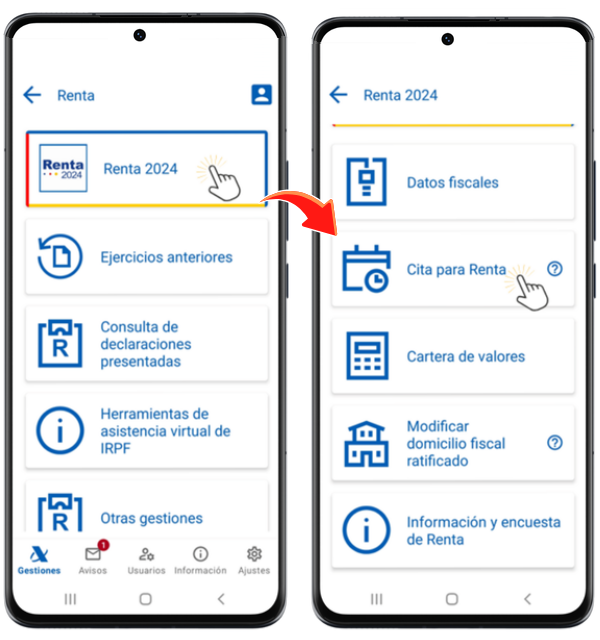
In APP management-AEAT You can access the appointment request from two blocks, from the "Assistance and Appointment" block, "Appointment for Income Tax" or from the "Income Tax" block, "Income Tax 2025", "Appointment for Income Tax".
Click on "Appointment for Rent" and you will access the appointment management for the user identified in the APP at that moment.
In the first tab " Appointment Features ", check the possible warnings; Next, you will be informed if you already have appointments requested, if you requested an appointment last year and did not attend, if you meet the requirements to access the service, etc. To begin the application, you will need to answer the proposed questions regarding your situation in 2025.
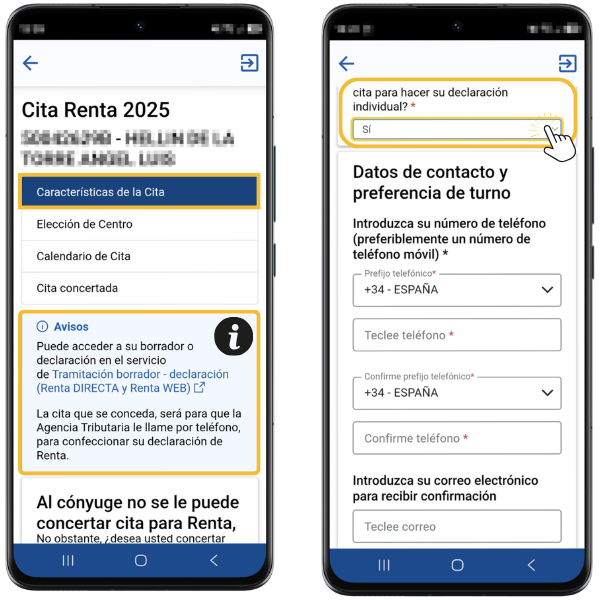
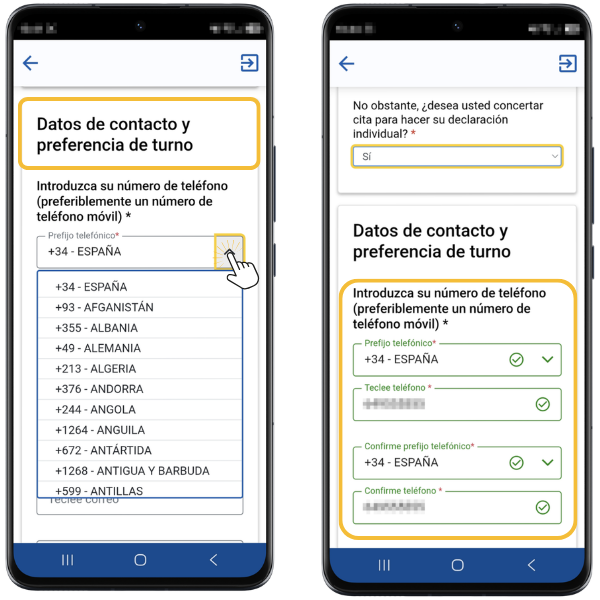
The first information you must provide is a contact telephone number. You can select a Spanish or foreign phone. Once you have selected your phone number (Spanish or International), confirm it in the box below.
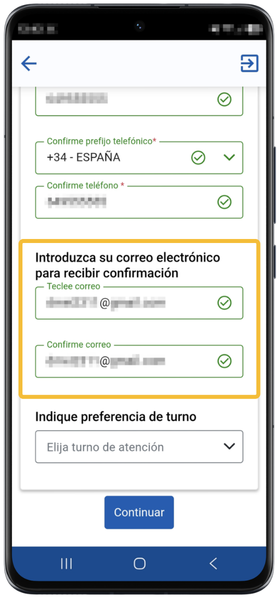
Next, enter your email address and repeat it in the box below to receive confirmation of your appointment.
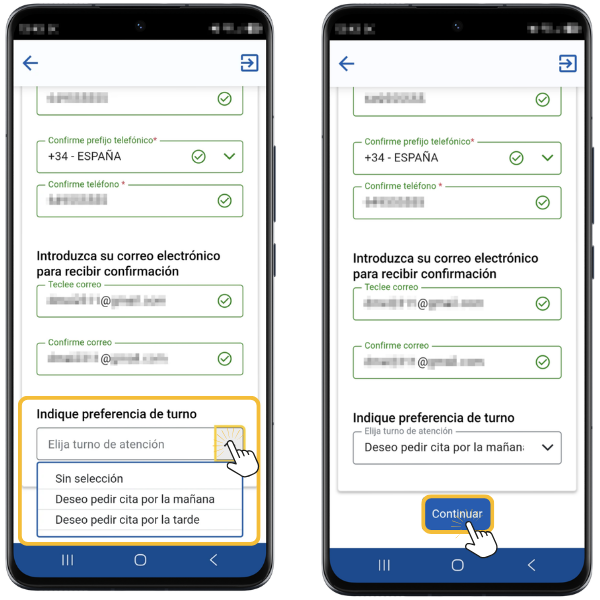
You also have the option to select the morning or afternoon shift if you want only the appointments available in that shift to be shown. Then press "Continue".
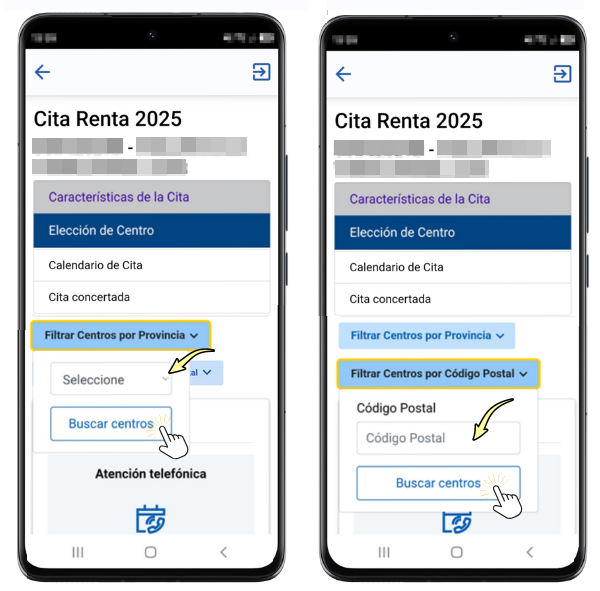
In the " tabCenter Election", set the filters to select the center you want to go to, by province or by postal code.
However, you can choose between an in-person appointment at an office or telephone assistance through the "We'll Call You" plan.
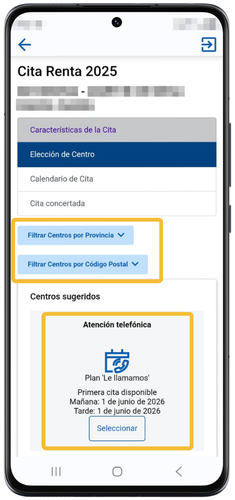
Once you have selected the province from the drop-down menu and/or entered the postal code, click "Find centers."
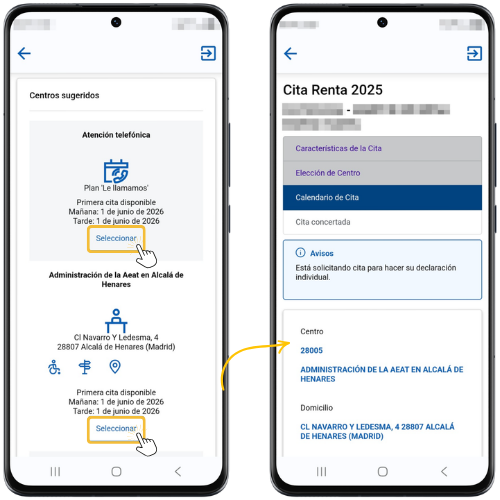
The available options will be displayed based on your search criteria. Click "Select" on the option you're interested in.
In the " Appointment Calendar " tab, choose the day of the appointment from those available. Next, select your appointment time from the available times. Finally, press "Confirm".
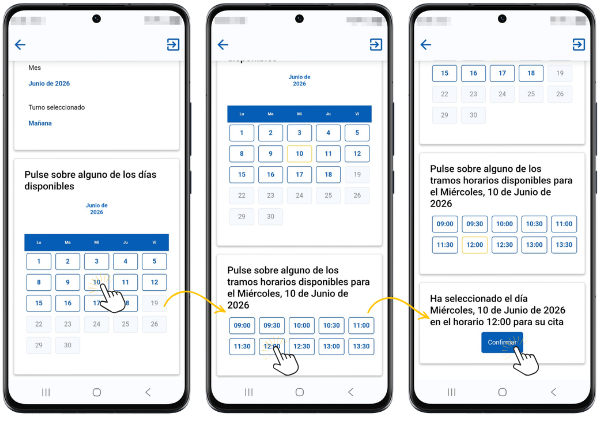
For telephone appointments, the estimated time will be provided by the app (peninsular time).
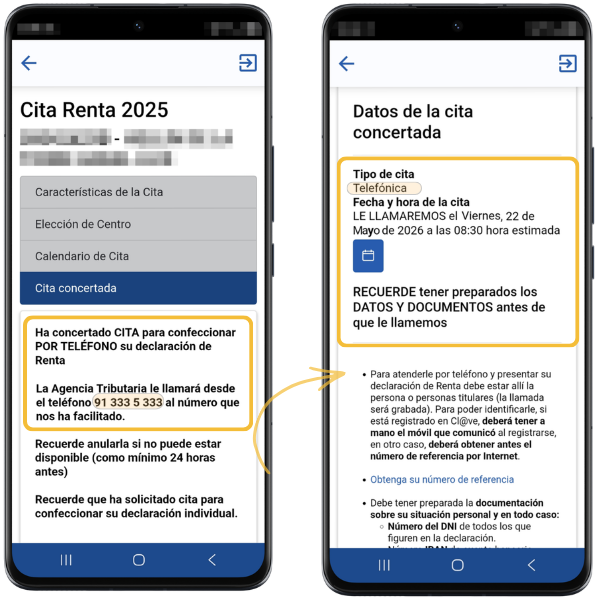
After following all the steps, in the last tab " Appointment arranged ", a receipt will be shown with the appointment details and the data or documents that you must bring so that they can prepare your declaration.
Remember, when requesting a telephone appointment, the telephone number from which the Tax Agency will contact you is 91 333 5 333.
You can save the appointment made to the device's calendar by clicking on the calendar icon.
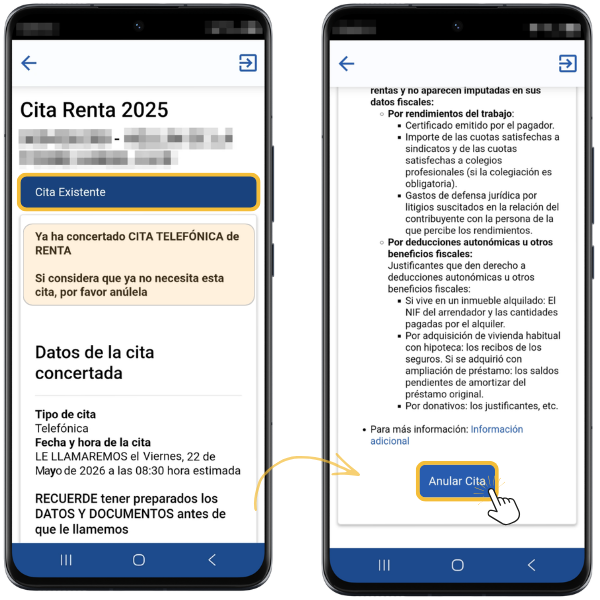
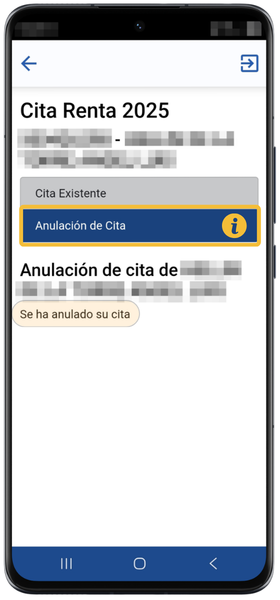
Cancel date
You can do so by accessing the link available for Rent appointment again. Once the user is identified in the APP, the existing appointment is returned with the option to cancel it.