How to modify data or cancel the Cl@ve service
Skip information indexChanging your phone number with a certificate or e-ID
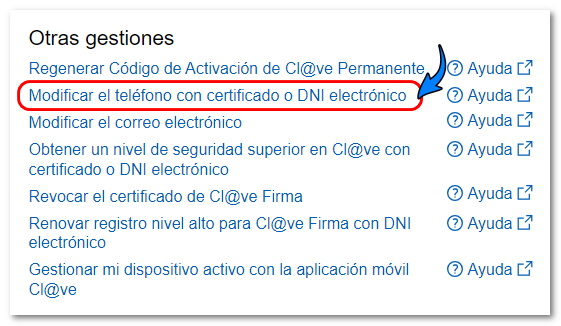
The modification of the telephone number reported in the Cl@ve can be done immediately if you have a certificate or electronic DNI from the option "Modify the telephone number with a certificate or electronic DNI " in "Other procedures" of the " Cl@ve " portal of the electronic headquarters.
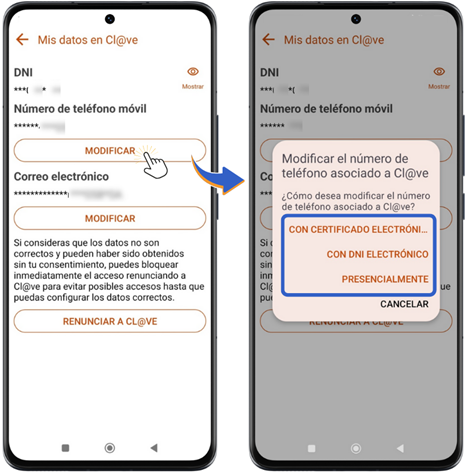
You can also modify it from the Cl@ve application for mobile devices in the "Management" category located in the bottom menu of the screen, "My data in Cl@ve ", "Modify the telephone number associated with Cl@ve ". To access with a certificate or DNIe , you must have an electronic software certificate installed on the device or have a device with NFC technology to use DNIe (on Android mobile devices).
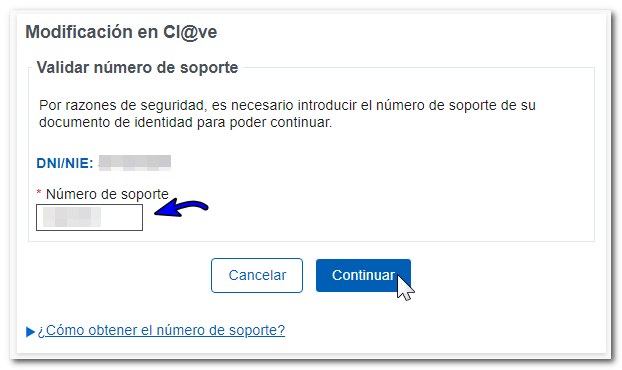
After identifying yourself with a certificate or ID card For electronic submissions, you will need to enter your ID document's support number for validation.
Once validated, your details and the phone number registered will be displayed. Cl@ve. To change it and communicate the new number, delete the old phone and fill in the box with the new mobile phone number; then confirm it in the next box. You can select a Spanish or foreign phone number. If you select a foreign number, you must also indicate the country code. Next, review the terms and conditions of the Cl@ve system and check the box "Conditions have been read and accepted."
Finally, press "Send".
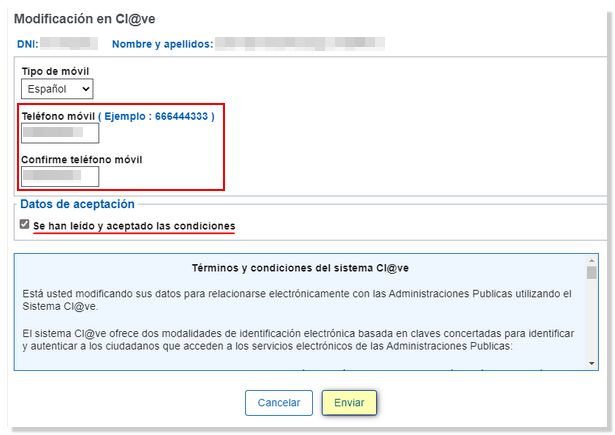
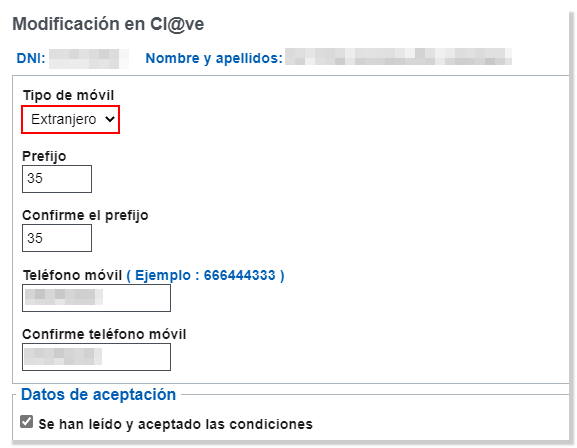
The next window displays a summary of the data that has been saved with the new mobile phone number.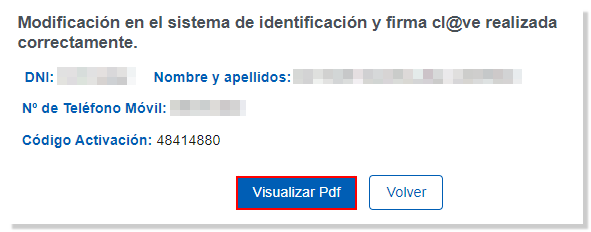
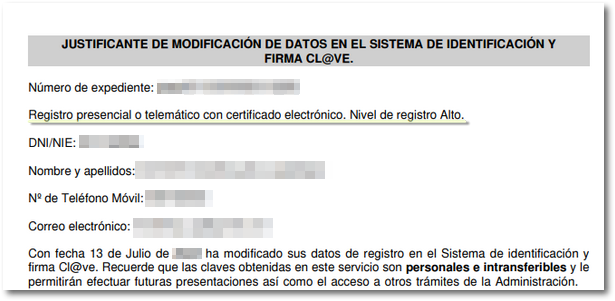
Click on "View Pdf " to obtain proof of the modification. If the initial registration in Cl@ve was at a basic level, you will see that the registration level has been updated to high as it is a data modification with an electronic certificate or DNIe . You will also have the activation code for a permanent key if you wish to register in this identification system that will maintain the high registration level.