How to resolve doubts or errors related to Cl@ve
Skip information indexWhere can I check in my browser the address of the website where I am logging in with Cl@ve
The address of a web page is located in the address bar of the Internet browser you are using.
The address bar is located by default at the top of the browser window. Here are some examples:
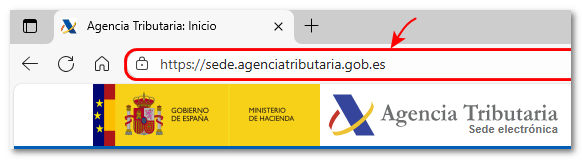
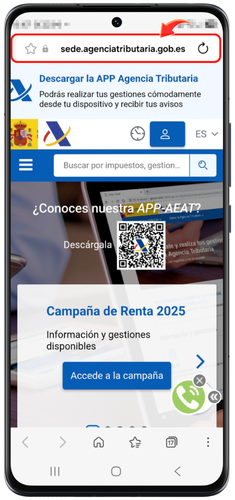
If you are carrying out a procedure from the Electronic Office and have selected as your identification method Cl@ve On Mobile Cl@ve, the URL will appear in the address bar:
-
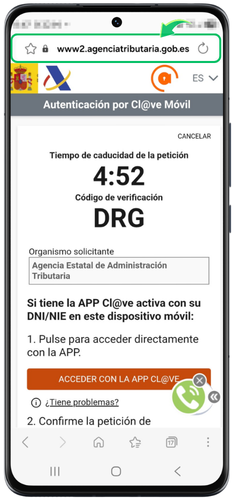
If you log in scanning the QR codeThe URL begins with https://www2.agenciatributaria.gob.es
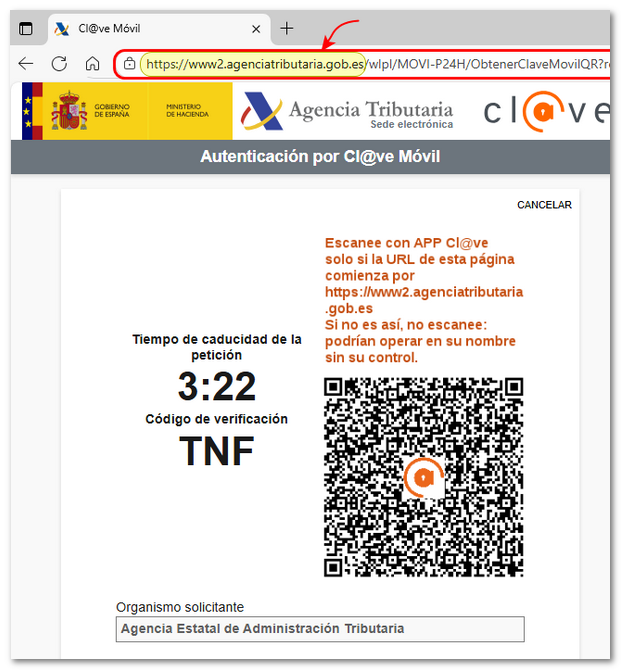
If you access it from a mobile device, the address will look like www2.agenciatributaria.gob.es
-
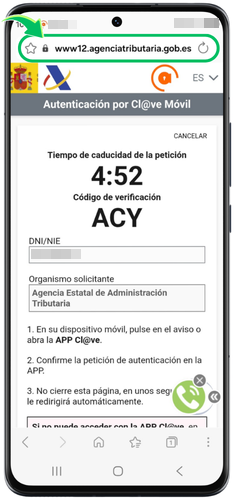
If you access by clicking on "Can't you access it by scanning the QR code?"On the next screen, you will need to enter the details of the ID card either NIE plus the contrasting data and upon continuing, the URL will begin with https://www12.agenciatributaria.gob.es
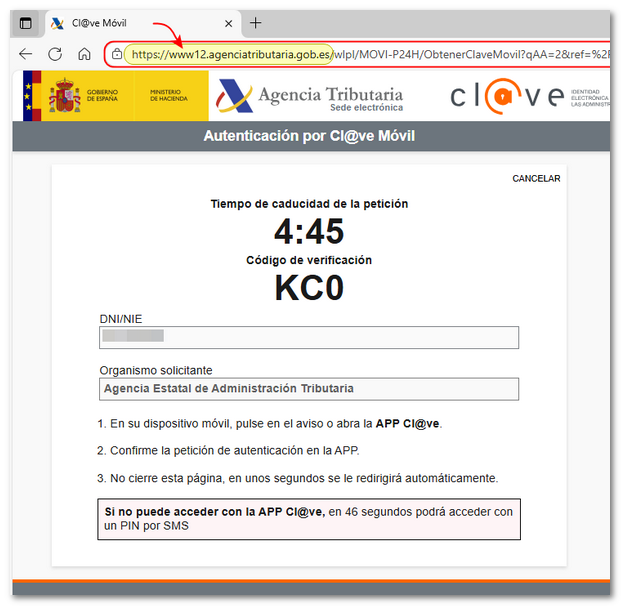
If you access it from a mobile device, the address will look like www12.agenciatributaria.gob.es