How to resolve doubts or errors related to Cl@ve
Skip information indexRegistered user in Cl@ve without phone number. How to update your phone number
Are you without a phone on the record? Cl@ve?
The registration in Cl@ve allows a single mobile phone number per user. If another person registers with your same number, you will no longer be associated with your phone number and you will automatically be sent a communication informing you of your situation and instructions on how to use it again. Cl@ve.
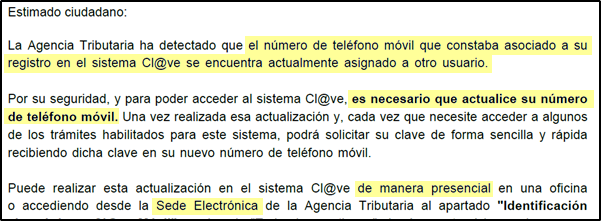
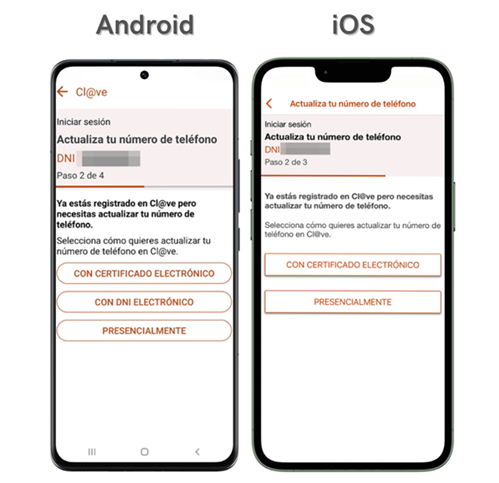
If you are left without an associated phone, your session in the APP will be closed. Cl@ve and when you start it again, you will be required to update your phone number.
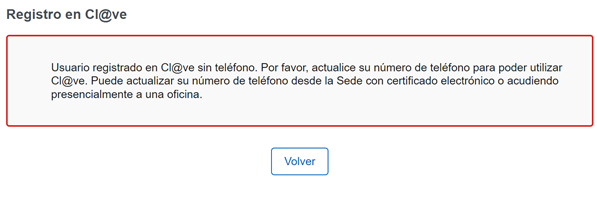
Additionally, if you try to register again, a notice will also appear indicating that you must update the number in order to use Cl@ve.
How to update phone number in Cl@ve?
- In person at registry offices
To go to an office of the AEATaccess to Assistance and appointment from the Electronic Headquarters of the AEAT selecting the service "Electronic Identification, "Registration in Cl@ve", or call 91 290 13 40 from Monday to Friday, from 9 a.m. to 7 p.m. (until 3 p.m. in August).
- From the APP Cl@ve with certificate or with DNI electronic
On iOS it is not possible to make the modification with DNI electronic.
- From the Electronic Headquarters of the AEAT with certificate or with DNI electronic
Access to Modify the phone with certificate or DNI electronic from Electronic Identification, Cl@ve Mobile Cl@ve, All procedures.