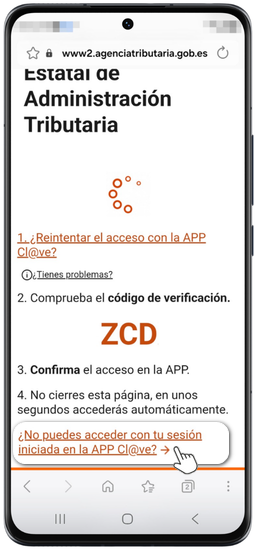
How to resolve doubts or errors related to Cl@ve
Skip information indexWhat to do if, when authenticating to Cl@ve from a browser on a mobile device, it does not connect to the Cl@ve app
Sometimes, when accessing a procedure by identifying yourself with Cl@ve When Mobile Cl@ve from a mobile browser using a mobile device, clicking "REQUEST ACCESS FOR APP" does not connect to the app. Cl@ve installed on your device to identify you.
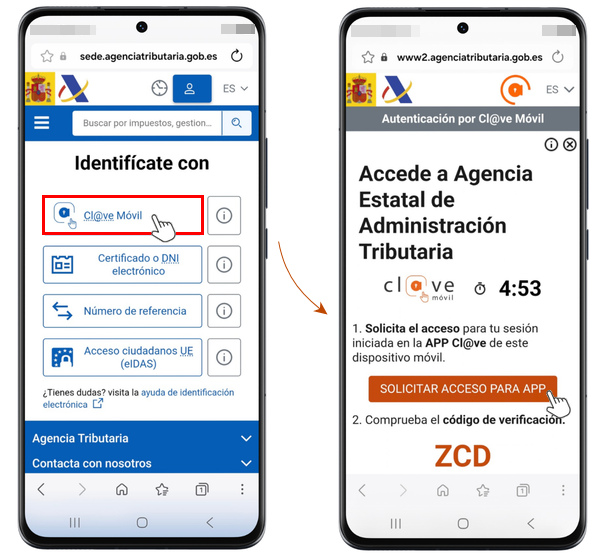
Instead, it opens the Play Store, indicating that the app is already installed. To resolve this type of behavior, go back and consult the question "Are you having problems?.
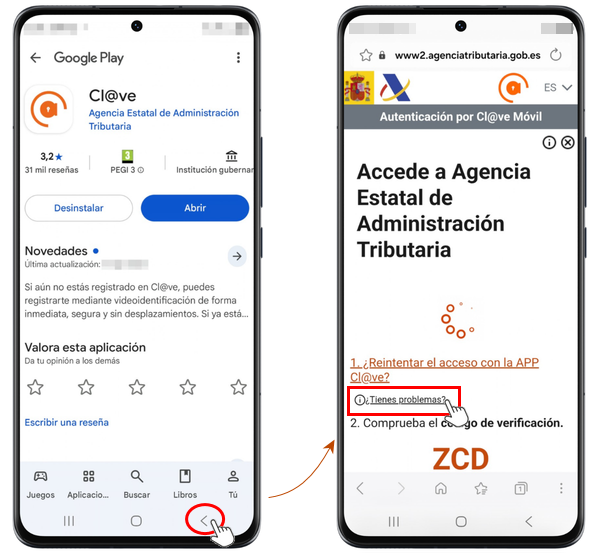
The issue is due to the specific characteristics of web browsers:
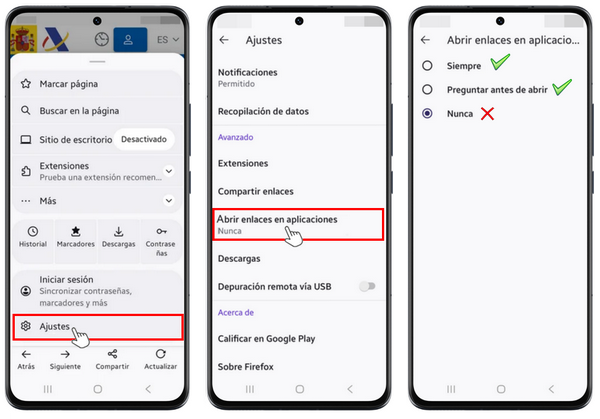
- You should check if you have enabled links to external applications in your browser settings.
- It may also not work if you use the browser in private or incognito mode.
- In the Opera browser, access is via the app. Cl@ve It's not working properly.
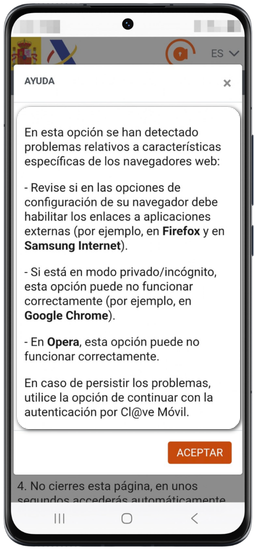
It works correctly in the Google Chrome browser with the default settings.
If you use Mozilla Firefox, go to the browser's "Settings" and change the "Open links in apps" option to "Always" or "Ask before opening". If you do not wish to enable this option, you can access it by completing your form. ID card either NIE and the contrasting data
If this issue persists, use the link "Can't access the app with your session logged in?" Cl@ve" located at the bottom, and indicates your ID card either NIE and the contrasting data.