Procedures available in the AEAT APP
Skip information indexOther procedures: Register of powers of attorney - Granted
To consult, extend or revoke your granted powers of attorney, go to the "Procedures" section located at the bottom of the window, then access "Other procedures" and locate "Registry of powers of attorney" to click on "Granted".
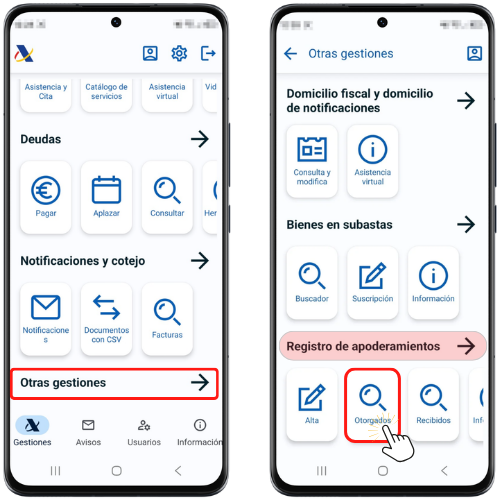
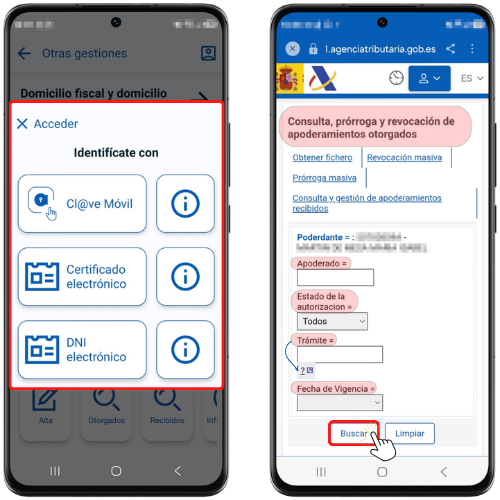
You can use Mobile Cl@ve, an electronic certificate or an electronic ID card (only available on Android devices) to identify yourself.
Once you have selected the type of access, you will get the window where the NIF and Name or company name of the grantor will be indicated.
You can filter your search by these criteria: "Attorney", "Authorization Status", "Procedure" and "Effective Date". Press "Search"; The top 10 will be displayed, and if there are more results, click "More" and "Next" to view the rest of the powers.
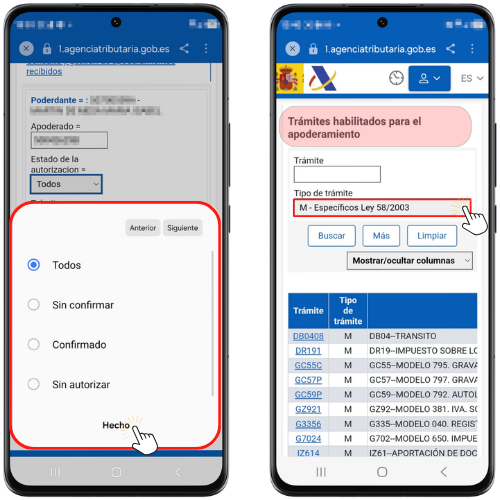
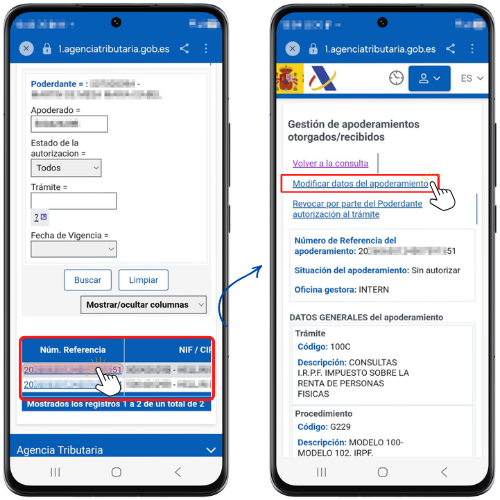
By clicking on the reference number of the power of attorney you can access the details to modify the validity period of the power of attorney and/or revoke it.
Extend powers of attorney that are about to expire
The principal may extend the powers of attorney granted from two months before the expiry date until the expiry date itself.
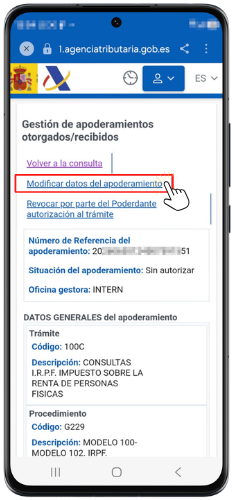
Click on the reference number and in the new window on "Modify power of attorney details".
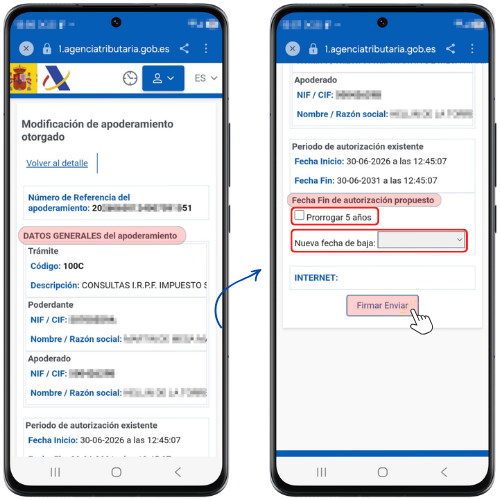
Next, you will find information about the general details of the power of attorney. In the "Proposed Authorization End Date" field, you can change the date on which the power of attorney ends by checking "Extend for 5 years" or selecting "New termination date" from the drop-down menu.
Once the date has been changed, press "Sign and Send"; at the end you will get the confirmation window of the change on the screen with an assigned CSV.
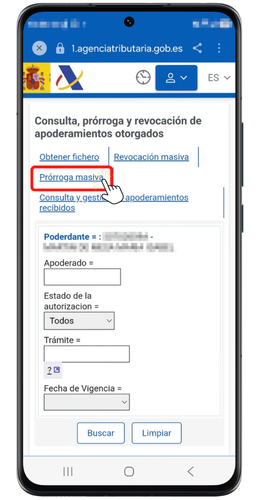
You can also extend powers of attorney in bulk. In the menu at the top, access the "Mass Extension" tab.
The system will display the list of procedures that will expire in the next 2 months, along with the corresponding representative, and the expected date for their cancellation.
You can choose to extend for the maximum allowed (5 years from the date of the extension) or set a maximum validity date (within the next 5 years). It is not possible to choose both options at the same time.
As it is a mass processing tool, it will not be possible to choose which procedures are extended and which are not. Once you have chosen one of the two options, press "Extend Powers of Attorney".
The result will be a page that reports the extended powers of attorney, indicating the new termination date.
Revoke powers of attorney granted
The appointing party can revoke the powers of attorney granted at any time. The revocation will take effect as soon as it is duly communicated to the Tax Agency.
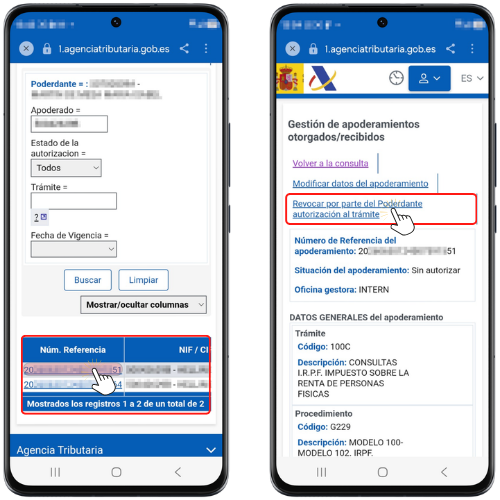
Click on the reference number and then on "Revoke the authorization for the procedure by the Grantor", located at the top.
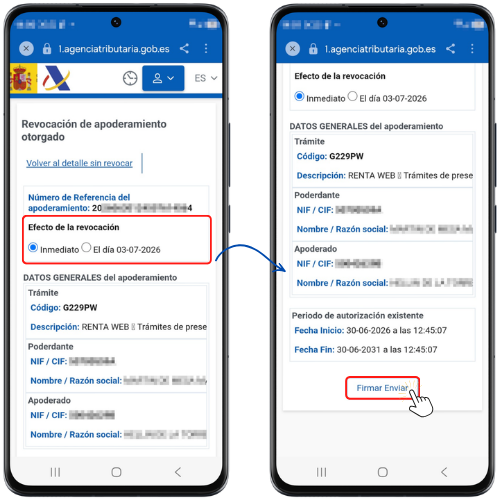
The principal may specify the date on which the revocation will take effect between "Immediately" and "The day...". Next, click "Sign Send".
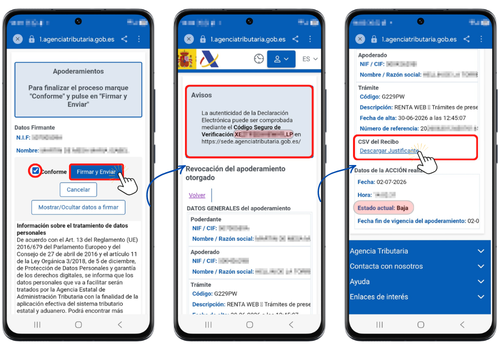
Check the "I agree" box and click "Sign and Send" to complete the process.
The response will be the revocation confirmation window with a CSV (Secure Verification Code), in addition to the rest of the power of attorney data. In addition, you will have a link to download the receipt.
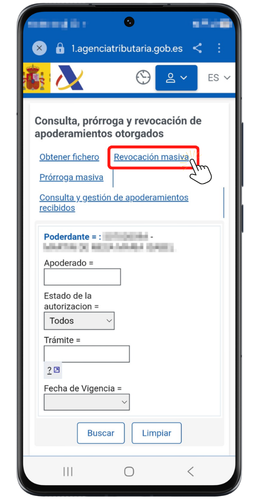
A "Mass Revocation" option has also been enabled, which allows you to revoke all powers granted to the attorney at once.